www.megger.com
28
TTR Screen
TTRU1 PRO TTR Test Setup
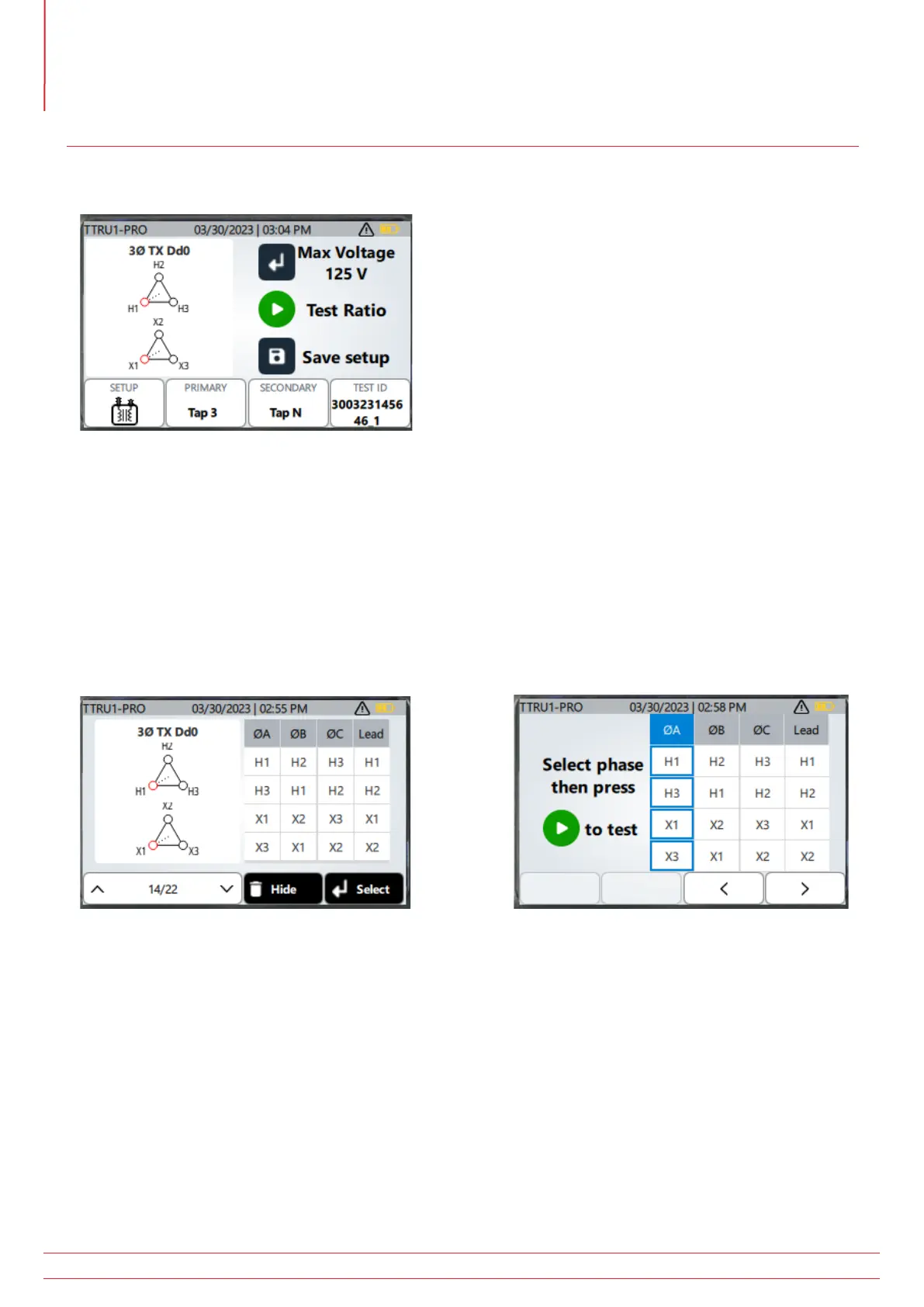
The operation of the TTRU1 PRO is comparable to the TTRU1 ADV. Key changes are highlighted below.
Press the enter key to select the maximum test voltage from the following options: 1 V, 4 V, 8V, 16 V, 32 V, 50 V, 80
V, or 125 V. Voltages above 50 V will use the step up method of ratio testing.
Three phase vectors are selectable from the vector list. Not all three phase vectors are presented, but common
configurations can be found.
With a three phase vector selected, clicking the test button will present an intermediate screen. The intermediate
screen is used to select which phase is being tested. Use the left or right arrows to select the phase to test, then
press the play button to start the test.
A custom vector can be upgraded to a custom nameplate in settings. When a custom nameplate is selected, the
primary and secondary winding information cannot be changed – only the different taps or connections associated
with the nameplate can be selected.



 To Next Page