www.megger.com
34
TTR Screen
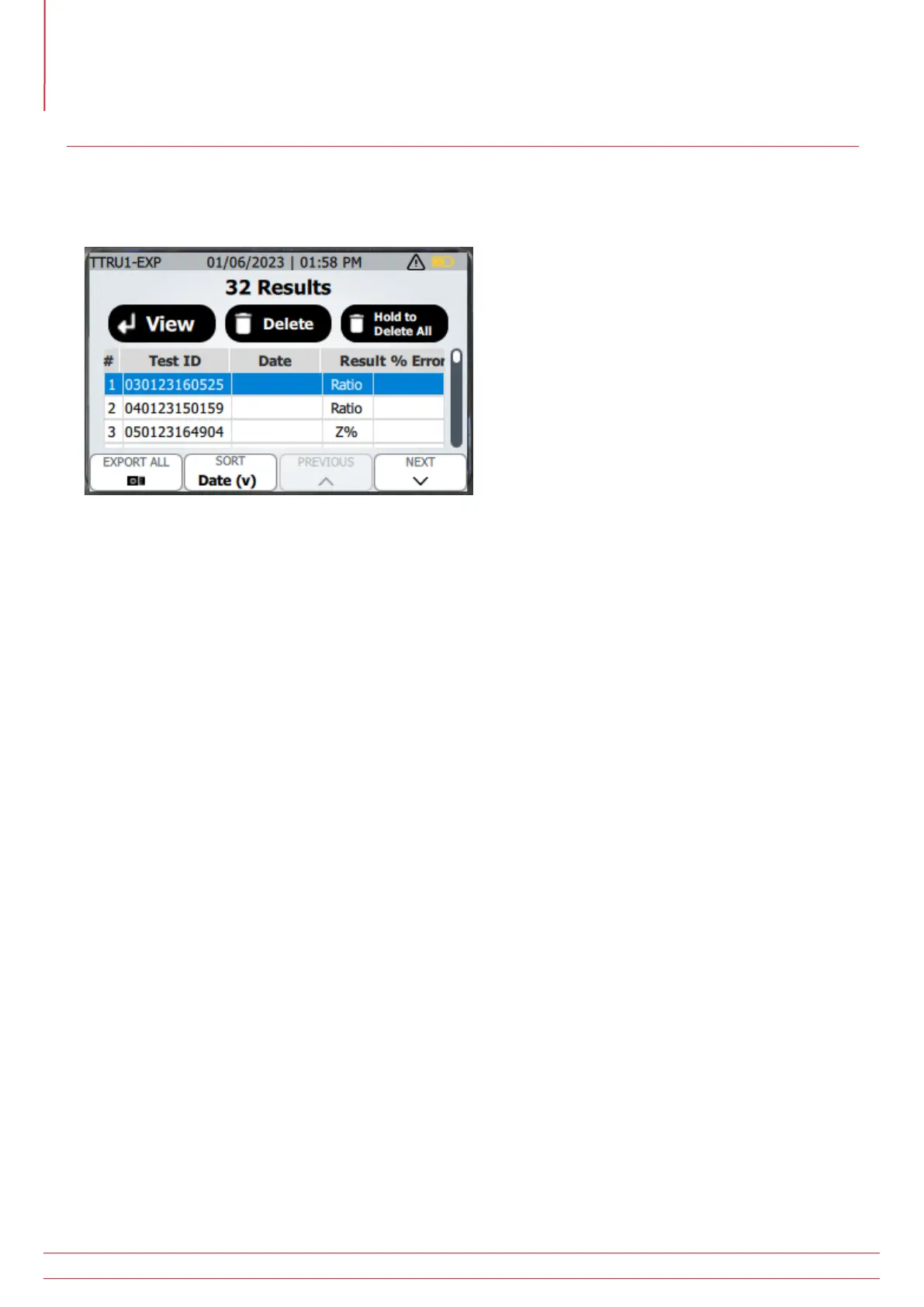
TTRU1 PRO and EXP Results
All Results
Saved results can be viewed on the TTRU1 PRO and EXP models only.
Test results are listed with a test number, Test ID, Date of test, Result type (Ratio, Go/No Go, or Z%), and % error. %
error will be blank if primary or secondary information was not saved with the result. % error will be Pass or Fail if
the result is a go/no go impedance test.
Press enter to view the selected result.
Press delete to the selected results. Deleting a result requires confirmation before the deletion is completed.
Press and hold the delete button until the “Release!” message is displayed to delete all results. Confirmation is also
required to delete all results.
Press Export All to export all results to a usb thumb drive.
Press the sort button to change the sorting. The following sort options are available:
Date (descending)
Date (ascending)
Test ID (A-Z)
Test ID (Z-A)
% Error (descending)
% Error (ascending)
Press the previous button to go to the previous result in the list
Press the next button to go to the next result in the list



 To Next Page