Operation
28
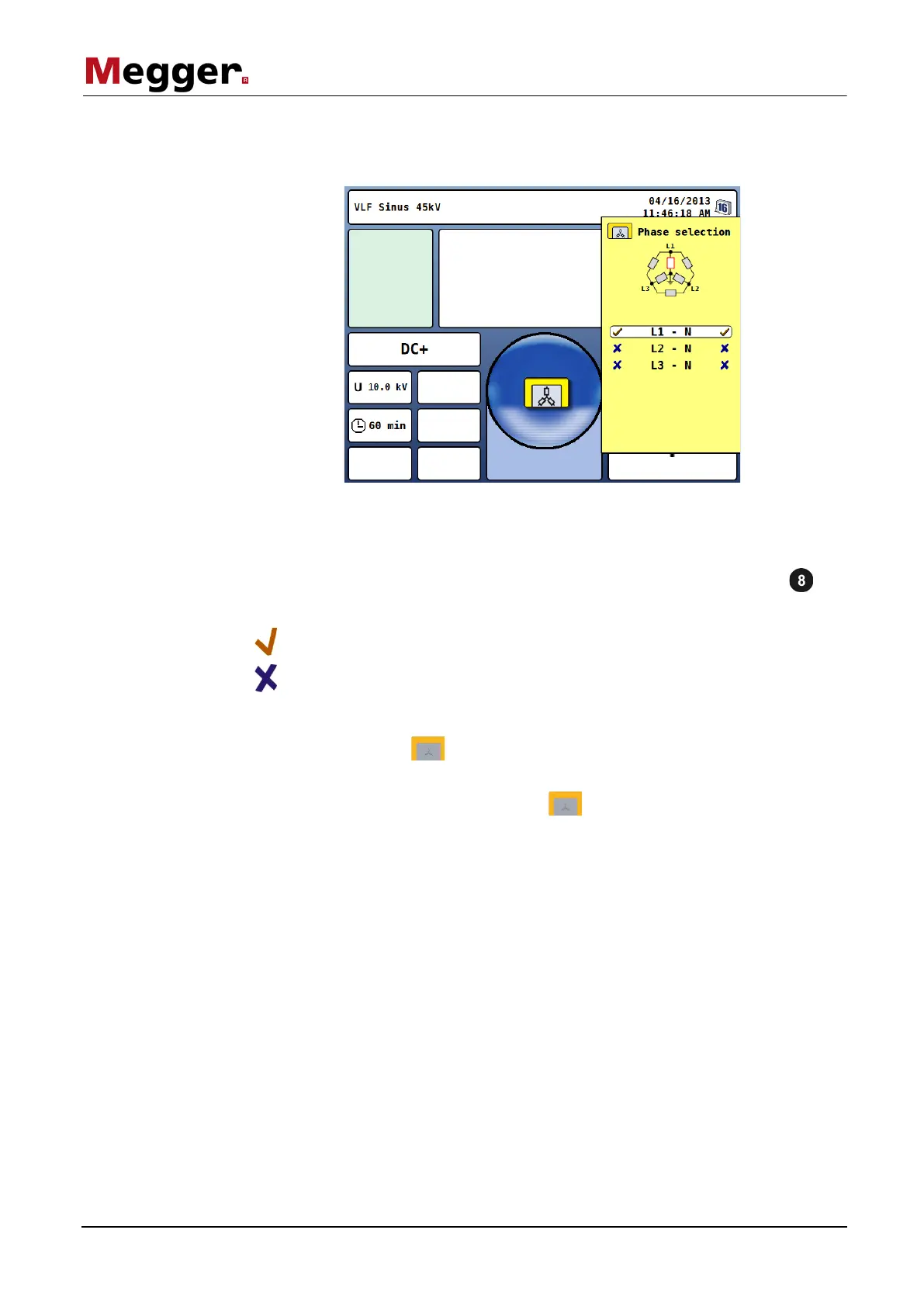
Immediately after the activation of an operating mode (with the exception of the sheath
pinpointing mode), the phase selection menu opens automatically:
Phase selection is used to select the phases of the test object on which the
measurement is to be carried out. In this manner, the test logs and the records of the
history database (see the next page) can also be easily assigned later.
The desired phase can be marked for selection by turning the rotary encoder and
then selected or deselected by pressing it.
Phase is active
Phase is not active
The phase selection menu can only be closed once a valid selection has been made. By
closing the menu via the function button, the active selection is confirmed.
Until the actual start of the measurements, the selection menu can be called up again
and adjusted by pressing the function button once again.
The last phase selection made is separately saved for each operating mode (even after
a restart) and is preset when the operating mode is restarted.



 To Next Page