Operation
30
4.3 System Menu
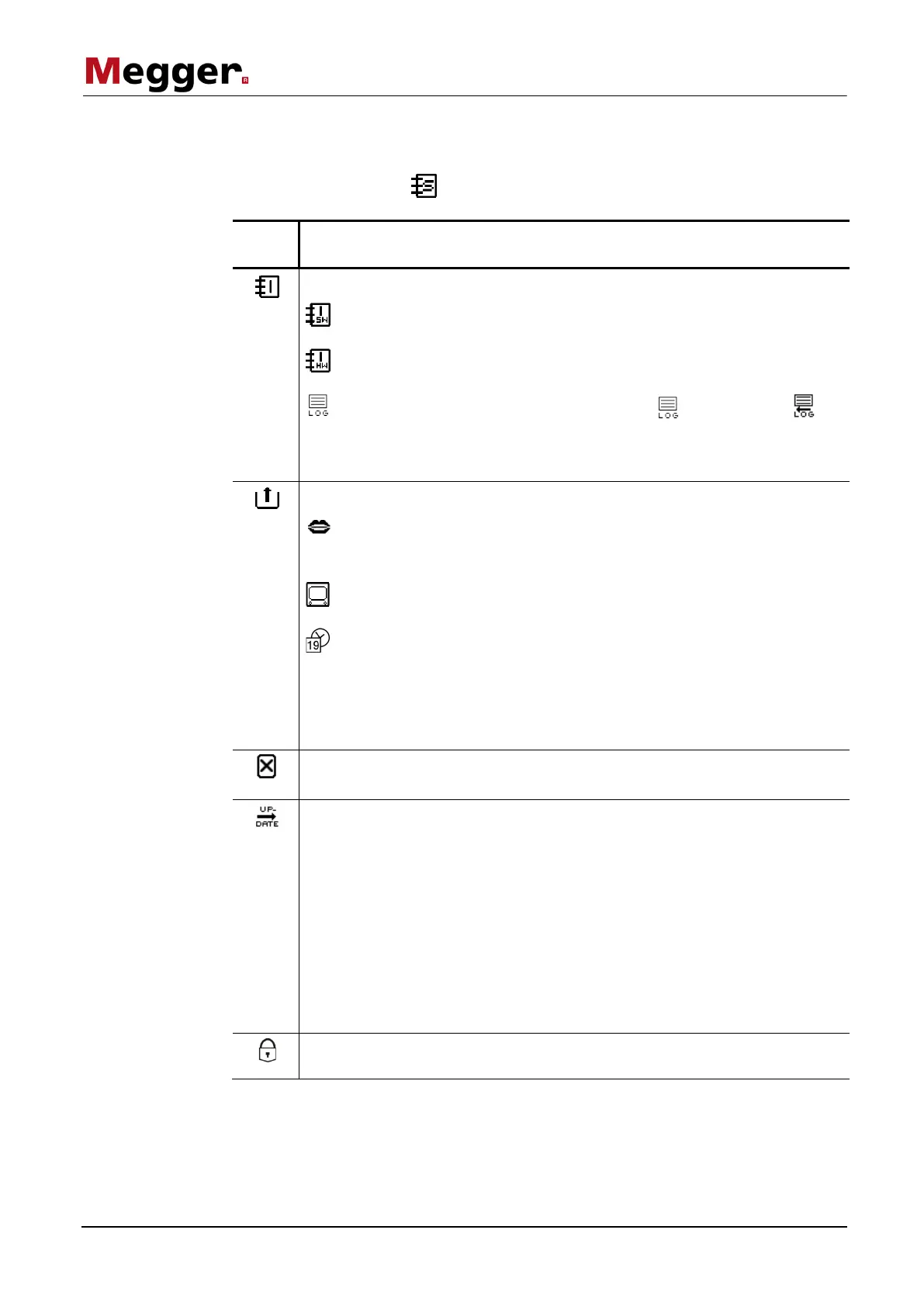
Selecting the menu item takes you directly to the system menu, where the following
functions and submenus are available:
Menu
item
Description
Submenu with detailed system information
Information on the current versions of the various software
components
Hardware information (e.g. MAC address and serial number of the
system)
The current system log file can be viewed ( ) and exported ( ) by
selecting this submenu.
When exporting the system log file, it is saved on the inserted USB
flash drive (in the directory: vlf45/logfiles/).
System settings
Setting the interface language.
Select the desired language by turning the rotary encoder and activate
by pressing it. The language selection is immediately active.
In this submenu, the brightness and layout of the display can be
adjusted and the background lighting can be switched on or off.
Setting the date and time.
The value of each segment that has been marked for selection can be
adjusted by turning the rotary encoder. Pressing causes the mark to
move the next segment.
Once the input has been concluded, the changes can either be
accepted with OK or rejected by selecting Cancel.
Using this function resets all the saved test parameters (e.g. phase selection,
voltage, test duration) to the default values preset in the factory.
When this function is used, a search in respect of firmware and language files
is conducted in the directory vlf45/updates/ on the inserted USB flash drive.
The files found are then listed and, using the rotary encoder, these can be
selected and imported. A distinction is made between the following file types:
vlf45-Software-x.xx.tar
Updating all software components (including kernel,
boot loader and database) to version x.xx
application-x.xx.img
Updating solely the application to version x.xx
vlf45-xxx.tar
Importing the language xxx
vlf45-Languages.tar
Importing all the languages contained in the
language file
Access to the password-protected submenus that are reserved for service
technicians and developers.



 To Next Page