EasyManua.ls Logo

MEI Cashflow SC Series - User Manual

MEI Cashflow SC Series
26 pages
Print Icon
To Next Page IconTo Next Page
Loading...
Technical Support 1-800-345-8172 CASHFLOW SC66 Page-1
www.meiglobal.com Part # 252055066 G1
ļ›™Mars Inc. 2003 Printed in USA.
MEI is a trademark of Mars, Inc. Information is subject to change without notice. MEI has made every effort to ensure that the
information in this document is accurate. However, we cannot be held responsible for any errors or omissions.
Cashflow SC66
Operation & Maintenance Manual

Other manuals for MEI Cashflow SC Series

Question and Answer IconNeed help?

Do you have a question about the MEI Cashflow SC Series and is the answer not in the manual?

Summary

INSTALLATION

Installing The Chassis

Explains how to mount the chassis to the machine.

Inserting And Removing the Acceptor Module

Details the process of attaching and detaching the acceptor module.

UPDATING SOFTWARE

Portable Programming Module

Introduces the PPM device for software updates.

PPM Downloading Procedure

Outlines the steps for downloading software using the PPM.

Replacing the Programmed PROM (Chip Change)

Explains how to change the unit's software via PROM.

COUPON

Coupon Configuration Instructions

Guides users on how to fill out and use the configuration coupon.

MAINTENANCE

TROUBLESHOOTING

Diagnostic Codes

Explains the meaning of LED indicators for troubleshooting.

FREQUENTLY ASKED QUESTIONS

Overview

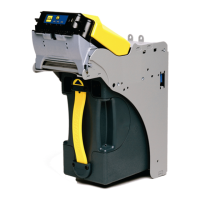
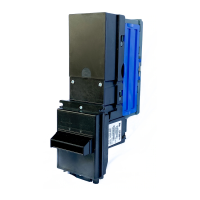
The MEI Cashflow SC66 is a bill acceptor designed for various applications, including gaming machines and other vending systems. It consists of three main components: the Acceptor Module, the Chassis, and the Cashbox/LRC (Low-Resolution Cashbox). The Acceptor Module and Cashbox are interchangeable with other identical SC66 models, offering flexibility in deployment and maintenance.

Function Description:

The primary function of the Cashflow SC66 is to accurately validate and accept banknotes, stacking them into a secure cashbox. It features advanced technology to ensure high acceptance rates and security against fraudulent bills. The device also supports coupon configuration, allowing for customization of accepted denominations and bill entry directions. Software updates can be performed either via a Portable Programming Module (PPM) for Flash units or by replacing the PROM (Programmable Read-Only Memory) chip for PROM units.

Important Technical Specifications:

  • Model Numbering: The model number (e.g., SC66 XX X) indicates features such as Flash or PROM unit, OEM configurability, and interface type (Opto Isolated EBDS or RS232 EBDS). "EBDS" stands for Extended Bi-directional Serial, an MEI proprietary protocol.
  • Serial Numbering: The serial number (WW YL CC #####) provides manufacturing details, including the week and year of manufacture, manufacturing location, and a sequential production number.
  • Power Requirements:
    • Standby: 10 Watts
    • Acceptance: Peak 30 Watts
    • Stacking: Peak 70 Watts
    • Input Voltage: +12-28 VDC
  • Processor: 100 MHz DSP Processor for efficient bill validation.
  • Bill Path: Features a smooth, sealed bill path and a short bill path for quick processing.
  • Interface: Supports various interfaces, including Opto Isolated EBDS and RS232 EBDS. OEM-specific connectors are also available.
  • Connectivity: Includes a USB service port for software updates and an 8-pin connector for bill entry guides with lights.
  • Cashbox: Designed for a 66mm bill path and offers dual lock capability, supporting standard 5/8" and 1-1/8" lock formats from various manufacturers (Medeco, Kaba, Abloy, VSR, Miwa, Duo).

Usage Features:

  • Easy Installation: The chassis is mounted using M4 screws, aligning with locating pins. The Acceptor Module is easily inserted and removed by locking/unlocking a release lever.
  • Bill Entry Guides: Various bill entry guides are available, including Platform and Universal types, to suit different machine specifications. These guides slide onto the Acceptor Module and lock into place, with optional harness connections for lighted guides.
  • Cashbox Handling: The cashbox slides into the chassis and is secured by internal springs. It can be removed by pulling a yellow strap. Arrows on the cashbox highlight its position (upright or upside-down) for easy identification by soft count crews.
  • Software Updates:
    • Portable Programming Module (PPM): For Flash units, the PPM connects via USB to the SC66. A download button on the PPM initiates the software update. LEDs on the PPM indicate its status (PPM on, busy, upgrade complete, battery low) and error codes (wrong product connected, bill reader error, PPM error, program error).
    • PROM Replacement: For PROM units, software updates involve physically replacing the PROM chip located under the yellow Acceptor Latch of the Acceptor Module. This process requires removing the Acceptor Module from the chassis, opening it, releasing the yellow cover, and using a PLC puller to remove the old PROM.
  • Coupon Configuration: The SC66 allows for configuration using a physical coupon. Users fill in circles on the coupon to enable/disable bill denominations, voucher acceptance, auxiliary serial port usage, and bill entry direction (1-way, 2-way, or 4-way). The coupon is inserted after pressing and holding the MMI button, with LEDs indicating acceptance or rejection.
  • Diagnostic LEDs: The Acceptor Module features 15 color-coded diagnostic LED combinations (Green, Yellow, Red) to indicate the unit's status.
    • Green (No Fault): Indicates normal operation or minor conditions like being disabled by the machine interface.
    • Yellow (Soft Fault): Indicates issues that can be corrected by the operator, such as an unseated cashbox, poor acceptance (requiring cleaning), or a jam in the acceptor or cashbox.
    • Red (Hard Fault): Indicates a component needs replacement, such as a full cashbox, acceptor hardware fault, interface board hardware fault, or an unprogrammed unit.

Maintenance Features:

  • Cleaning: Periodic cleaning is recommended to maintain performance. The Acceptor Module can be opened by pulling up the yellow cap after removal from the chassis. The bill path and sensor areas should be cleaned with a soft, lint-free cloth and a mild, non-abrasive cleaning solution. Petroleum-based products should be avoided as they can damage the bill path. Cleaning cards are not necessary due to the ease of opening the unit for thorough cleaning.
  • Calibration: The SC66 series bill acceptor is designed not to require field calibration. Calibration is only performed by trained technicians at approved service centers, typically after certain repairs. There are no user-accessible switch settings or calibration modes.
  • Bill Jam Clearing: In case of a bill jam, the Acceptor Module can be removed from the chassis, opened by sliding the yellow Acceptor Latch forward, and the jam cleared.
  • Service Centers: MEI provides service centers for technical support and repairs, with locations in West Chester, PA, and Las Vegas, NV. Toll-free technical support is also available.

MEI Cashflow SC Series Specifications

General IconGeneral
BrandMEI
ModelCashflow SC Series
CategoryCash Counter
LanguageEnglish

Related product manuals