23 / 42 9742146
15 Settings/modifications/on-site adaptation
15.1 Using the keyboard for programming
Various access codes were defined for the various user levels. After the complete code
has been entered, it is compared to an internal code table. The corresponding user level
is then granted, depending on the code that has been entered.
Two access codes are available for each user level; the first is for restricted access, i.e.
no modification of parameters is possible (viewing mode), and the second gives access to
the entire range of functions (viewing and modification).
In the short programming instructions accompanying every appliance in the series, this is
described in condensed form.
For control system programming, the power supply must be available and the appliance
must be completely switched off (no LED is illuminated).
Code input:
View service data: CODE 10000
Modify service data: CODE 10001
View configuration data: CODE 20000
View dosing technology data: CODE 40000
Modify dosing technology data: CODE 40044
The code numbers for the additional levels can be taken from the service manual.
15.2 Code input
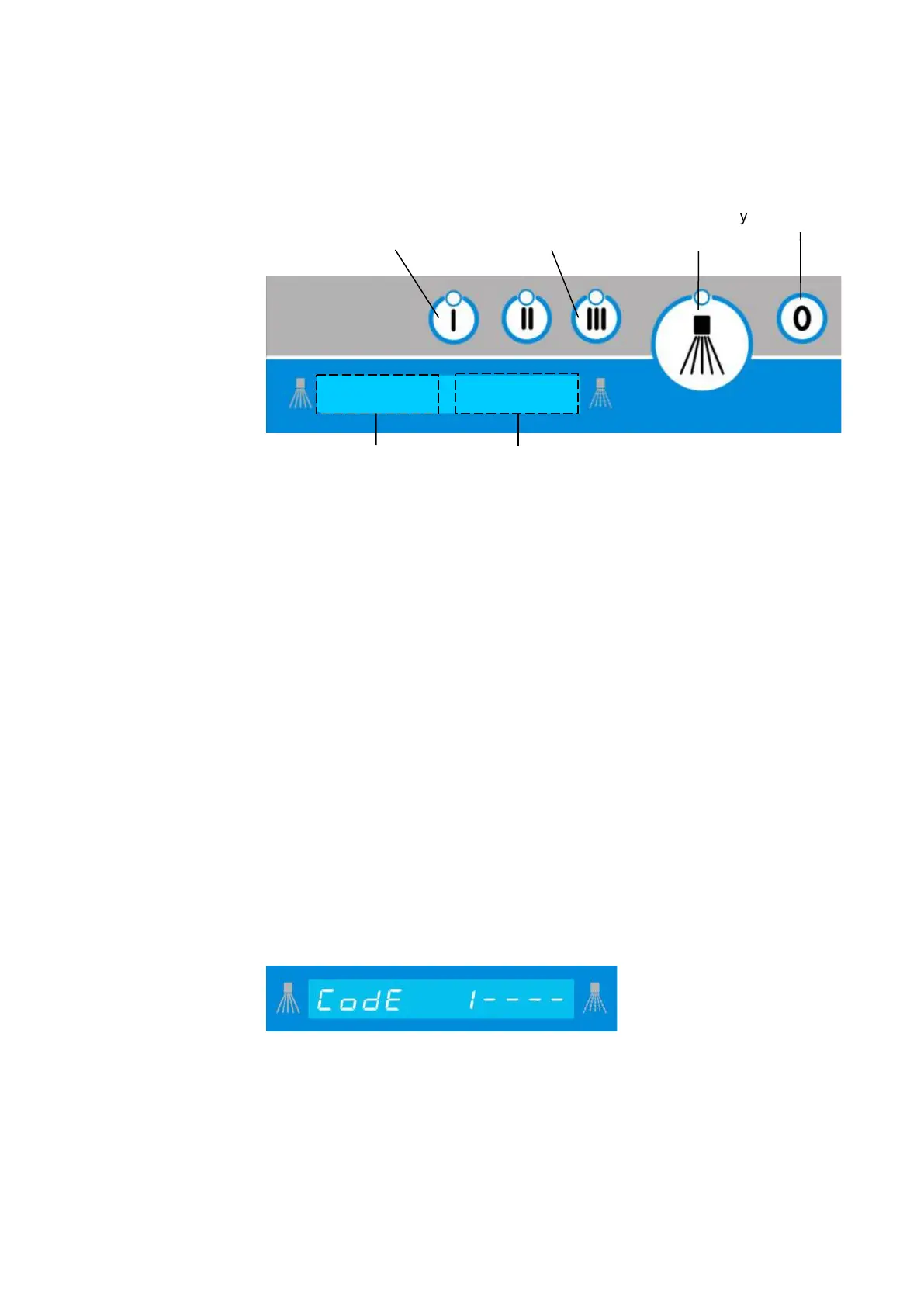
To access code input mode, hold down the "0" button (for about 3 seconds) until you see
in the display.
Pressing the “0” button again lets you quit programming at any time.
The digit being changed flashes.
Press the “I” button to increase the value/code indicated on the display unit, or press the
“III” button to decrease it, and press the “accept” button to save it. The next value will then
flash and will be the only one visible.
Accept/modify
Increase value/
move forward
Decrease value/scroll
back
Exit
Value field
Function field


 To Next Page