9742146 34 / 42
16.1 Information reporting and troubleshooting
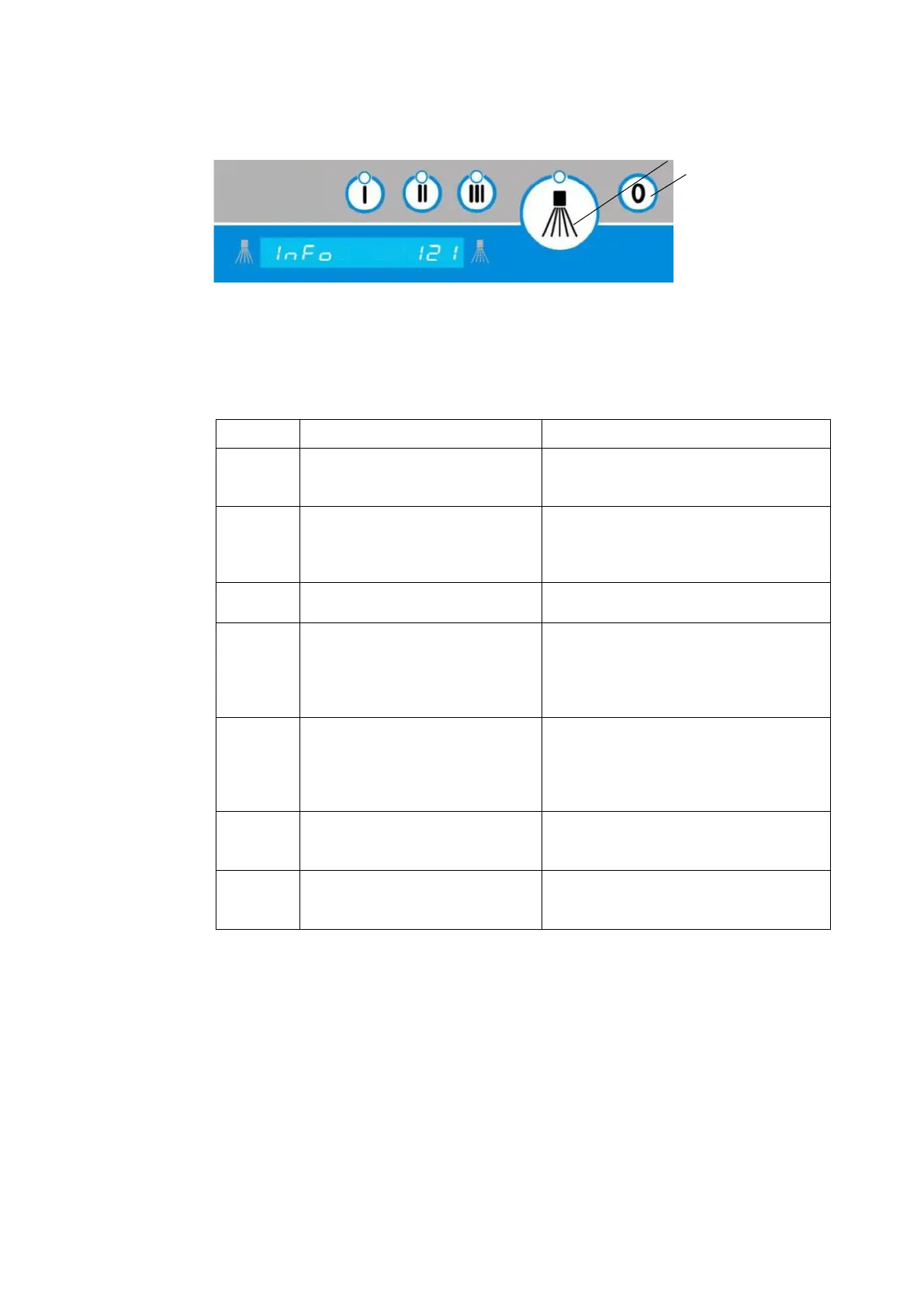
Image 2: information display
Information displays can be deleted using the confirmation button.
Provided that the appliance function is restored, the next programme sequence will begin.
By pressing the off button, the information display is also deleted.
Information display (excerpt)
Emergency programme active
Restricted washing possible
No fresh water supply
Change microswitch
Check microswitch adjustment
Replacing a defective I/O circuit board
Incorrect password/no
authorization
Factory setting parameter list
Switch the power supply on/off within
five minutes to reset parameters to
factory settings. After that, this will be
rejected and parameters will be retained
Information 123 has disappeared
The set operating hours (P122) or batch
number (P123) has been reached.
Inform the service department and
perform maintenance.
Reset the maintenance counter (P124)
If the appliance is ready for operation, a
lack of rinse agent will be signalled (only
if there is a built-in warning system)
If the appliance is ready for operation, a
lack of disinfectant will be signalled (only
if there is a built-in warning system)
Table 2: information displays


 To Next Page