8.1 Establishing a Network Connection
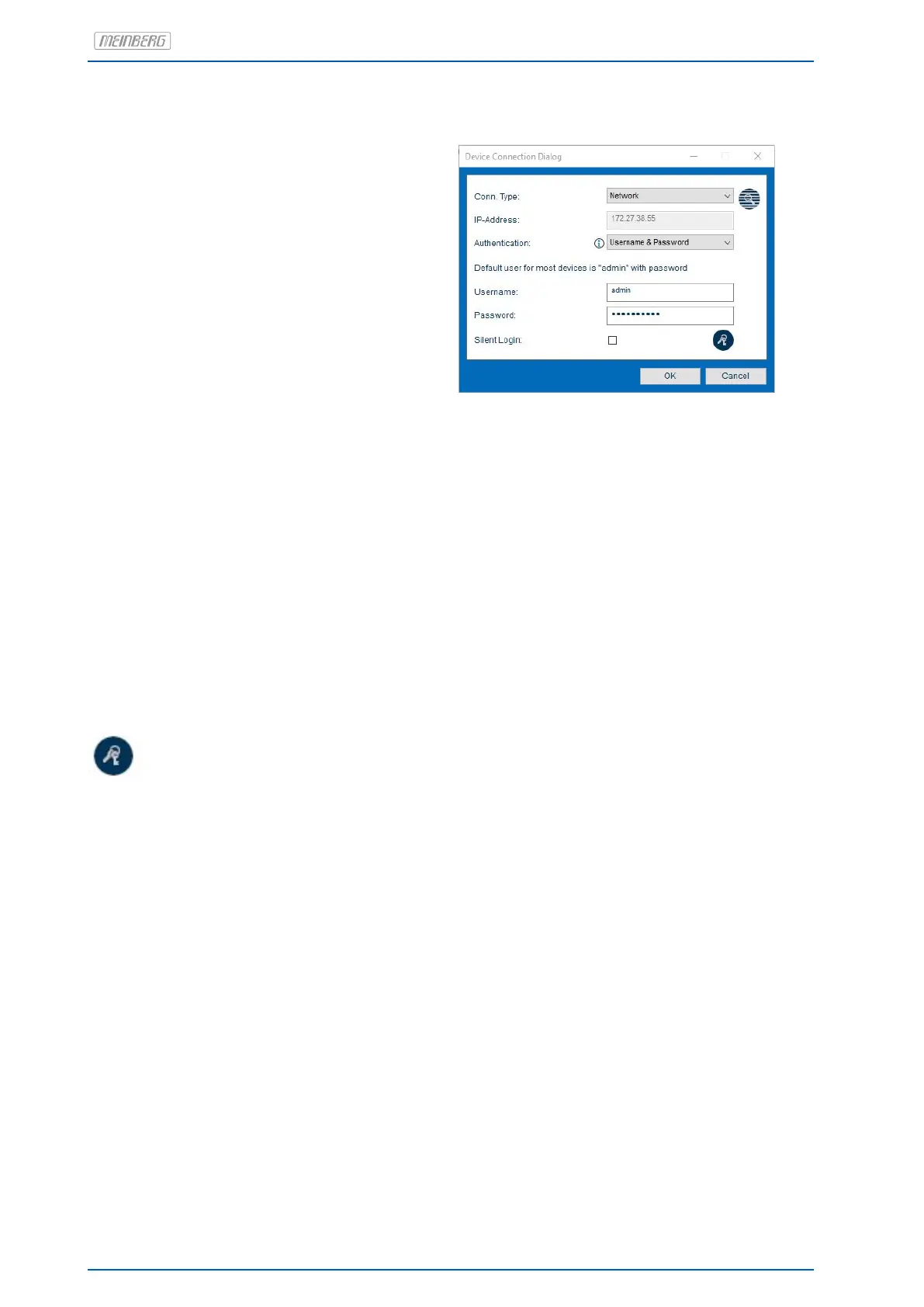
1. click on "Add Device".
2. select the connection type Network.
3. Enter the IPv4 address of the system
to be connected to.
Parameter
Authentication: the Username & Password option is only supported for modules with MeinbergOS.
Username (Optional): enter the user name with which the Meinberg Device Manager should authenticate
itself to your Meinberg system.
Password: enter a password with which Meinberg Device Manager should authenticate itself
to your Meinberg system.
Silent Login: you have the possibility that the Meinberg Device Manager will not ask for your
username and password every time you log in.
Changing your Net work Password
To change the password for the currently logged in user, click this icon.
32 Date: 17th June 2020 microSync


 To Next Page