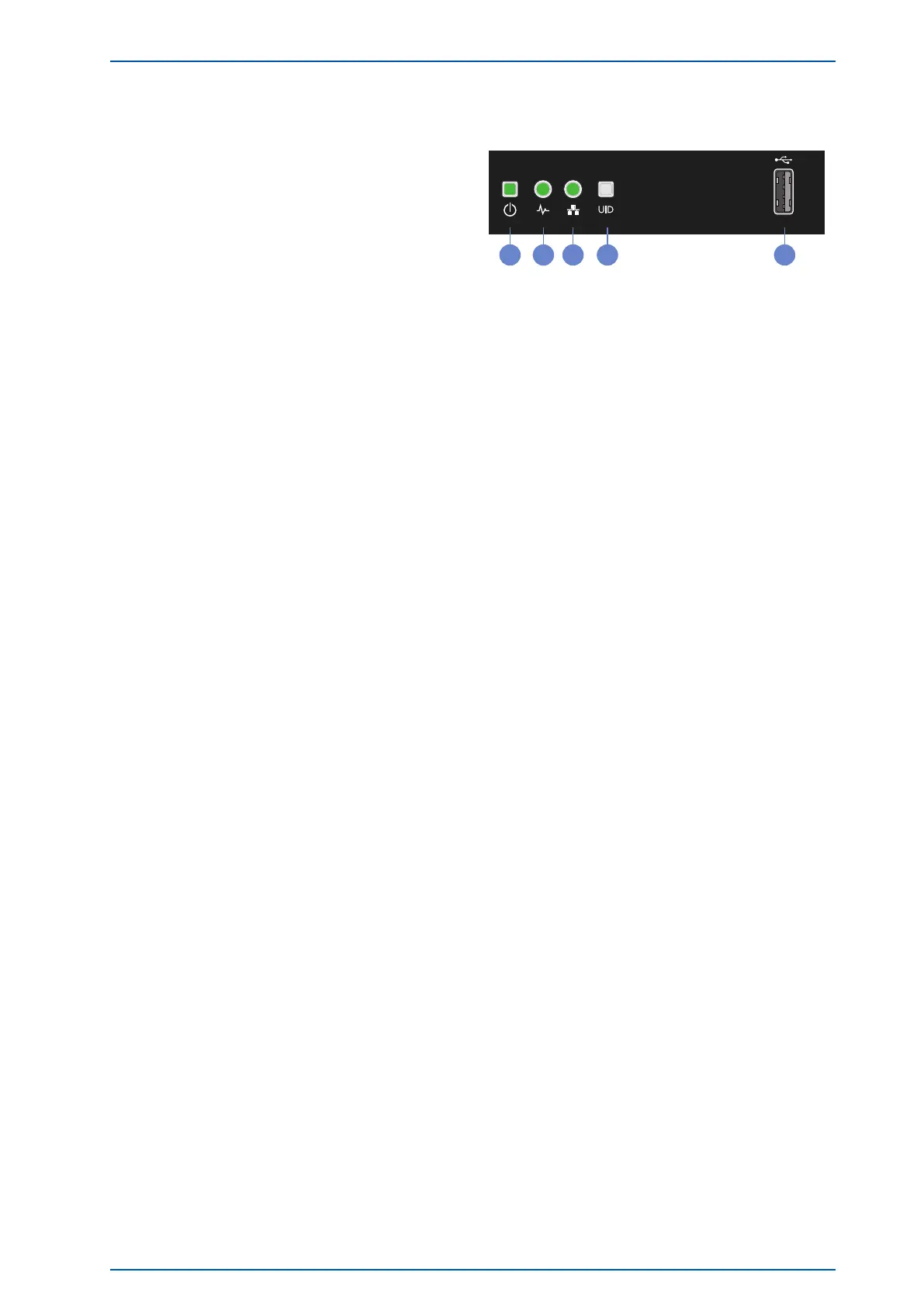
10 Indicators and Function Keys on the Front Panel
10.1 Control Elements
1. Power On / Standby-Button / System-Power-LED
When the system is switched off, it can be switched on
again by pressing the On/Off button. When the system
is operating, pressing the On/Off button will switch
off the system.
Solid green = System on
Flashing green
(1 flash per second) = Performing power on sequence
Solid amber = System in standby
Off = No power present
2. Health-LED
Solid green = Normal
Flashing green
(1 flash per second) = iLO is rebooting
Flashing amber = System degraded
Flashing red
(1 flash per second) = System critical
3. NIC-Status-LED
Solid green = Link to network
Flashing green
(1 flash per second) = Network active
Off = No network activity
4. UID-Button / LED
Solid blue = Activated
Flashing blue: 1 flash per second = Remote management or firmware upgrade in progress
4 flashes per second = iLO manual reboot sequence initiated
8 flashes per second = iLO manual reboot sequence in progress
Off = Deactivated
5. USB 3.0 Port
- Transfer configuration parameters between different LANTIMEs
- Keypad locking for secure using the keypad of the LCD
- Transfer of log files
- Install Software Updates
- Upload and download secure certificates (SSL, SSH) and passwords
SyncFire 1200 Date: 31st March 2021 39





 To Next Page