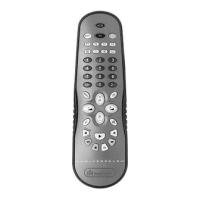
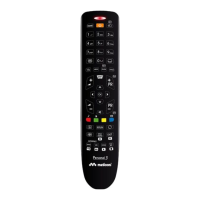
To program the Universal 2 remote
control, follow the indications
in section A , B or C .
SET-UP
Read these instructions
carefully before programming
your remote control!
MAKE SEARCH PROGRAMMING MODE
A
1.
Make sure your TV or VCR is ON.
For VCRs, make sure a cassette has
been inserted.
2.
In the code book enclosed, look for the
make of your appliance and make a
note of the code indicated at the side
(e.g. Philips 001) or the code for the
make indicated by the arrow.
3.
Press and release the TV or VCR
selection button for the appliance you
want to use.
– the TV button is used to search only
for the TVs of the make selected
– the VCR button is used to search only
for the VCRs of the make selected.
4.
Hold down the SHIFT and ON/OFF
buttons together until the TV or VCR
selection buttons start to flash
indicating that the remote control is
programming.
5.
Release the buttons, within 15
seconds, enter the make code
previously identified (e.g. 001).
The TV or VCR selection button flashes
more quickly to indicate
that the remote control is ready
for the search.
6.
Point the remote control at the
appliance. Press and release one of the
most frequently used keys several
times STOPPING when the appliance
responds correctly to the command.
7.
When the appliance responds
correctly, press SHIFT to confirm.
Three flashes indicate that the
operation has been completed
correctly.
Additional check
Check that some of the other functions
used on your original remote control are
working correctly. If the commands
function incorrectly or erratically, you
have probably entered a code for a
similar but different remote control.
In this case, repeat the search
procedure from point 3.
Identify and make a note of the code
for the appliance which you have
searched for following the code noting
procedure (see “NOTING THE
PROGRAMMED CODE” section).
Warning: program one appliance at a time.
NOTE
: THE TV OR VCR SELECTION
BUTTON STOPS FLASHING.
The remote control leaves the
programming mode and the TV or VCR
selection button stops flashing:
•
if no buttons are pressed for 15 seconds
•
if an invalid make code is entered
•
if the code search list is completed In this
case, go back to point 3 or switch to
programming mode C
•
if you press the TV - VCR - F1 - F2 -
F3 - F4 buttons by mistake.
VCR
TV
0
0
1
FITTING THE BATTERIES
Before programming and using the remote control, fit the batteries.
The remote control requires 2 new AAA/LR03 alkaline batteries.
Insert the batteries as shown.
• The batteries must be changed once a year.
• If the TV or VCR selection buttons start to flash
during use, this indicates that the batteries are low
and should be changed.
• When you remove the batteries, fit the new ones
within 5 minutes or you may have to reprogram your
remote control.
• Make a note of the codes for the TV and VCR
equipment on the adhesive label inside the battery
cover. This note will be handy if you have to
reprogram your control.









 To Next Page