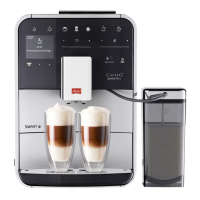
Requirement: The appliance has been installed and connected.
1. Place a vessel beneath the outlet.
2. Switch on the appliance with the ON/OFF button.
» The welcome display appears on the appliance.
» The request to carry out the setup appears on the display: Please set
up the machine.
» The "menu/ok" button ashes.
3. Conrm with "menu/ok".
» The Language menu appears.
4. Select your language with the arrow buttons. Conrm with
"menu/ok".
» The Clock menu appears.
5. Select the hour and the minutes with the arrow buttons. Conrm each
setting with "menu/ok".
» The Water hardness menu appears.
6. Select the determined water hardness range with the arrow buttons or
conrm the default value with "menu/ok".
» The request Please rell and insert water tank appears.
7. Remove the water tank. Rinse out the water tank with clean water. Fill
the water tank with fresh water and insert it.
» The appliance heats up and performs automatic rinsing.
» The ready symbol and the request Fill beans appear on the display
8. Fill coee beans into the bean container. To do this, read chapter Filling
with coee beans and using BeanSelect on page67.



 To Next Page
 Loading...