36
Menu mode
CAL 1
+0,5°C
CAL 3
+1,6°C
CAL 2
-0,4°C
Factory calibration
20°C 30°C 40°C
0°C
10°C
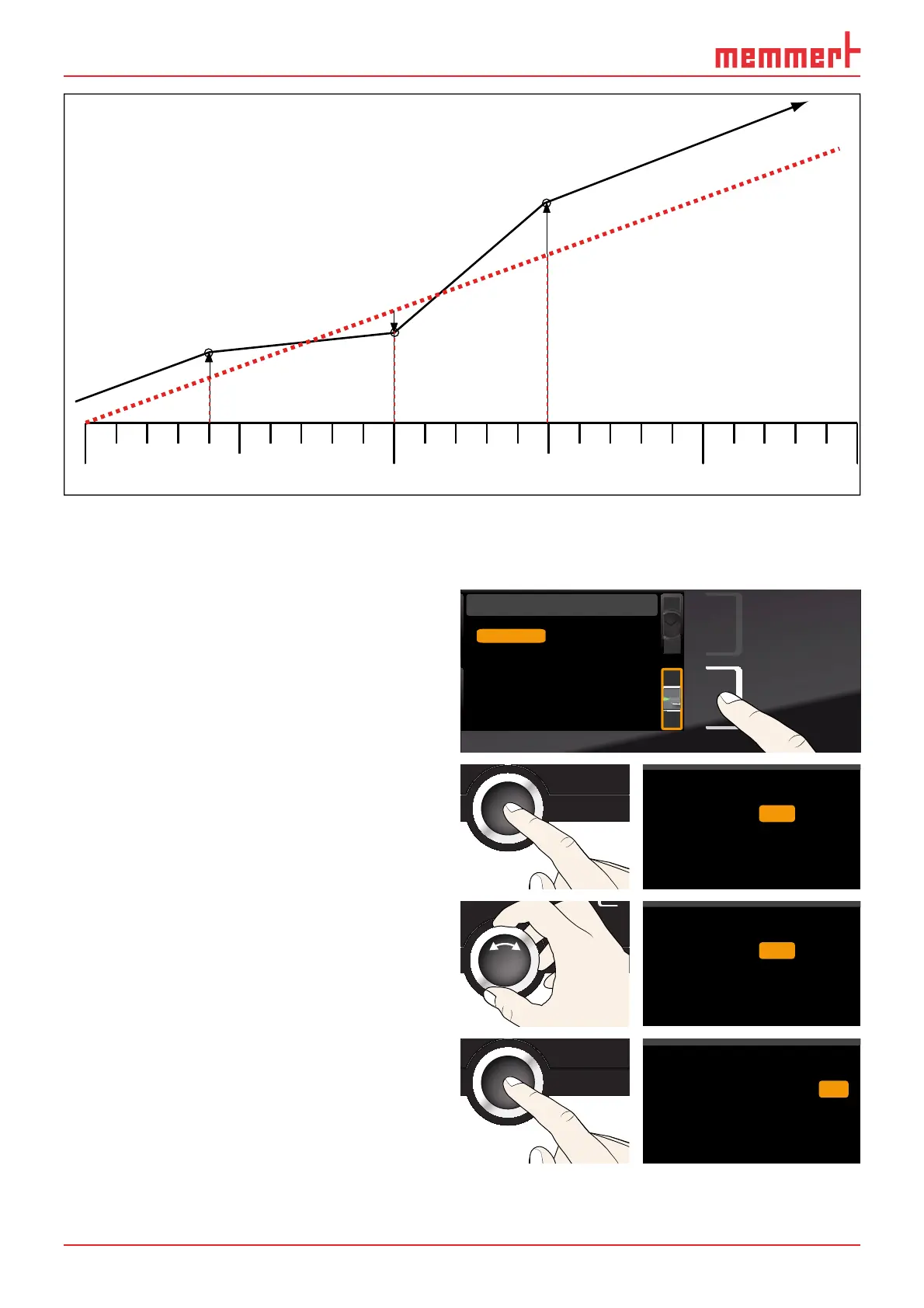
Fig. 22 Schematic example of temperature adjustment
Example: Temperature deviation at 30 °C should be corrected.
1. Press the activation key to the right of
the ADJUST display. The display is en-
larged and the temperature adjustment
option is automatically highlighted.
Cal1 °C -0,2K
Cal2 100.0 °C +0,1K
Cal3 180.0 °C -0,2K
JUSTIEREN
Temperatur
letzte Justierung 12.10.2012 12:00
40.0
CK0,2-
CK0,1+
CK0,2-
ADJUST
Last adjustment 12.10.2012 12:00
Cal1
Cal2
Cal3
20.0
37.0
5.0
Temperature
2. Press the confirmation key repeatedly,
until the calibration temperature CAL2
is selected.
CK0,2-
CK0,1+
CK0,2-
Temperature Cal1
Cal2
Cal3
37.0
5.0
20.0
3. With the turn control, set the calibra-
tion temperature CAL2 to 30 °C.
CK0,2-
CK0,1+
CK0,2-
Temperature
Cal1
Cal2
Cal3
37.0
5.0
30.0
4. Save the setting by pressing the confir-
mation key. The corresponding calibra-
tion value is automatically highlighted.
CK0,2-
CK
CK
0,2-
Temperature
Cal1
Cal2
Cal3
37.0
5.0
30.0 0,1+



 To Next Page