37
Menu mode
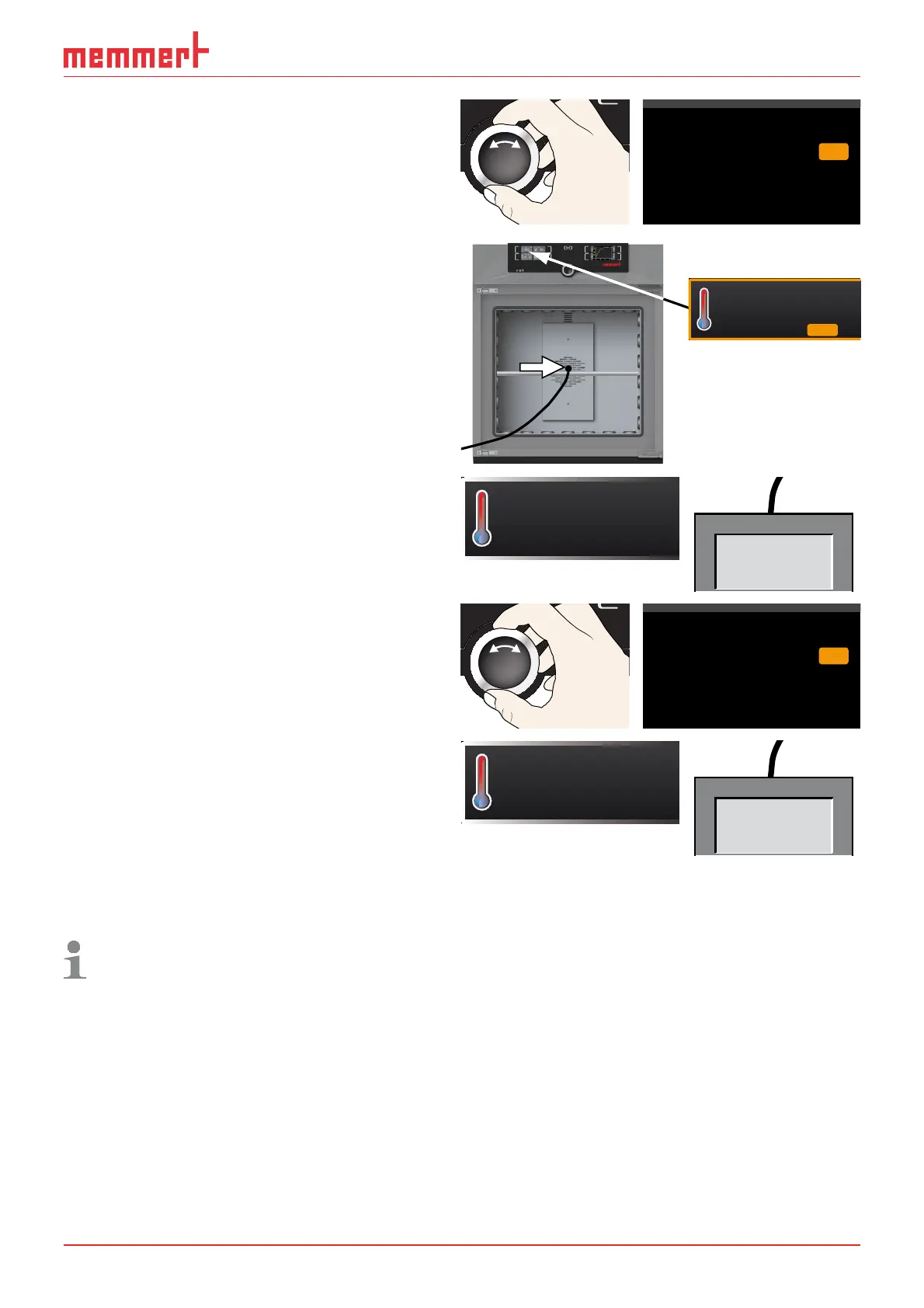
5. Set the calibration value to 0.0 K and
accept the setting by pressing the con-
firmation key.
CK0,2-
CK
CK
0,2-
Temperature
Cal1
Cal2
Cal3
37.0
5.0
30.0 0,0
6. Position the sensor of a calibrated
reference instrument centrally in the
appliance's working chamber.
7. Close the door and, in manual mode,
adjust the set temperature to 30 °C.
°C22.4
TEMP
°C
30.0Set
8. Wait until the appliance reaches the set
temperature and displays 30 °C. The
reference instrument should display
31.6 °C.
°C30.0
TEMP
°CSet 30.0
31.6 °C
9. In the SETUP, adjust the calibration
value CAL2 to +1.6 K (actual value
measured minus setpoint temperature)
and save the setting by pressing the
confirmation key.
CK0,2-
CK
CK
0,2-
Temperature Cal1
Cal2
Cal3
37.0
5.0
30.0 1,6+
10. After the calibration procedure, the
temperature measured by the reference
instrument should now also be 30 °C.
°C30.0
TEMP
°CSet 30.0
30,0 °C
With CAL1, a calibration temperature below CAL2 can be programmed accordingly, and
with CAL3, a temperature above. The minimum difference between the CAL values is 10
K.
If all calibration values are set to 0.0 K, the factory calibration settings are restored.



 To Next Page