20 03/2021
Operation and control
5.3.1 Temperature display unit
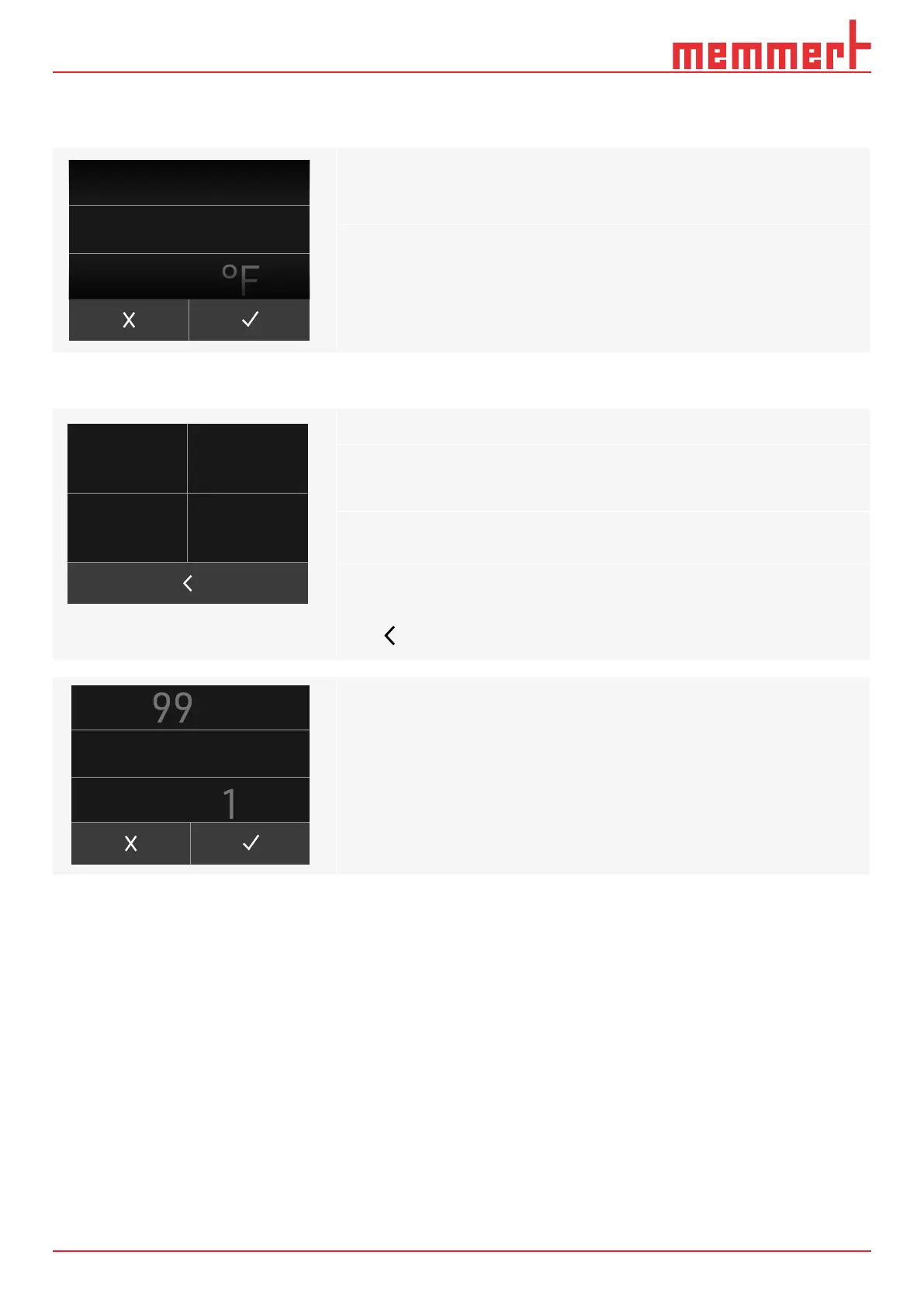
Set the temperature unit in the sub-menu on
Set the values by scrolling vertically on the
touch display:
5.3.2 Calibration settings
Make 2-point calibration in the sub-menu on
► The left side shows the compensation temperature setting
(CAL1 temp / CAL2 temp)
► The right side shows the compensation correction values
(DEV1 / DEV2)
Equipment calibration see chapter 5.5
Press to return to appliance settings
The compensation temperature and compensation correction values are adjusted the
same way as the temperature setting, see chapter 5.2
°C
Temperature
CAL 1 Temp
DEV 1 +/-
DEV 2 +/-CAL 2 Temp
00.0
°C
0.0
K
0.0
K
00.0
°C
0
°C
100 .
CAL 1


 To Next Page