11
OPERATION (CONTINUED)
USING THE FM RADIO
Antenna:
Connect the FM wire to the FM antenna jack, unravel and extend the FM
wire antenna for best reception.
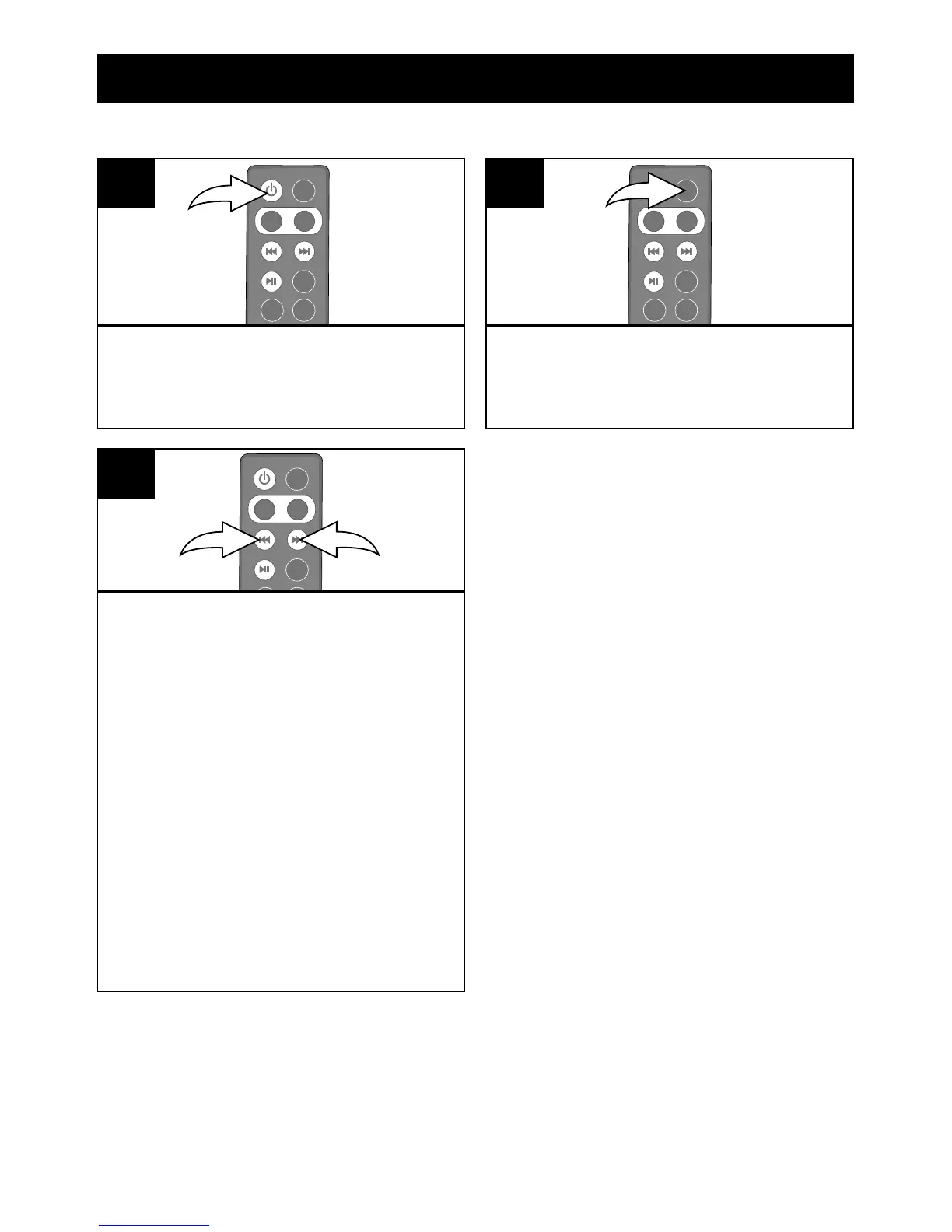
Turn this unit on by pressing the
Power button.
1
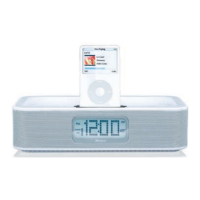
Repeatedly press the MODE button
to select the FM Radio mode;
“RADIO” will appear in the display.
2
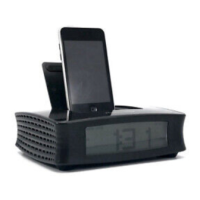
Repeatedly press the Tune/ Skip/
Search Down o 1 or Up n 2
button to manually advance the
frequency in the display up or down
until the desired frequency appears.
For auto tuning, press and hold the
Tune/Skip/Search Down o 1 or
Up n 2 button until the frequency
in the display starts to scan and
then release; the tuner will search
and then stop on the next strong
station it nds. Repeat this step until
the desired frequency appears in
the display.
1
2
3
NOTES:
• When a station is tuned,
after three seconds, the radio
frequency will disappear and
the actual time will reappear in
the display.
• See the previous page for how
to adjust the volume.
• To turn this unit off, press the
Power button.
• If a strong stereo signal is
broadcast, the Stereo (ST)
indicator will light.


 To Next Page