Two (2) “AAA” size batteries can also be
used to provide a back-up for the clock and
alarm time for this unit as follows:
1. Open the battery door by pushing in on
the tab, then removing the door.
2. Insert two (2) “AAA” batteries as shown.
Alkaline batteries are recommended for
the longest playing time.
3. Place the battery door back on the
compartment.
NOTES:
• The batteries are used to back-up the clock and alarm times when the
AC adapter is disconnected or there is a power failure.
• The battery indicator will appear or blink in the display when there are
no batteries, or the batteries are low and need replacing.
IMPORTANT! See BATTERY PRECAUTIONS on the next page.
6
POWER SOURCE
BATTERY INSTALLATION
front of unit
AC CONNECTION
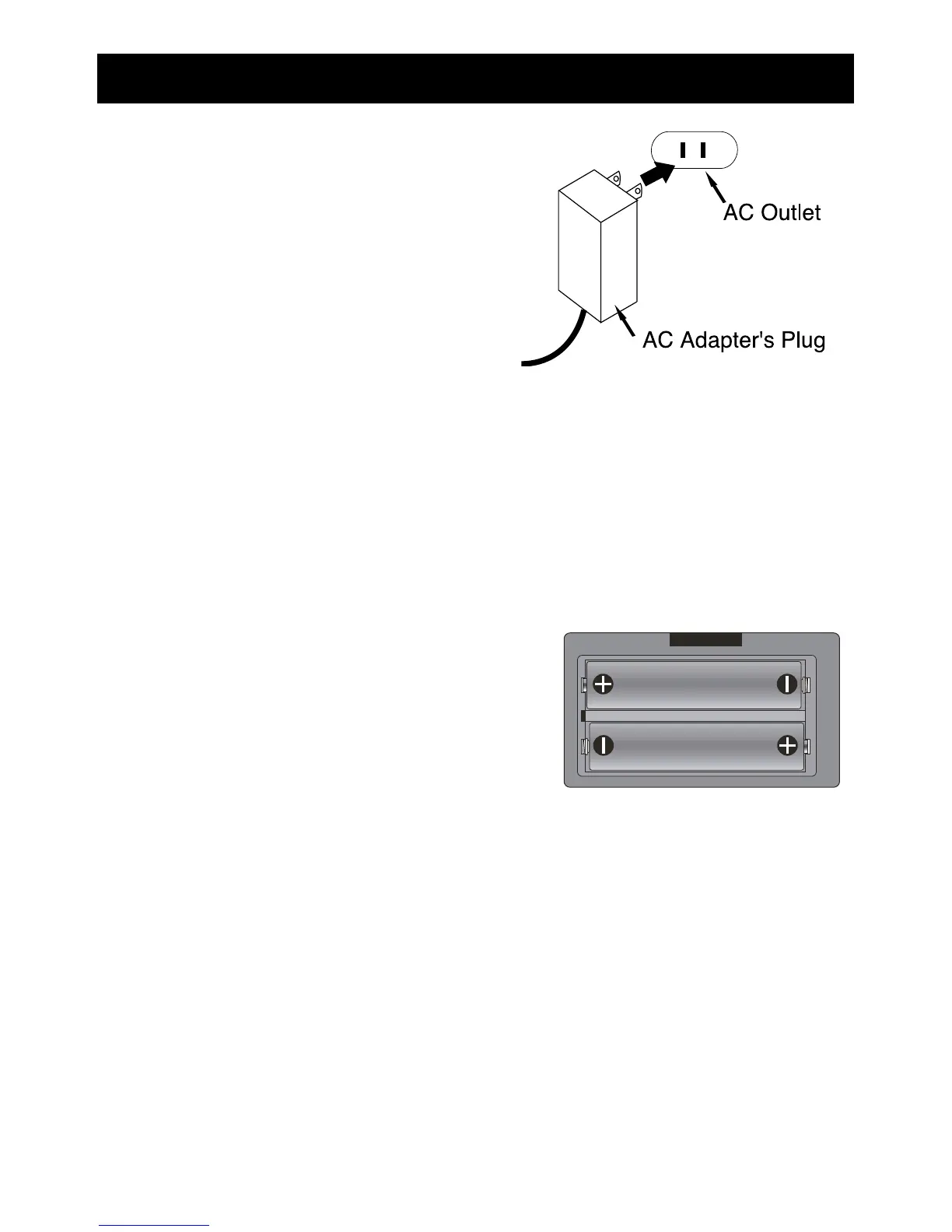
Insert the small end of the AC adapter
into the DC IN jack (located on the rear
of the unit). Connect the other end to a
wall outlet having 120V AC, 60 Hz.
AC Adapter, DC 9V Z
NOTES:
• Remove both the DC plug and the
AC-IN plug to disconnect the AC adapter when not in use.
• Only use the supplied AC adapter which has the following specs:
DC 9V Z


 To Next Page