20
SETTING THE MENUS (CONTINUED)
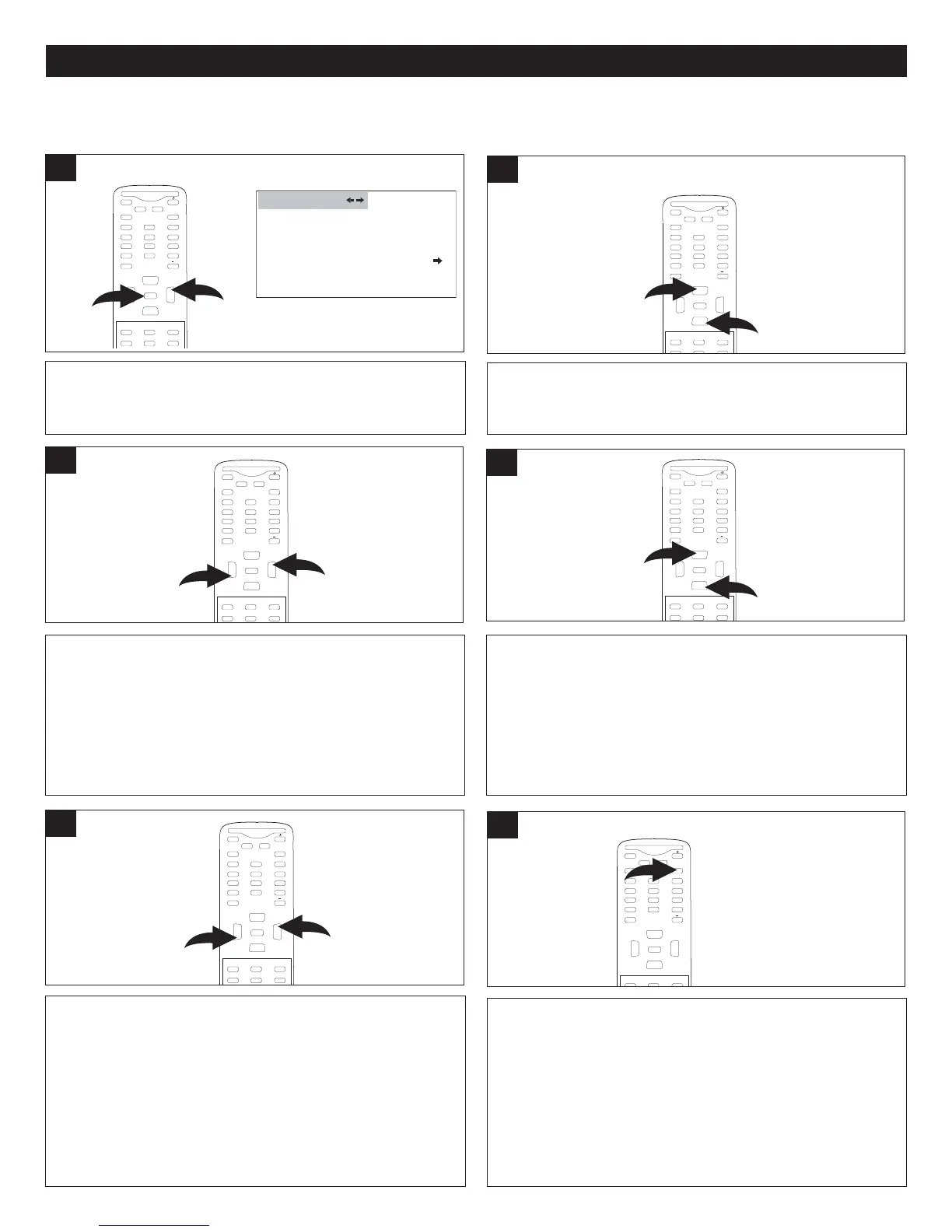
After setting channels into memory, you can add or delete channels as follows:
Press the CHANNEL Up 1 or Down 2 button until
CHANNEL NO. is selected.
MUTE
Q
.VIEW INFO
INPUT
SAP P.MODE
-
MENU
CH-
CH+
VOL
-
VOL
+
CC SLEEP
GUIDE
FAV.L IST
ARC
CH.LIST
E
0
1
2
ENTER
2
With the desired channel to add or delete selected, press
the MENU button 1; the Video menu will appear. Press the
VOLUME Up button 2 to select the Channel menu.
CHANNEL NO . 2-1
TUNER CABLE
SKIP OFF
A
UTO SCAN
CHANNEL
1
M
UTE
Q.VIEW INFO
I
NPUT
SAP P.MODE
-
MENU
CH-
CH+
VOL
-
VOL
+
CC SLEEP
GUIDE
FAV.L IST
ARC
CH.LIST
E
0
2
1
ENTER
Press the CHANNEL Up 1 or Down 2 button until SKIP is
selected.
MUTE
Q
.VIEW INFO
INPUT
S
AP P.MODE
-
MENU
CH-
CH+
VOL
-
VOL
+
CC SLEEP
GUIDE
FAV.L IST
ARC
CH.LIST
E
0
1
2
ENTER
4
Press the VOLUME Up 1 or Down 2 button to select the
desired channel to add or delete.
M
UTE
Q.VIEW INFO
INPUT TV/DTV
SAP P.MODE
-
MENU
CH-
CH+
VOL
-
VOL
+
CC SLEEP
GUIDE
FAV.LIST
A
RC
C
H.LIST
E
0
1
2
ENTER
3
When done, press the EXIT button to exit the menus.
M
UTE
Q
.VIEW INFO
INPUT
S
AP P.MODE
-
MENU
CH-
CH+
VOL
-
VOL
+
CC SLEEP
G
F
AV.L IST
A
E
XIT
0
E
NTER
6
Press the VOLUME Up 1 or Down 2 button to select ON (to
skip) or OFF (to add).
Note: When Skip On is set for a channel, you cannot select
it using the CHANNEL/Navigation UP or DOWN buttons.
You must use the Number buttons to select the channel. If
you would like to use the CHANNEL/Navigation UP or
DOWN buttons to select this channel, set the channel to
Skip Off.
M
UTE
Q.VIEW INFO
INPUT TV/DTV
SAP P.MODE
-
MENU
CH-
CH+
VOL
-
VOL
+
CC SLEEP
GUIDE
FAV.LIST
ARC
CH.LIST
0
1
2
ENTER
5
ADDING AND DELETING CHANNELS



 To Next Page