30
TV PARENTAL CONTROL (CONTINUED)
Enter the Parental Lock submenu and turn on the V-chip
option as described on page 27 (Steps 1-3).
LANGUAGE ENGLISH
BLUE SCREEN ON
NTSC CAPTION OFF
DTV CAPTION
PARENTAL LOCK
FUNCTION
1
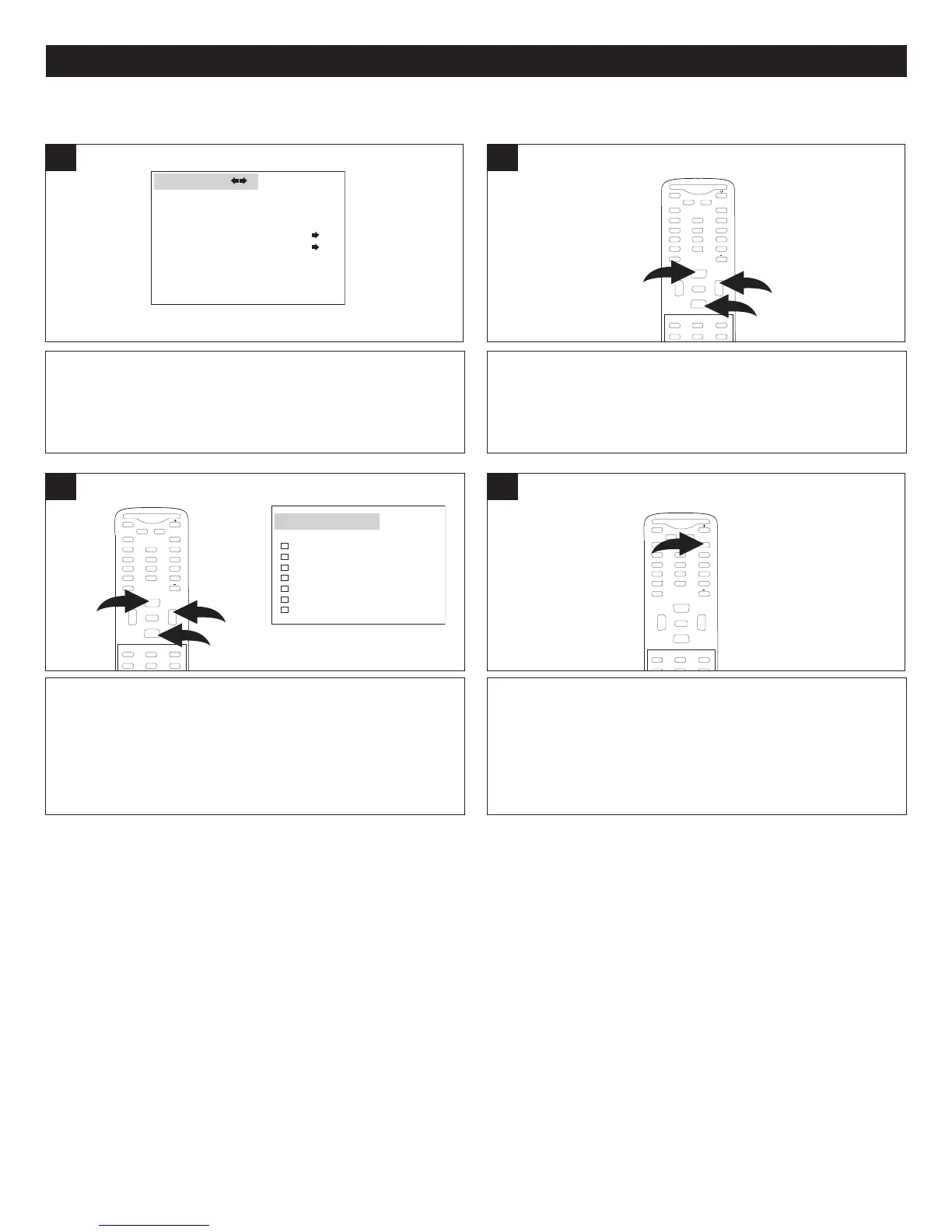
Press the CHANNEL Up 1 or Down 2 button until
CANADIAN ENGLISH RATING or CANADIAN FRENCH
RATING is selected, then press the VOLUME Up button 3
to enter the submenu.
M
UTE
Q.VIEW INFO
INPUT TV/DTV
SAP P.MODE
-
MENU
CH-
CH+
VOL
-
VOL
+
CC SLEEP
GUIDE
FAV.LIST
ARC
C
H.LIST
E
0
3
1
2
E
NTER
CANADIAN ENGLISH/FRENCH RATING SET-UP
Using the CHANNEL Up 1 or Down 2 button, select the
desired rating, then press the VOLUME Up button 3. All
programs with a higher rating than the one selected will
also be blocked.
M
UTE
Q.VIEW INFO
INPUT TV/DTV
SAP P.MODE
-
M
ENU
CH-
CH+
VOL
-
VOL
+
CC SLEEP
GUIDE
FAV.LIST
ARC
CH.LIST
0
3
1
2
ENTER
3
2
NONE
C
C
8+
G
PG
14+
1
8+
CA ENG RATING
When finished, press the Exit button to exit the menus.
MUTE
Q.VIEW INFO
INPUT
SAP P.MODE
-
MENU
CH-
CH+
VOL
-
VOL
+
C
CSLEEP
GUIDE
FAV.L IST
A
RC
C
H.LIST
EXIT
0
ENTER
4
CANADIAN ENGLISH RATINGS:
E: None.
C: Children.
C8+: Children 8 years and older.
G: General programming, suitable for all audiences.
PG: Parental guidance.
14+: viewers 14 years and older.
18+: Adult programming.
CANADIAN FRENCH RATINGS:
E: None.
G: Children.
8 ans+: Children 8 years and older.
13 ans+: Viewers 13 years and older.
16 ans+: Viewers 16 years and older.
18 ans+: Adult programming.



 To Next Page