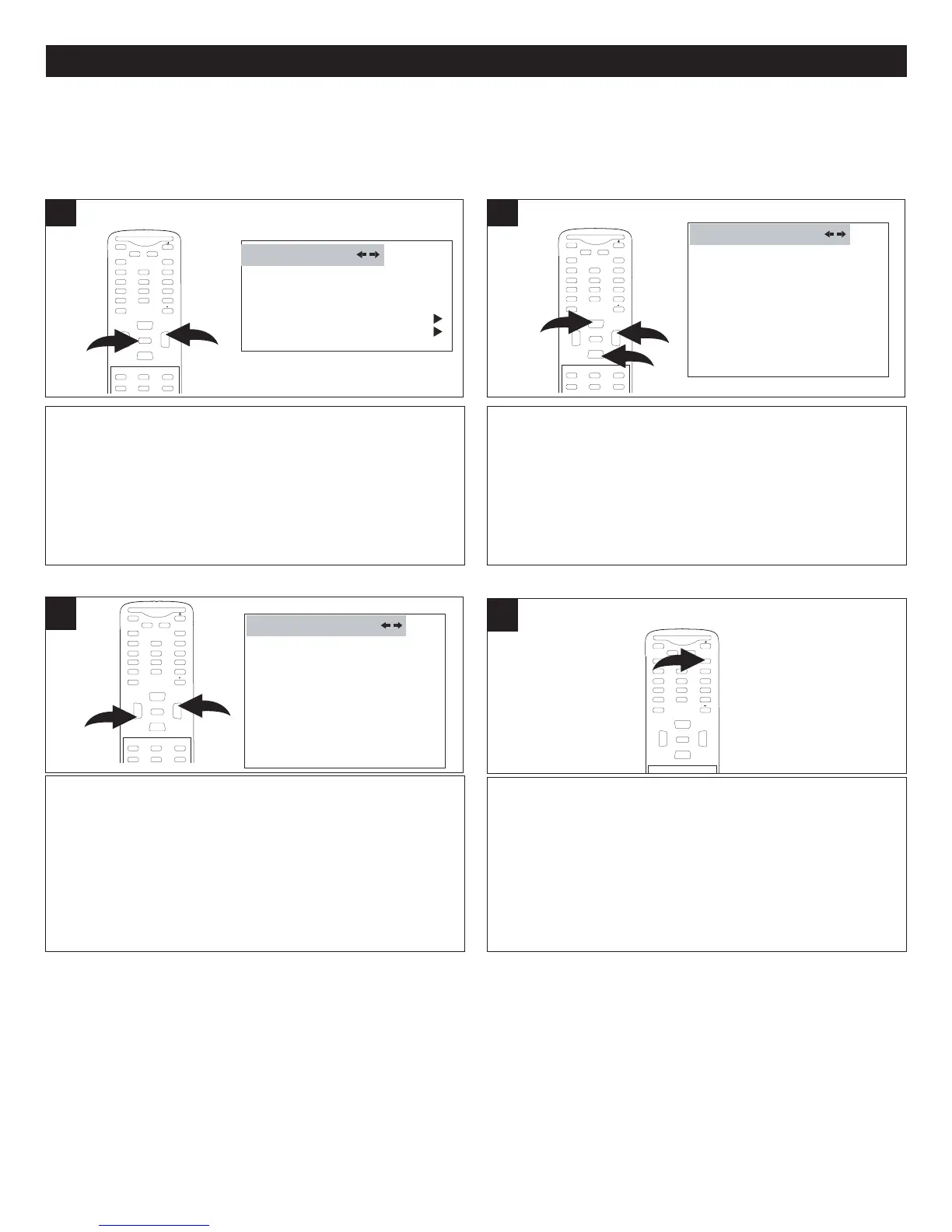
While the DTV signal is received, press the
MENU button 1; the Video menu will appear.
Press the VOLUME Up button 2 to select the
FUNCTION menu.
LANGUAGE ENGLISH
B
LUE SCREEN ON
NTSC CAPTION C C1
D
TV CAPTION
PARENTAL LOCK
F
UNCTION
1
24
SETTING THE MENUS (CONTINUED)
SETTING CLOSED CAPTION MODE
Press the VOLUME Up 1 or Down 2 button to set
the option to OFF, SERVICE1, SERVICE2,
SERVICE3, SERVICE4, SERVICE5, SERVICE6,
CC1, CC2, TEXT1 or TEXT2.
NOTE: You can also use the CC (Closed Caption)
button on your remote to turn Closed Captions on
or off while viewing a program.
DTV CAPTION
CLOSED CAPTION OFF
STYLE AUTO
SIZE AUTO
TEXT COLOR AUTO
TEXT OPACITY AUTO
BG COLOR AUTO
BG OPACITY AUTO
EDGE TYPE AUTO
EDGE COLOR GREEN
RESET
L
3
If desired, follow the steps on the following page
to set the options (Style, etc.) or, if done, press
the EXIT button to exit the menus.
MUTE
Q.VIEW INFO
INPUT
SAP P.MODE
-
MENU
CH-
C
H+
VOL
-
VOL
+
CC SLEEP
G
F
AV.L IST
A
E
XIT
0
E
NTER
4
Press the CHANNEL Up 1 or Down 2 button until
DTV CAPTION is selected. Press the VOLUME
Up button 3 to enter. Press the CHANNEL Up 1
or Down 2 button until CLOSED CAPTION is
selected.
DTV CAPTION
C
LOSED CAPTION OFF
S
TYLE AUTO
S
IZE AUTO
TEXT COLOR AUTO
TEXT OPACITY AUTO
B
G COLOR AUTO
B
G OPACITY AUTO
E
DGE TYPE AUTO
EDGE COLOR GREEN
RESET
L
2
DTV (Digital TV) SETUP MENU:
Follow the instructions below, and on the following pages, to set options available only when the DTV (Digital TV) signal is received.
M
UTE
Q
.VIEW INFO
INPUT
SAP P.MODE
-
MENU
CH-
CH+
VOL
-
VOL
+
CC SLEEP
GUIDE
FAV.L IST
ARC
CH.LIST
E
0
2
1
ENTER
MUTE
Q.VIEW INFO
INPUT TV/DTV
SAP P.MODE
-
MENU
CH-
CH+
V
OL
-
V
OL
+
CC SLEEP
G
UIDE
FAV.LIST
ARC
CH.LIST
E
0
3
1
2
ENTER
MUTE
Q.VIEW INFO
INPUT TV/DTV
SAP P.MODE
-
MENU
C
H-
CH+
VOL
-
VOL
+
CC SLEEP
G
UIDE
FAV.LIST
ARC
CH.LIST
0
1
2
ENTER



 To Next Page