5
PREFACE
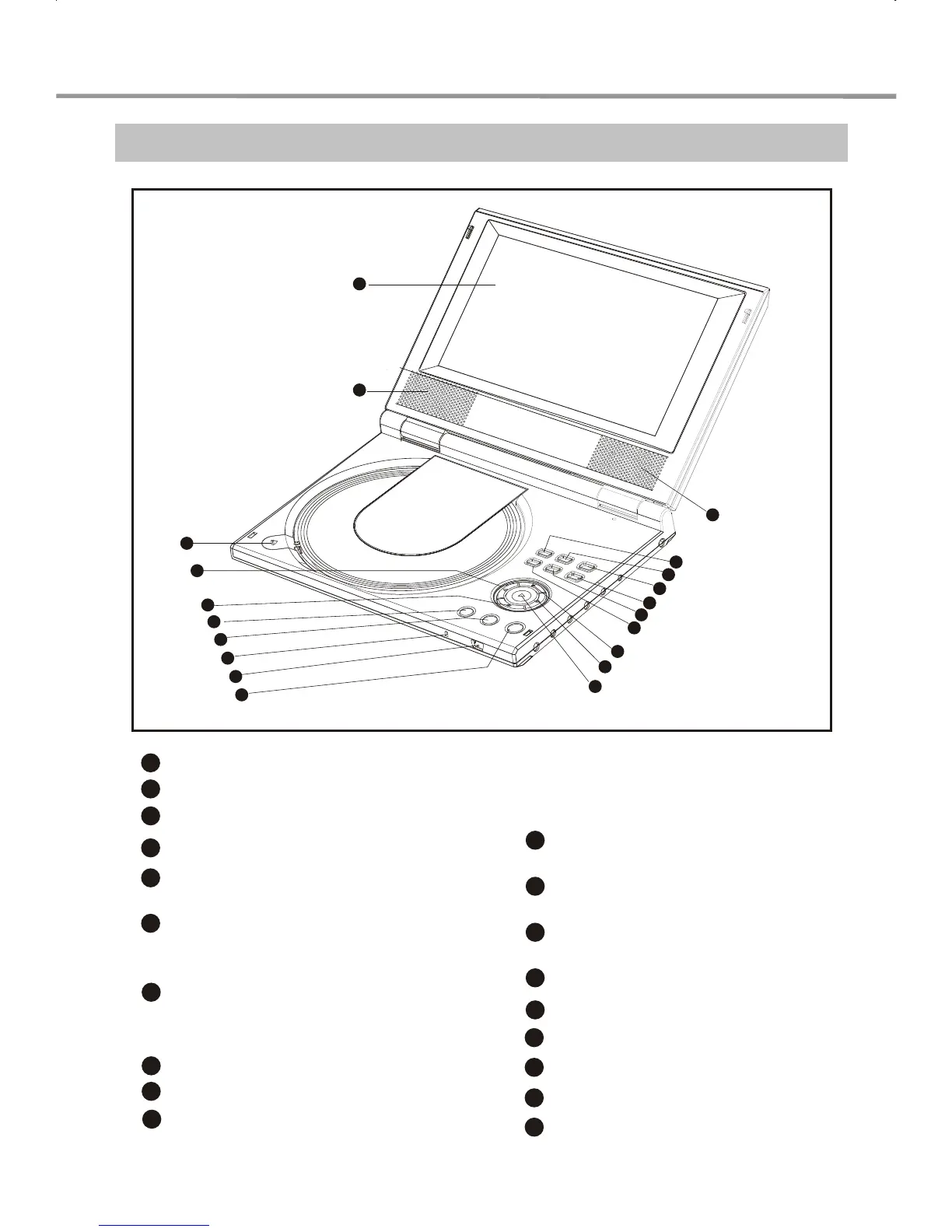
Control Button Locations and Explanations
1
Color TFT LCD
2
Speakers
3
4
PREV button / LEFT direction arrow
5
OPEN/CLOSE button
6
SET button
9
IR (Remote Control)sensor
7
Power indicator
8
10
MENU button
11
PAUSE button / DOWN
direction arrow
12
PLAY button / SELECT
button
13
NEXT button / RIGHT
direction arrow
14
STOP button / UP direction
arrow
17
15
Function Select
16
Browser Button
Press once to switch to Direction
Buttons function
Press twice to switch to Virtual
Keyboard function
11
14
2
1
17
16
15
13
3
5
7
9
6
8
10
4
12
18
19
18
19
Vol-
Adjust the volume of headphone
and speaker.
Vol+
Adjust the volume of headphone
and speaker.
PICTURE button
DVD/AUXIN button
POWER button
2


 To Next Page