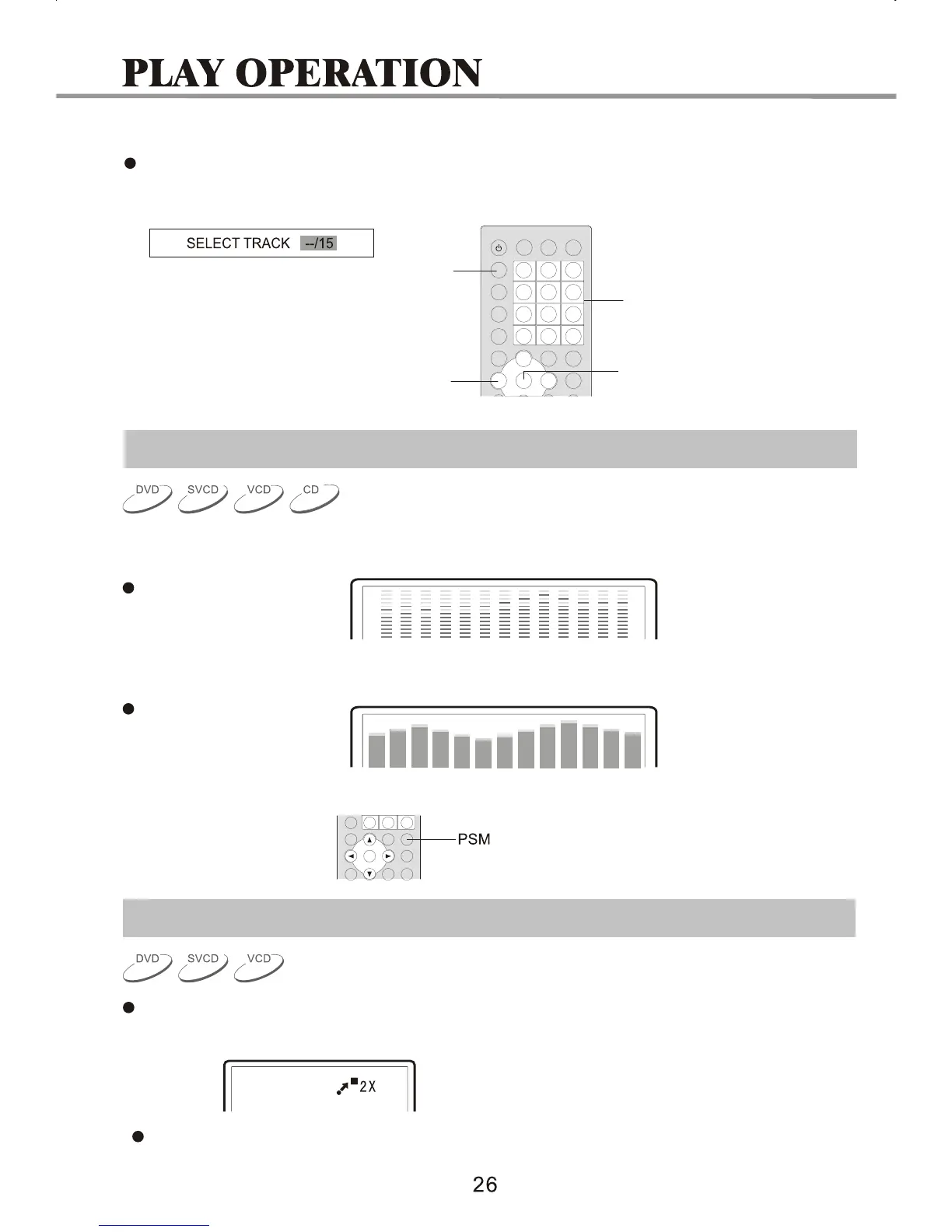
3.Select a track.
Press the GOTO button until the TV screen displays the following picture. Then Press the
NUMBER buttons to input the track number.
GOTO
NUMBER
CURSOR
SELECT
Power Spectrum Meter(PSM) graphic equalizer
1. During normal playback, press PSM to open the Power Spectrum Meter.
Display on TV screen:
2.Press PSM to open the second Power Specturm Meter.
Display on TV screen:
3.Press PSM again to close PSM.
Zooming the Displayed Frame
Zoom in/out of the player frame.
1.When playing a disc, press the ZOOM button. The TV screen displays:
The frame is magnified.


 To Next Page