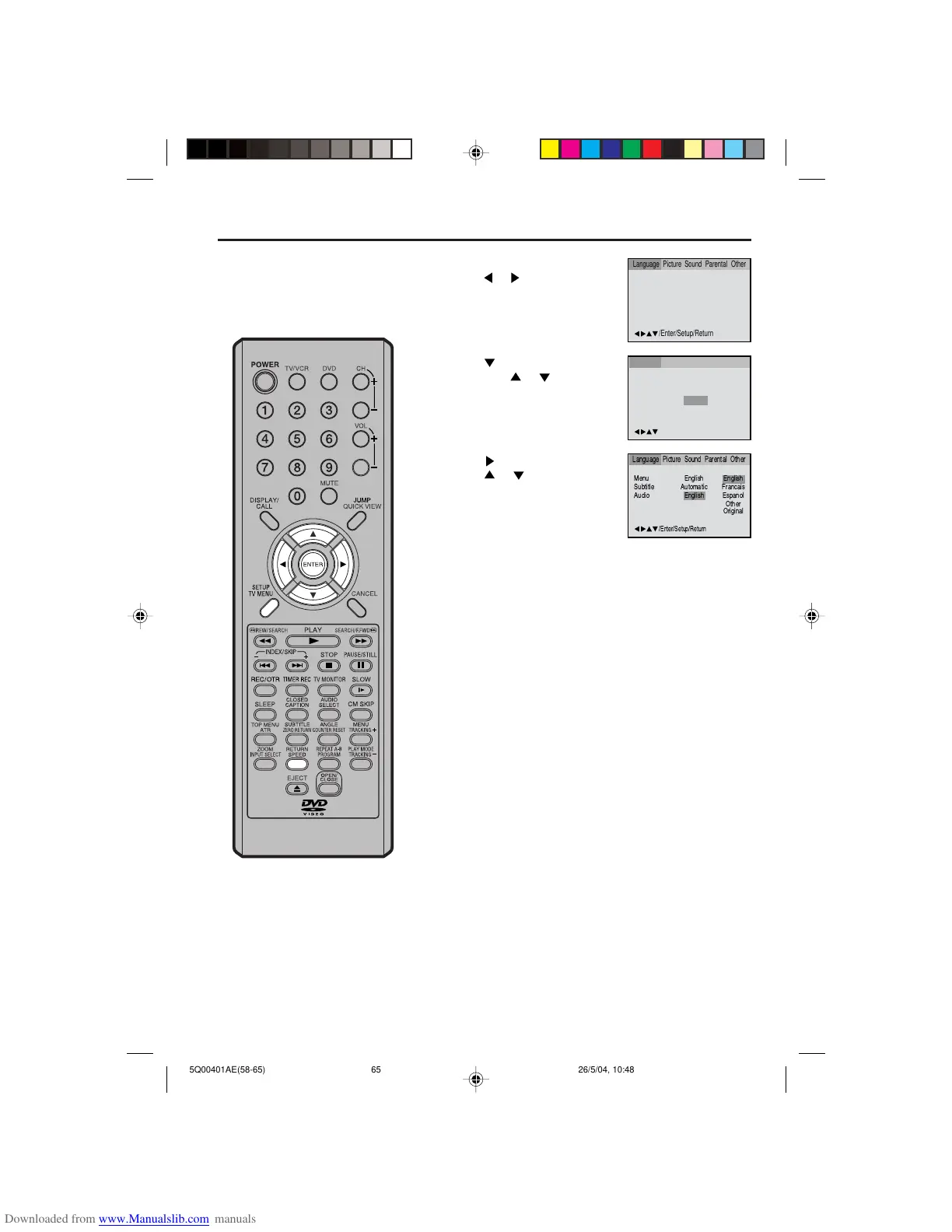
Setting the audio soundtrack language
Press or ENTER.
Press
or to select your de-
sired Audio Language, then press
ENTER.
1
Press SETUP in the stop mode.
Press
or to select “Language”
2
3
Press SETUP or RETURN to remove the MENU screen.
4
NOTE:
If the selected language is not recorded
on the disc, the original language will
be heard.
The same audio soundtrack language
can always be selected by your TV/
VCR/DVD even if you replace the disc
or turn the power off.
English, Francais, Espanol:
The language you have selected will play if it is recorded on
the disc.
Other:
If you want to select another language,
enter the language code (See the Language code list on page
66).
Original:
The TV/VCR/DVD will select the first priority language of each
disc.
Press
or ENTER.
Then press
or to select “Au-
dio”.


 To Next Page