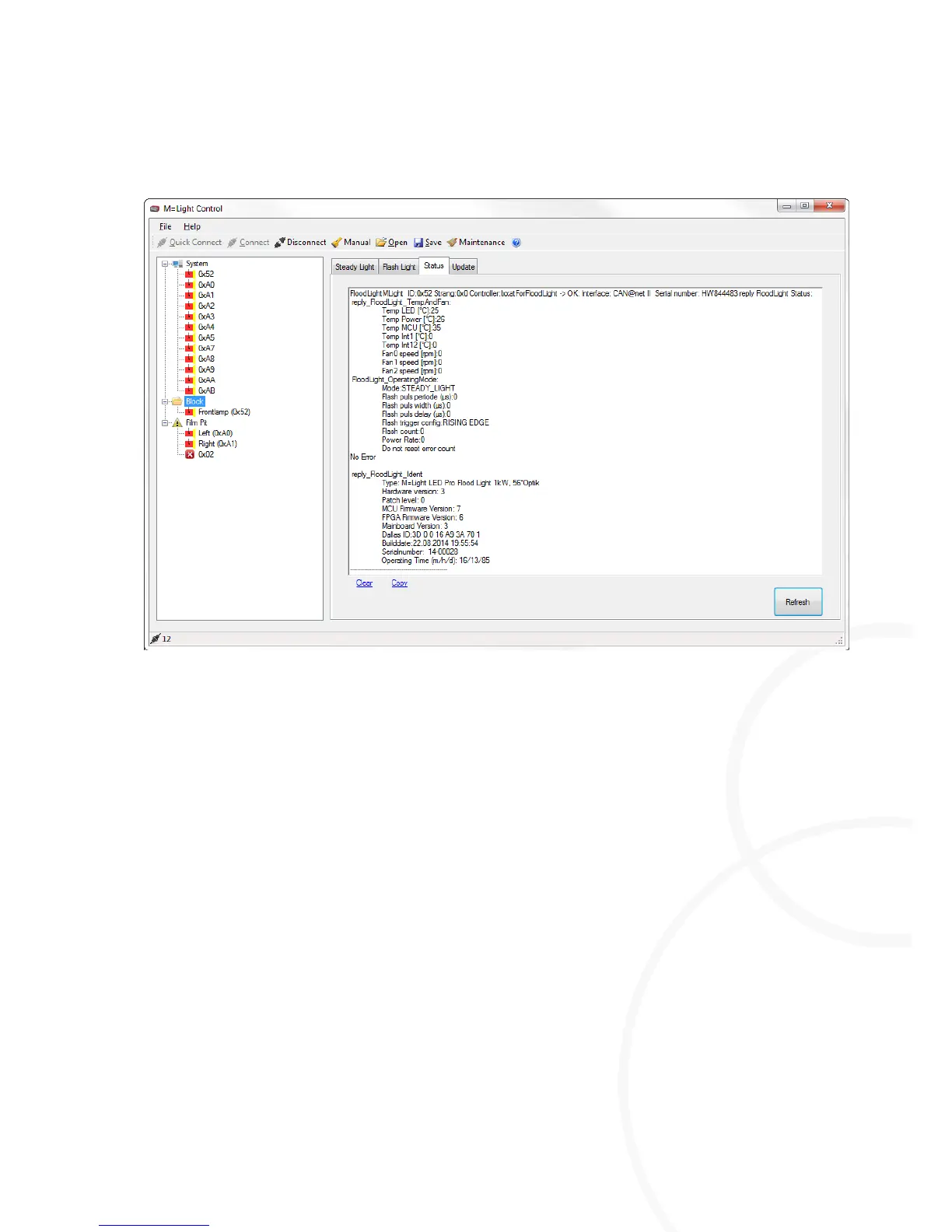
Status indication for highlighted M=Light LEDs in the status window.
I Set operating mode, e.g. Steady Light.
I Current condition of the M=Light LEDs, z.B. temperature or fan speed
I Hardware, such as the lighting angle 56°optics
I Firmware, e.g. MCU Firmware Version 7
Determining the Status of the Highlighted M=Light LEDs
Highlight an M=Light LED using the left mouse button.
The status of the marked M=Light LED is shown in the Status window.
Displaying Current Data of all M=Light LEDs Highlighted
Press Refresh.
The data from all M=Light LEDs highlighted is read and displayed in the Status window.



 To Next Page