Care and maintenance | EN
19
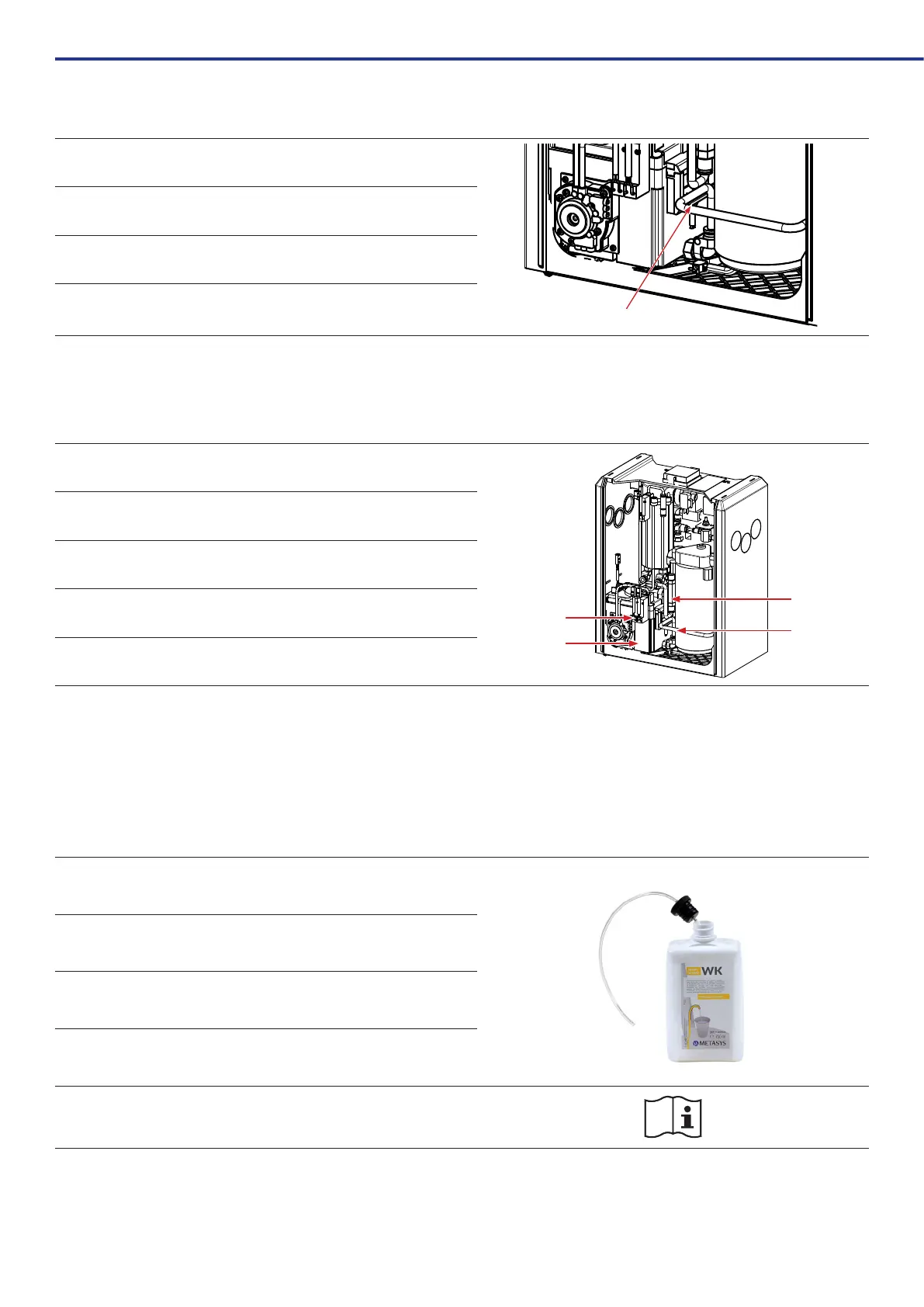
7.2.3. Checking the overow probe
1 Disconnectthedevicefromthepowersupply
2
Cleanordrytheoverowprobe,checkthecircuitboardconnections(see
5.4Electronics)
3 Check the double membrane pump and circuit board
4 Reconnectthedevicetothepowersupply
7.2.4. 1-year maintenance kit
AnannualserviceoftheWEKwaterdecontaminationsystem(servicekitorderno.120000042)ismandatory.Thisserviceincludesacompletefunctionalcheckof
thedevice,aswellascheckingorreplacingthefollowingparts:
1 2xmagneticvalve(oneofwhichmustbereplacedalternately)
1
4
3
2
2 Non-return valve for membrane pump
3
3 x PVC hoses 4x6 mm
Pre-lterinsert
4
Checking and cleaning the mixing container and the probes in it
Bottleconnector(notshown)
7.2.5. 3-year maintenance kit
The3-yearservicekit(orderno.120000041)mustbecarriedoutevery3years.Thisserviceincludesacompletefunctionalcheckofthedevice,aswellasthe
inspectionorreplacementofthesamepartsasthe1-yearkit,aswellasthereplacementofthemixingcontainerlid.
7.3. Replacing the GREEN&CLEAN WK bottle
1 Remove the empty GREEN&CLEAN WK bottle from the device.
2 Pullthepush-incap(incl.hose)outofthebottle
3
InsertthetubeintothenewGREEN&CLEANWKbottleandpressonthe
push-in cap.
4
Place the bottle back in the device. Make sure that the hose is connected to
the chemical connection!
For information on use and safety instructions, see the GREEN&CLEAN WK
instructions for use.



 To Next Page