METEK Micro Rain Radar MRR-2 Page 13
2012-03-01 Valid for MRR Service Version 6.0.0.4 / Firmware 6.00
4.2.5 Control Cable and Serial Cable
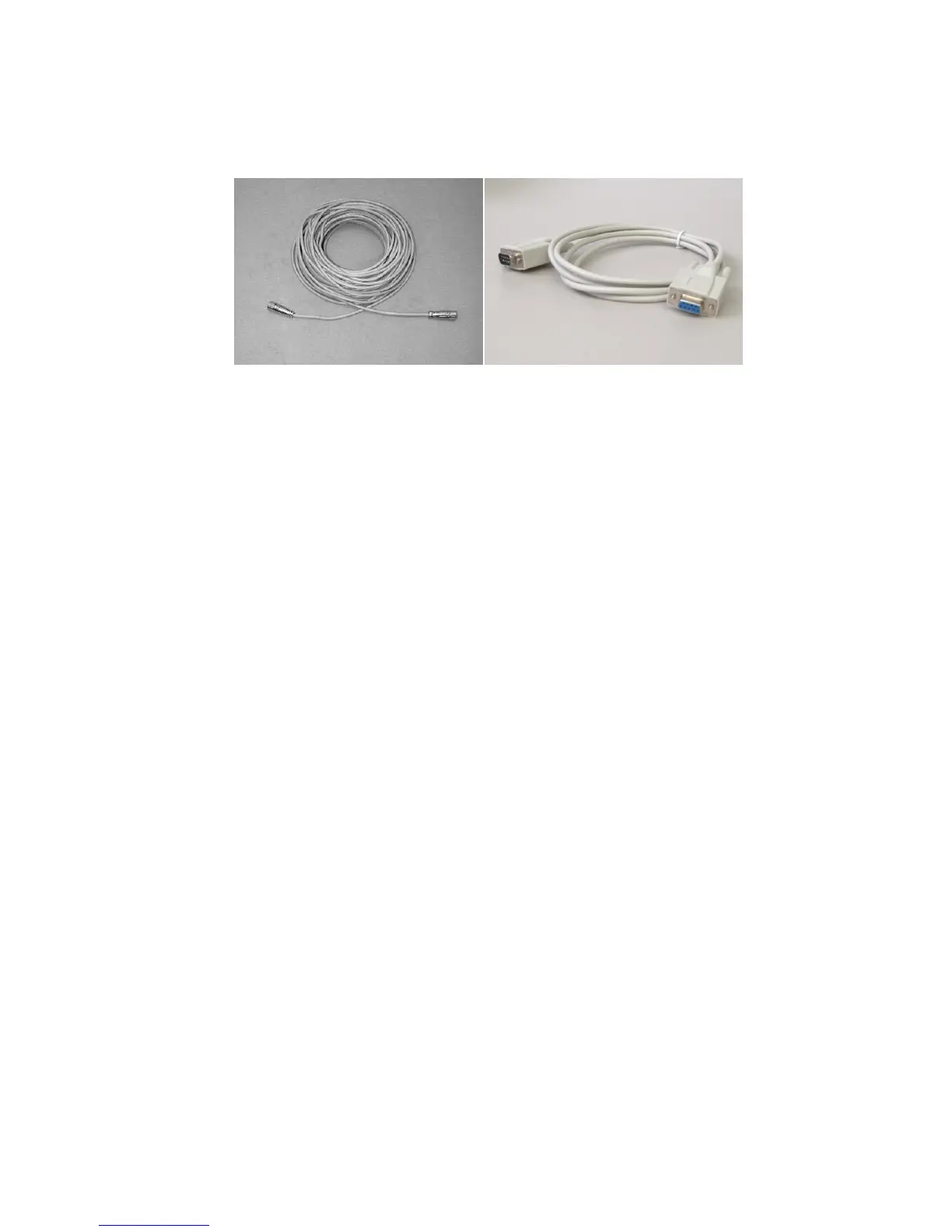
Figure 5: Control Cable (left) and Serial Cable (right)
The control cable connects the RCPD with the junction box.
The control cable has a length of 25 m, on both ends are screwed plugs (male
and female respectively). They must be screwed onto the matching plugs at
the junction box (cable has pins) and at the RCPD (cable has sockets).
The serial cable (RS232) connects the Junction Box with the PC.
The maximum length of the serial cable is 2 m, a serial cable with a 9-pin
(female) and a 9-pin (male) plug and a length of 1.8 m is delivered. This cable
is not appropriate for outdoor applications.
4.2.6 MRR-PC
A personal computer (PC) with the operating system Windows® 2000 or XP
serves for setting the operation parameters and data evaluation of the MRR.
(Windows® Vista and Windows® 7 are supported with some limitations). The
PC must have at least one serial port which will be configured by the control
program as follows:
57600 baud,
8 data bits, no parity,
Software Handshake (XON/XOFF)
Pinning (D-Sub-9-socket at the junction box) :
Pin 1 CD carrier detect
Pin 2 RD receive data
Pin 3 TD transmit data
Pin 4 DTR data terminal ready
Pin 5 GND ground
Pin 6 DSR data set ready
Pin 7 RTS request to send
Pin 8 CTS clear to send
Pin 9 RI ring indicator


 To Next Page