METEK Micro Rain Radar MRR-2 Page 23
2012-03-01 Valid for MRR Service Version 6.0.0.4 / Firmware 6.00
6.3 Using the Control Program
After login to the operating system open the menu
, then seleand then RR Control
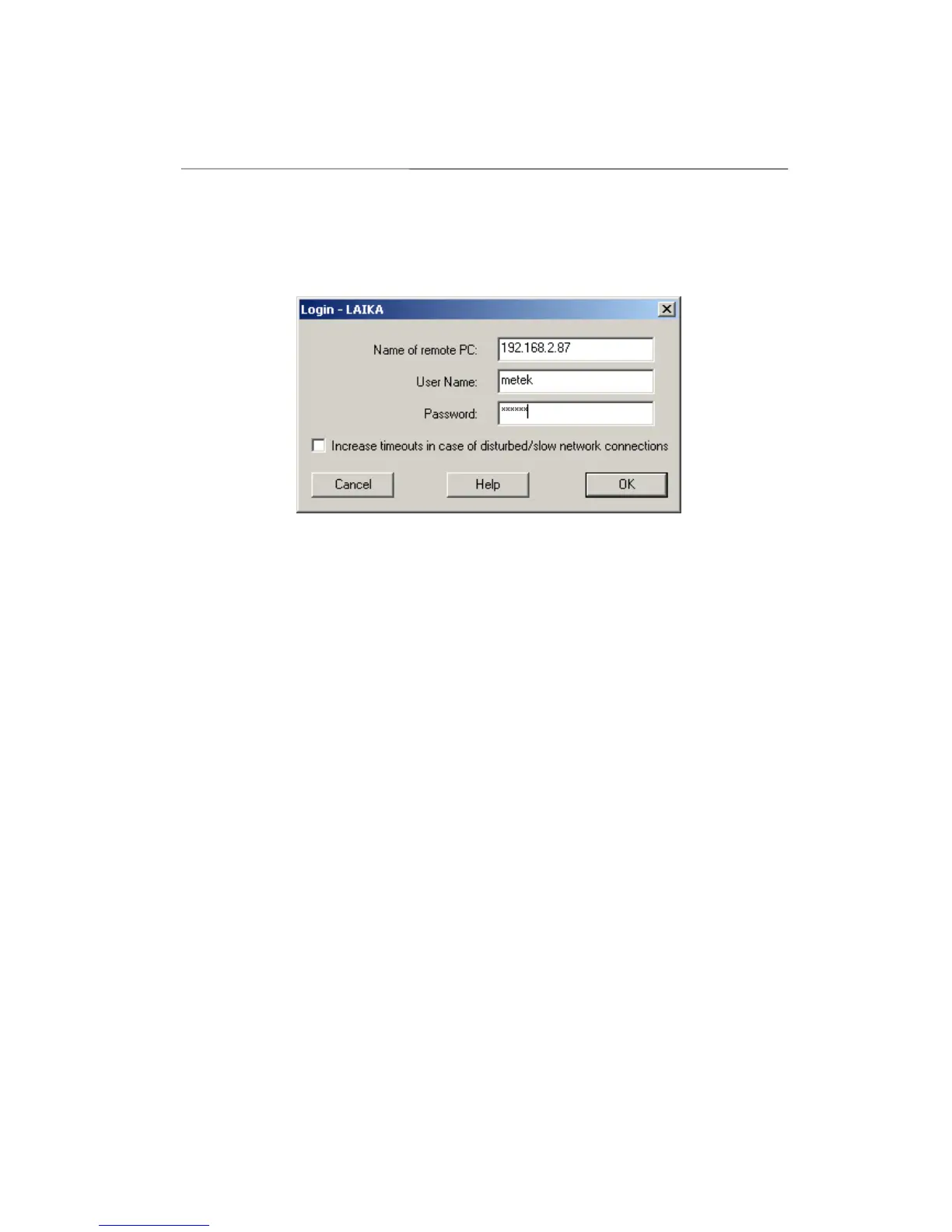
The following dialogue window appears (The screenshots in this manual were
taken from a Windows® 2000 system.):
Figure 18: Login Screen
If the MRR-PC you are sitting at is the PC which is directly connected to the
MRR-2 leave the entry at Name of the Remote PC empty (or type a period or
the name of the local PC). If you are sitting at another PC, enter the name of
that PC to which the MRR-2 is connected directly and where the com-
munication service (MrrCtrl.exe) was started.
The User Name is generated automatically and the Password is usually not
needed (see below for exceptions).
The Password entry field is useful if the remote computer is a member of
another Windows domain because in this case a connection can be built up
only if a user name and the matching password is given. The user name is set
automatically (see the header of the dialog window).
The network connection to the remote computer usually is a LAN- or a RAS
connection. RAS connections using the public telephone net are mostly not
very efficient, especially connections with mobile phone radio nets. Con-
sidering that, the login dialog provides the use of time-out-values which are
adjusted to the maximum delay times for the responses from the remote PC.
Using a direct LAN or a local login, this feature is not needed.
If the program was started by a command line input, the information
concerning the login window can be handed over as a parameter. Example:
C:\METEK\MrrCtrl hostname secret /t


 To Next Page