METEK Micro Rain Radar MRR-2 Page 21
2012-03-01 Valid for MRR Service Version 6.0.0.4 / Firmware 6.00
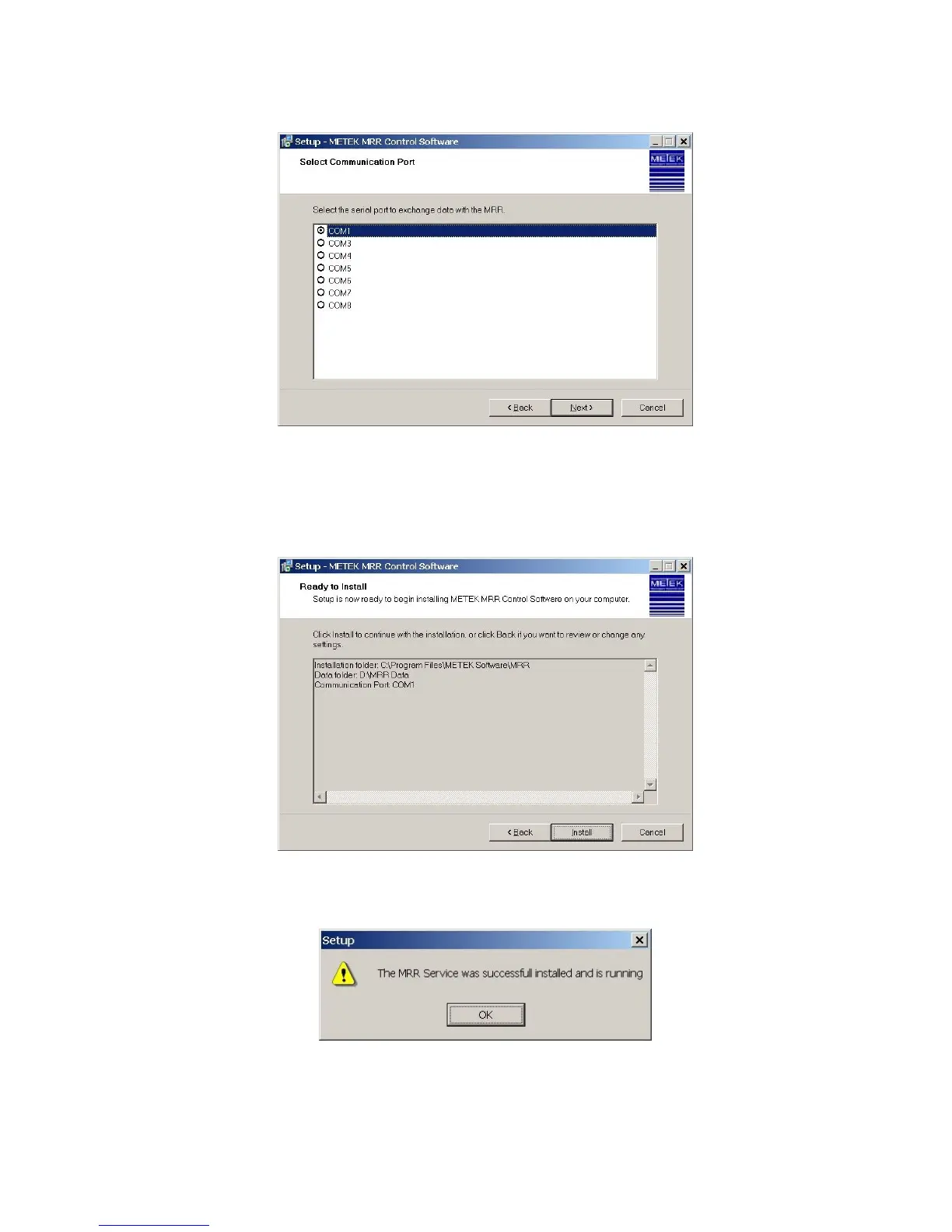
Figure 14: Communication Port
In the next step all selected values are shown (Figure 15) in a list and you can
start the installation by pressing Install. If you want to make changes before
your installation you can go back and change the settings.
Figure 15: Install
If you press install, the installation starts and will display a message box:
Figure 16: Service installed
In a last step the finish screen dis you can terminate the
setup program.


 To Next Page