MI 3250 MicroOhm 10A Main menu
4.2.3 Deleting results
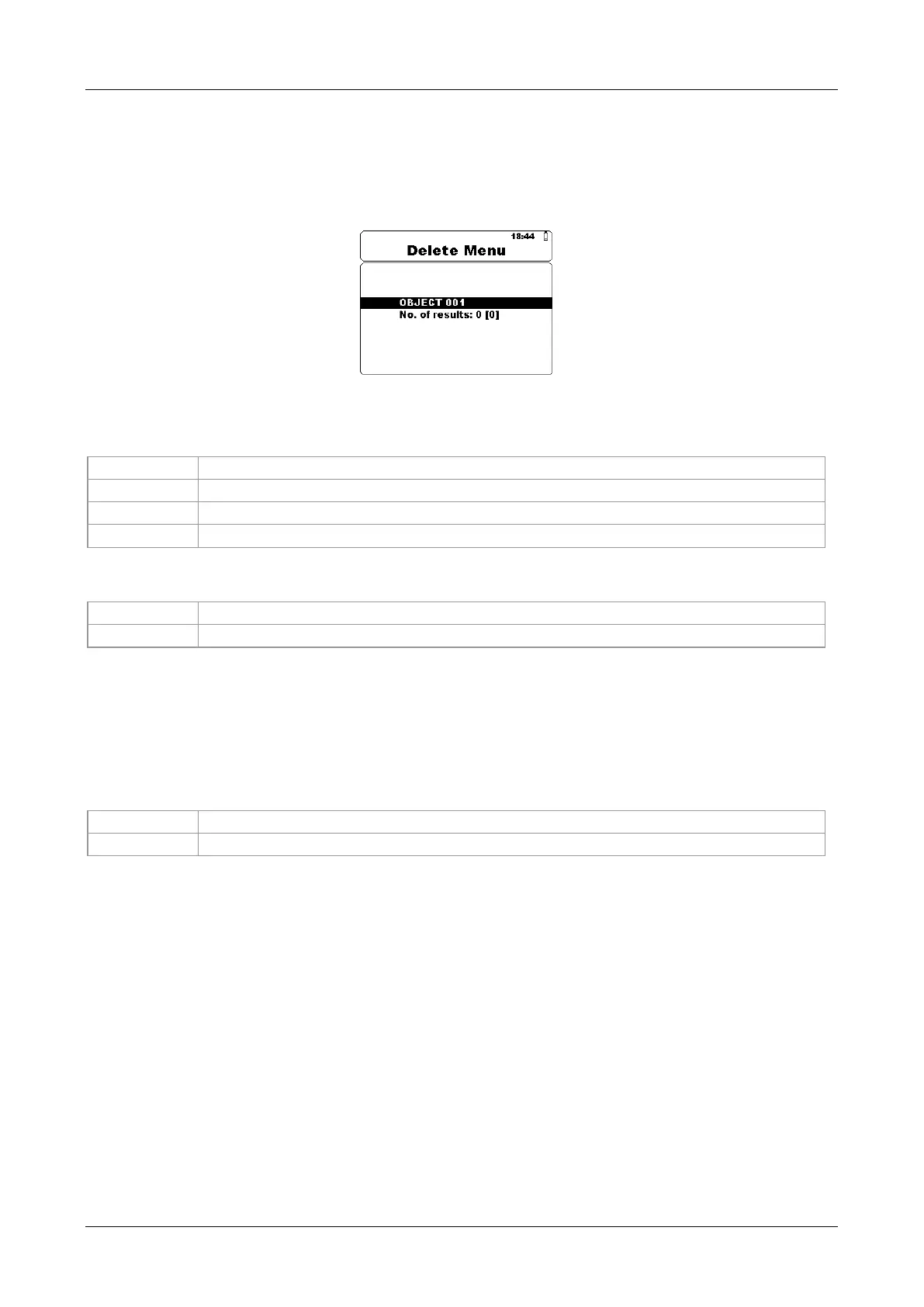
To enter Delete results menu in Memory menu SELECT key should be pressed. Single
measurement or all measurements under selected Object can be deleted.
Figure 4.6: Delete all measurements under selected Object
Keys in Delete menu:
Selects one of the following items [Object; No. of results].
Decrees or increase the parameter.
Enters Delete confirmation screen.
Returns to the Memory Menu.
Keys in Delete confirmation screen:
Deletes result(s) in selected location.
Returns to the Delete Menu without changes.
4.2.4 Clearing complete memory content
When selecting the Clear All Memory function in Memory menu all the memory content
will be deleted.
Keys in Clear all memory confirmation screen:
Clears all memory content.
Returns to the Memory Menu without changes.














 To Next Page