MI 3250 MicroOhm 10A Measurement
30
5.2 Resistance measurement
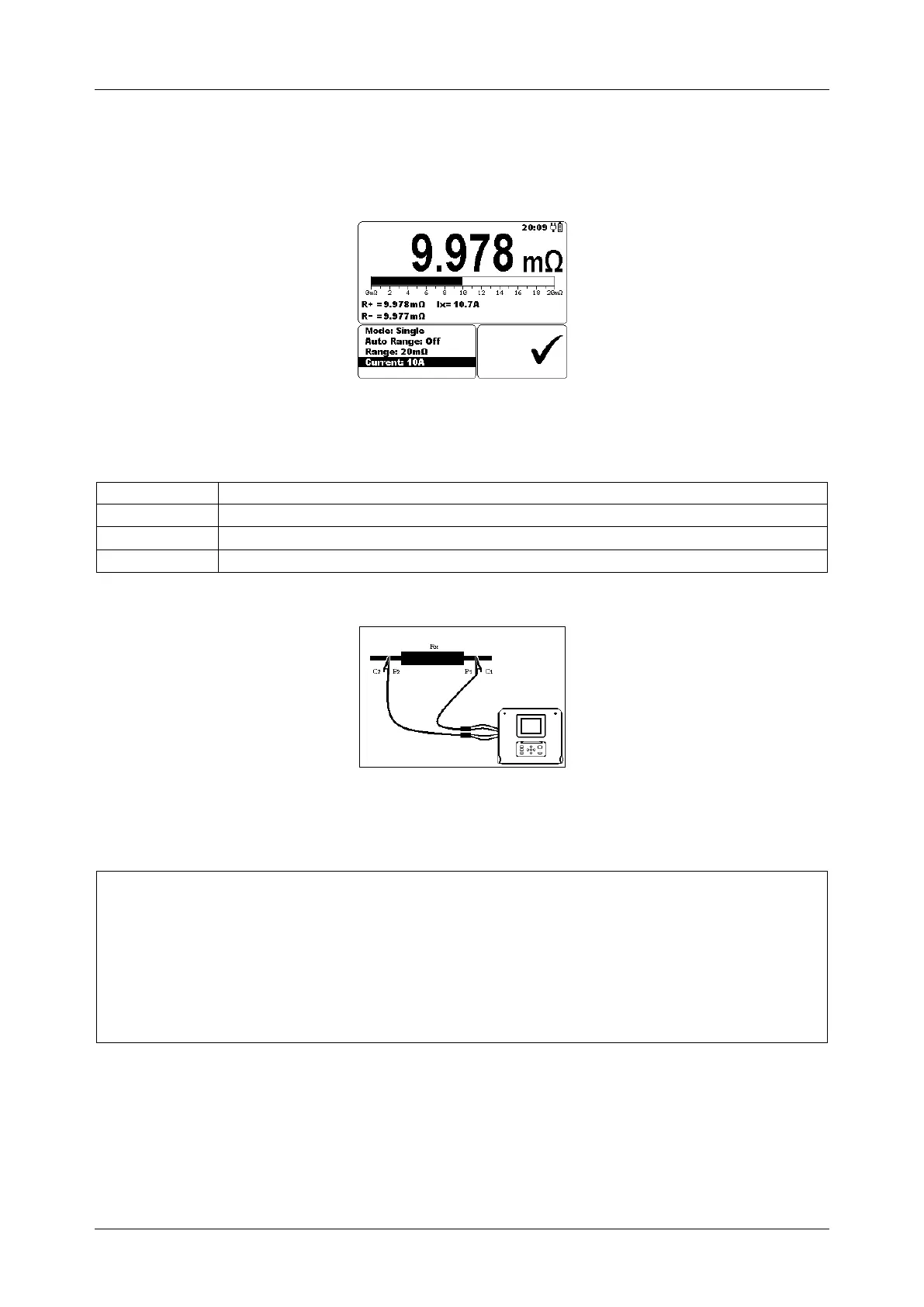
Test can be started from the Measurement screen. Before carrying out a test the
parameters (Mode, Range and Current) can be edited.
Figure 5.2: Resistance menu
Test parameters for Resistance measurement
Single, Automatic, Continuous, Inductive
2 m20 m200 m2 20 200 2 k
10 A, 1 A, 100 mA, 10 mA, 1 mA
Test circuits for Resistance measurement
Figure 5.3: Measurement of Resistance
Resistance measurement procedure:
Select the Measurement function.
Set the test parameters.
Connect device under test to the instrument (see figure 5.3).
Press the START / STOP key to start the measurement.
Press the START / STOP key again to end the measurement (in continuous,
automatic and inductive modes).
Store the result by pressing MEM key (optional).



 To Next Page