
 Need help?
Do you have a question about the MFZ CS 300 and is the answer not in the manual?
Explains symbols used for danger, warning, and general information.
Covers guarantee, intended use, target group, and installation safety.
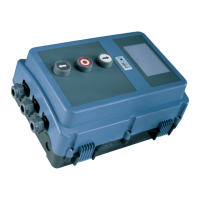
Details the CS 300 basic board configuration with an attached LCD display monitor.
Covers general requirements and procedures for initial setup and mains connection.
Details terminal block allocations for connecting command and safety devices.
Provides wiring examples for buttons and key switches on terminal block X3.
Explains the LED module, its modes (AUTOMATIC, ADJUSTMENT), and status indicators.
Describes how to set OPEN and CLOSED end positions using the LED module.
Details the LCD monitor components and its interface elements.
Explains the four operating modes (AUTOMATIC, ADJUSTMENT, INPUT, DIAGNOSIS) of the LCD monitor.
Covers manual adjustment of door positions and navigating through input parameters.
Explains how to access and interpret diagnostic information using the navigator.
Describes the various display states and meanings in the automatic operating mode.
Details functions, descriptions, and setting options for input parameters.
Explains the display meanings and statuses for the diagnostic operating mode.
 General
| Brand | MFZ |
|---|---|
| Model | CS 300 |
| Category | Control Unit |
| Language | English |

 To Next Page