34008236EN/AA - Page 15
3. Operation
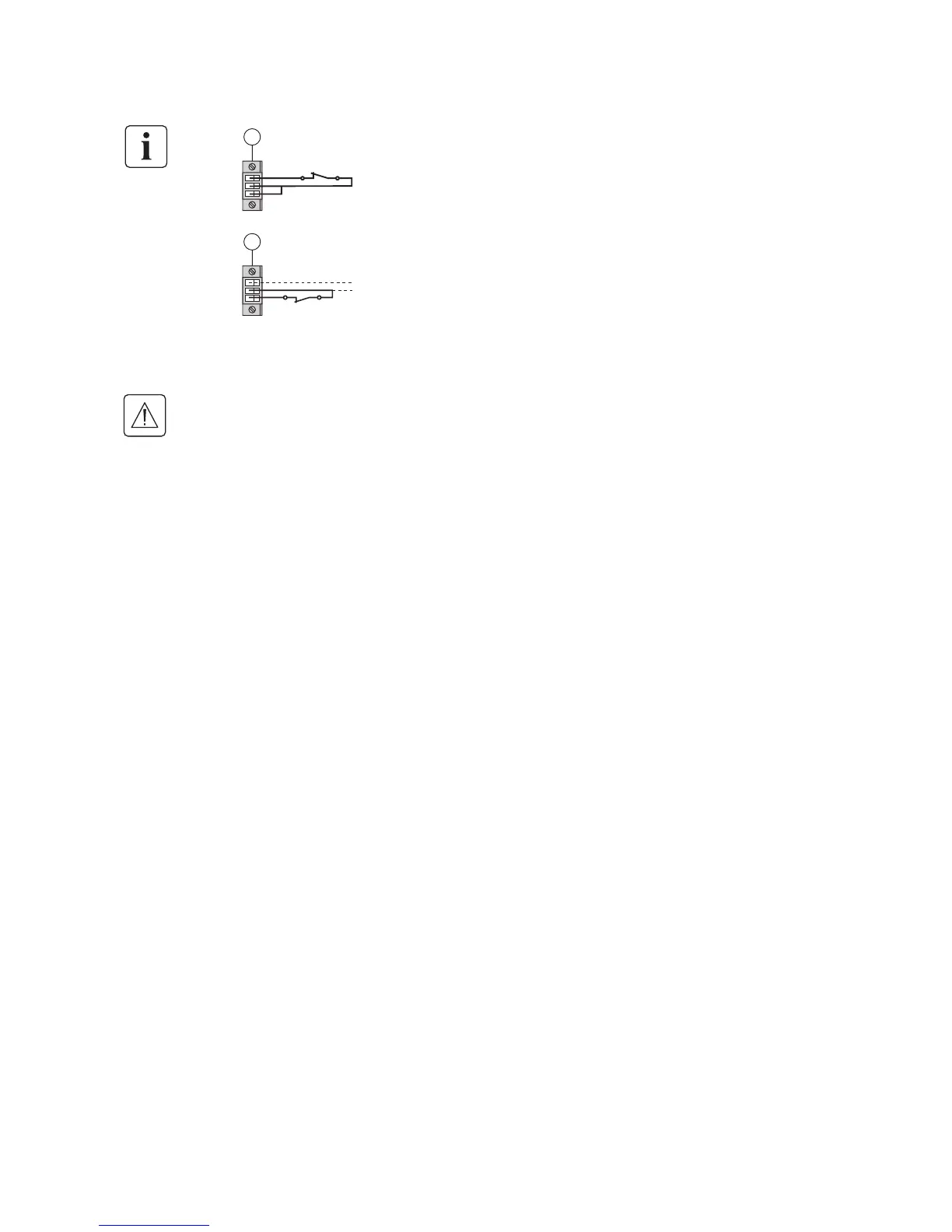
Contact open: UPS shutdown
Contact closed: UPS start-up (UPS connected to AC power and AC power is available)
Note. The local ON/OFF control using button (24) overrides the remote-control function.
Contact open: UPS shutdown, LED (26) goes ON
To return to normal operation, deactivate the remote external contact (LED (26) goes OFF) and
restart the UPS by pressing button (24).
4 - Plug connector (5) into the back of the UPS.
5 - Connect and restart the UPS following the previously described procedures.
6 - Activate the external remote shutdown contact to test the function.
Warning. This connector must only be connected to SELV (Safety Extra-Low Voltage) circuits.
5
ROO
5
RPO





 To Next Page