34008236EN/AA - Page 14
3. Operation
End of battery backup time
3.3 Return of AC input power
Following an outage, the UPS restarts automatically when AC input power returns (unless the restart function has been
disabled via UPS personalisation) and the load is again supplied.
3.4 UPS shutdown
3.5 UPS remote control functions
Evolution offers a choice between two remote control functions.
◗ RPO: Remote Power Off allow a remote contact to be used to disconnect all the equipment connected to the UPS.
Restarting the UPS requires manual intervention.
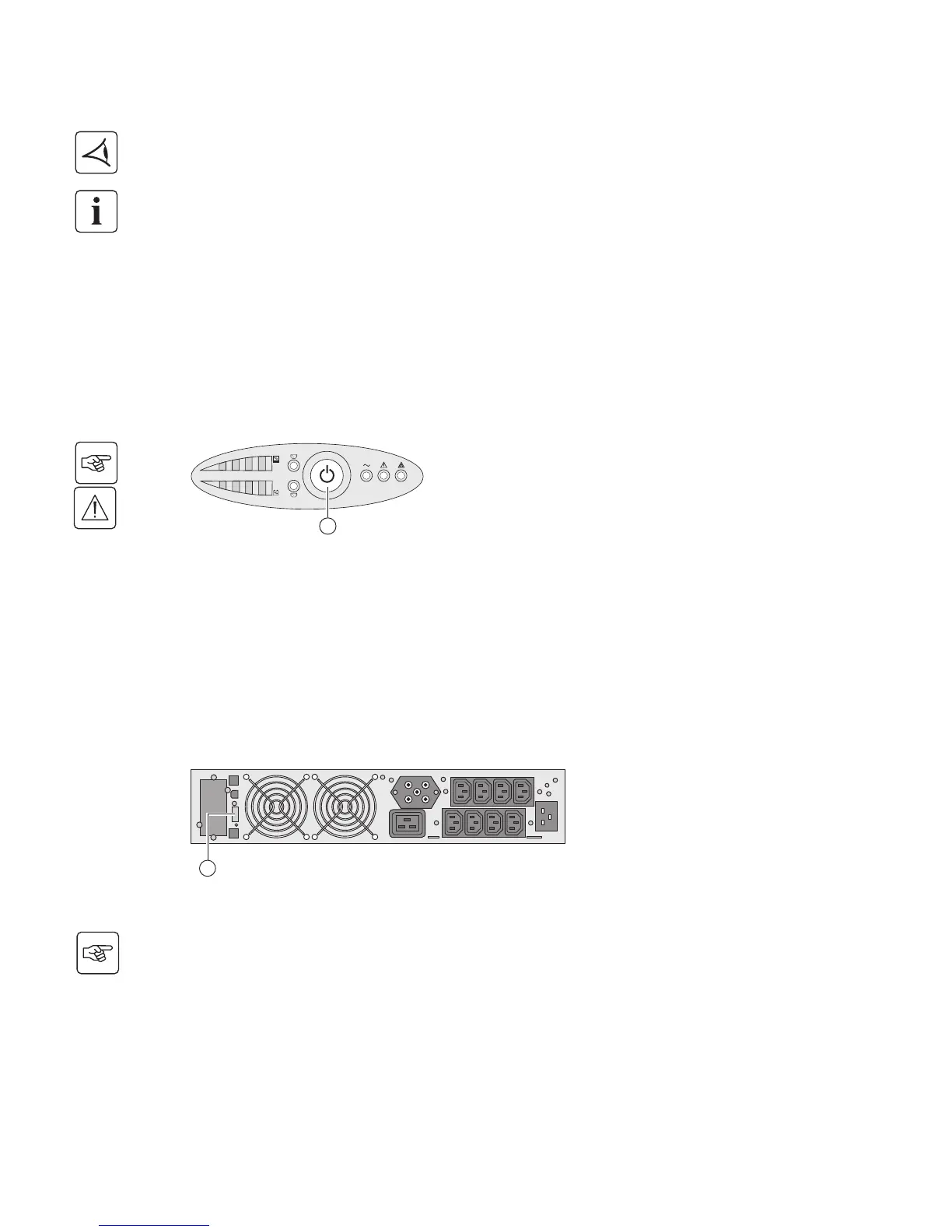
◗ ROO: Remote ON/OFF allows remote action of button (24) to shut down the UPS.
These functions are obtained by opening a contact connected between the appropriate pins of connector (5) on the rear panel
of the UPS (see figures below).
Remote control connection and test
◗ All the LEDs go OFF.
◗ The audio alarms stops.
The UPS is completely shut down.
Press button (24) for approximately 2 seconds.
The devices connected to the UPS are no longer supplied.
1 - Check that the UPS is OFF and disconnected from the AC input source.
2 - Remove connector (5) after unscrewing the screws.
3 - Connect a normally closed volt-free contact (60 V DC / 30 V AC max., 20 mA max., 0.75 mm
2
cable cross-section) between
the two pins of connector (5) (see diagram).
1
2
24
5





 To Next Page