7.0 Remote Control
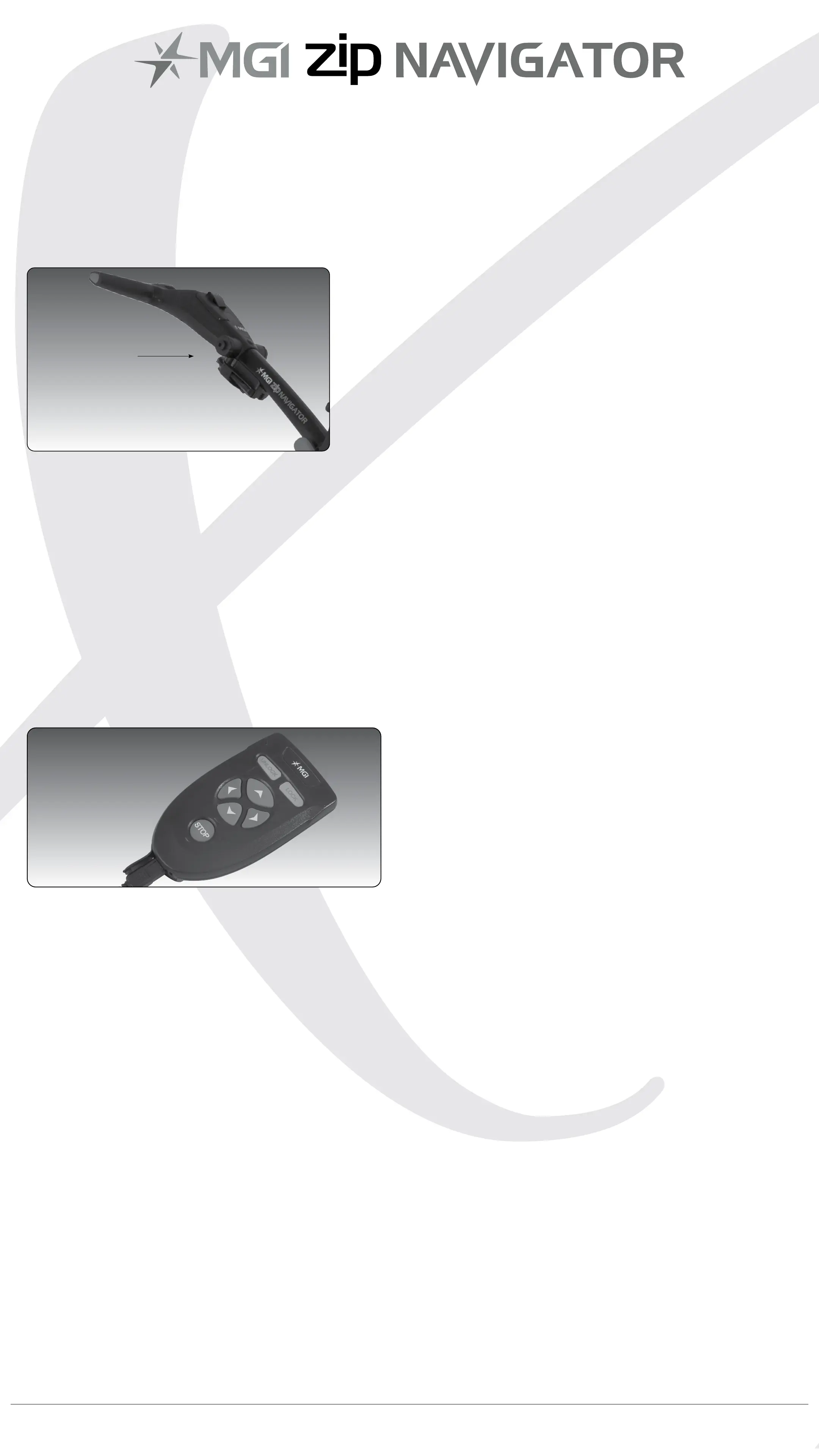
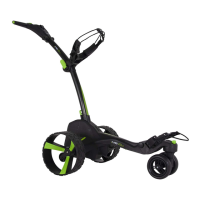
PLEASE NOTE: Your remote control is located in a holder on the
back of the handle just below
the T Bar Handle. Use two ngers to remove the remote control from
the holder.
7.1 Charging Your Remote Control
Before you start using your Zip Navigator you must fully charge the
remote control battery for approximately 6 hours or overnight using
the USB cord provided. The top left UNLOCK button will ash while
charging. When a full charge is complete, the green light will stay on
and stop ashing.
To charge the remote, plug the other end of your cable into the Zip
Navigator USB port located underneath the handle. Alternatively , the
remote can be charged via PC, Laptop or AC adaptor (not included).
To check the level of power in the remote, press any button to signal
the digital top box and the remote control battery level will show on
the screen of the Zip Navigator.
We recommend recharging your remote battery when recharging
your main battery after each round.
7.2 Forward Arrow
Press the forward button to start and accelerate the
Zip Navigator. The longer you press the button, the faster the
Zip Navigator travels. The Zip Navigator will always start at speed 2
when using the remote.
7.3 Down Arrow
The down arrow decreases the speed and initiates reverse.
If you are moving forward, the down arrow can be used to decrease
speed, the longer the pressure, the slower the speed.
If you hold down the button the Zip Navigator will reverse. If you
release the down arrow, whilst the Zip Navigator is in Reverse Mode,
the Zip Navigator will stop [safety feature].
Remote
Control
MGI Zip Navigator User Manual 15


 To Next Page