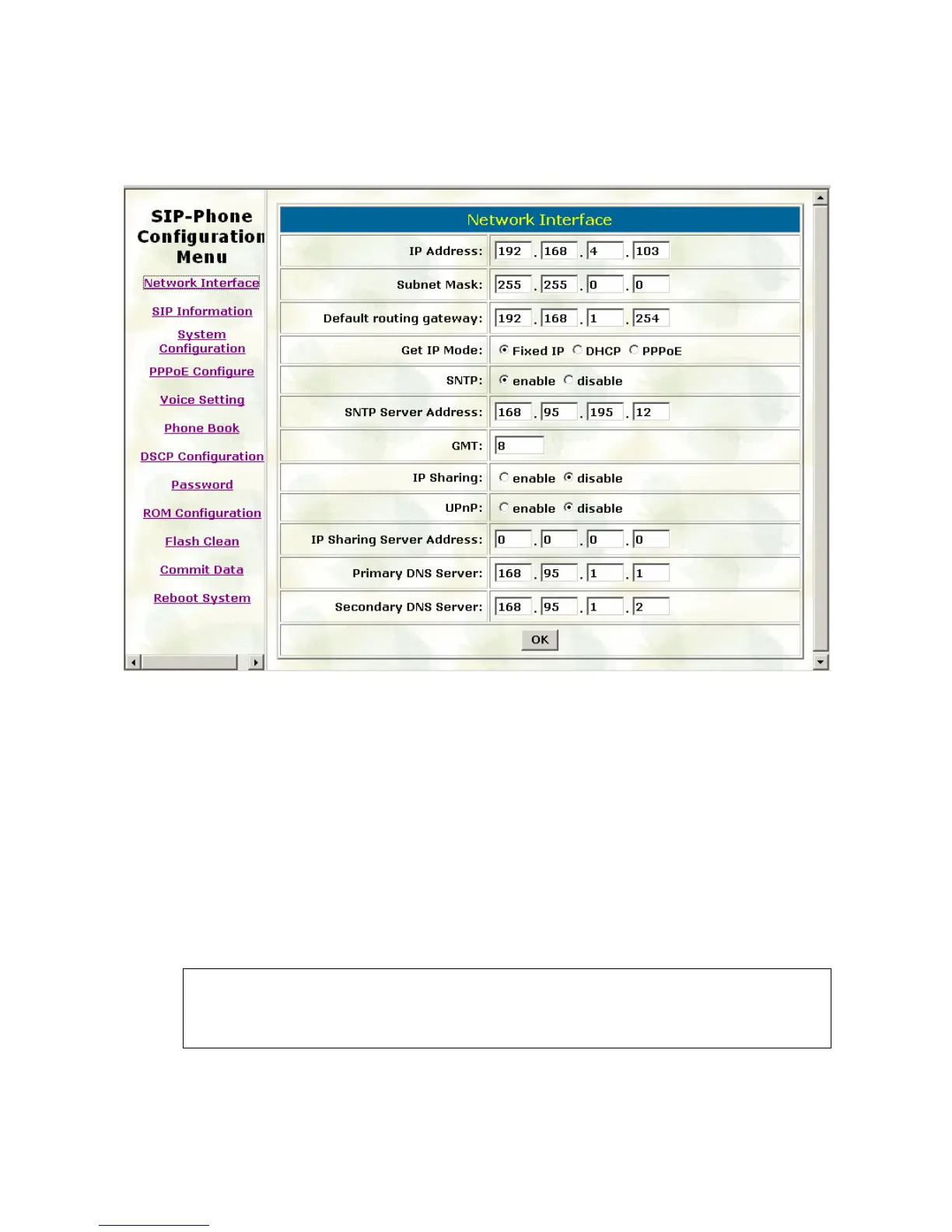
3.1. Network Interface
Please refer to chapter 4.7 [ifaddr] command.
IP Address: Set IP Address of IP-Phone
Subnet Mask: Set the Subnet Mask of IP-Phone
Default routing gateway: Set Default routing gateway of IP-Phone
Get IP Mode: User has to set IP-Phone to use which network mode.
Fixed IP: User has to assign a fixed IP to IP-Phone.
DHCP: When DHCP function enables, IP-Phone will automatically search DHCP server
after reboot.
PPPoE: If IP-Phone is working with PPPoE connection, user have to set related parameters
in “PPPoE Configure “page.
Note:
If User set “Get IP mode” as DHCP or PPPoE, IP address, Subnet Mask, and
Default routing gateway will become 0.0.0.0 and not allow to be configured.
23



 To Next Page