5.2. Web Management
Please refer to chapter 4.18 [rom] command
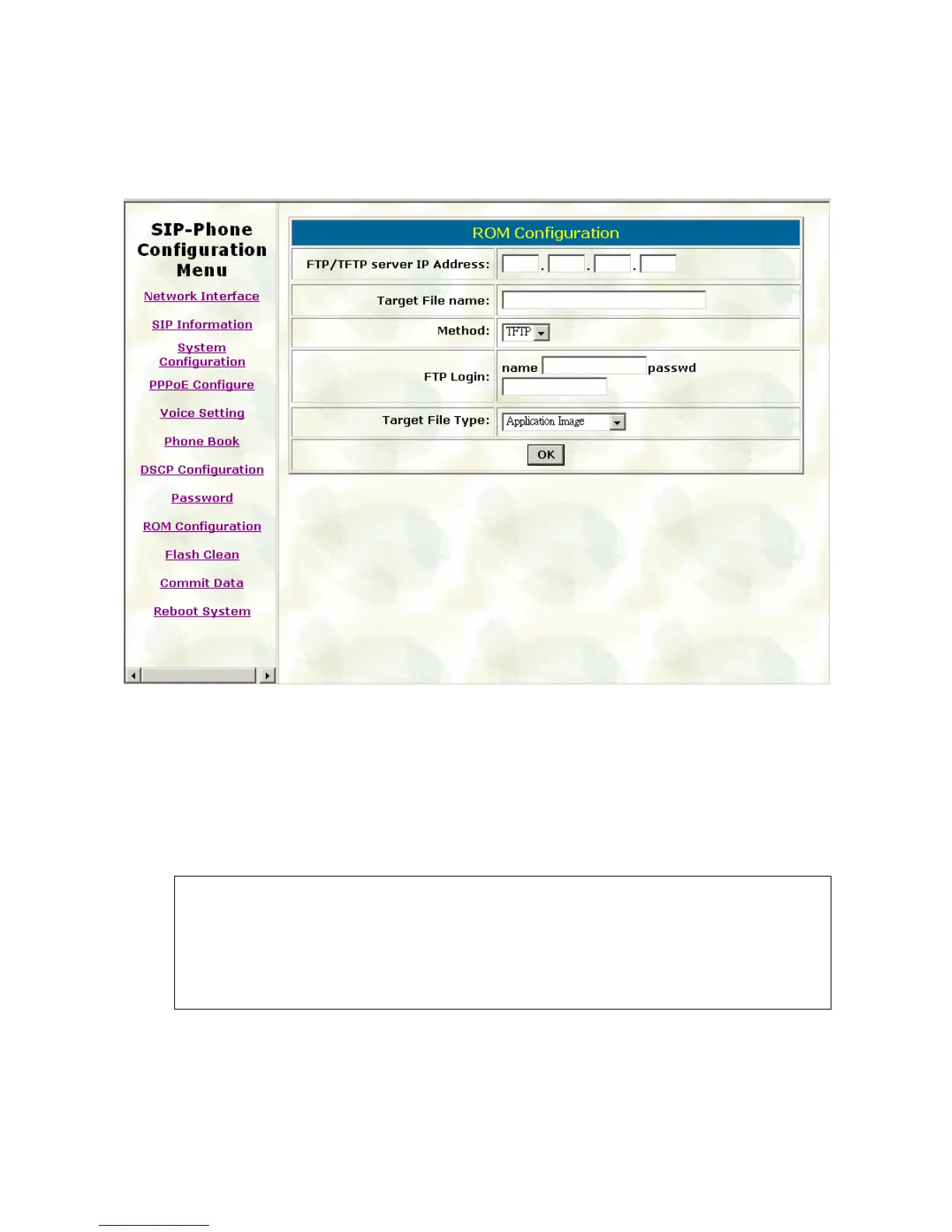
7. FTP/TFTP Server IP Address: Set TFTP server IP address
8. Target File name: Set file name prepared to upgrade
9. Method: Select download method as TFTP or FTP
10. FTP Login: Set FTP login name and password
11. Target File Type: Select which sector of IP-Phone to upgrade
Note:
After 2mb file download is finished, all configurations might change to default
values, user has to configure again.
After upgrade Application, please remember to execute Flash Clean, which will
clean all configurations become factory values except IP address.
53



 To Next Page