5.3. Remote Control: Telnet
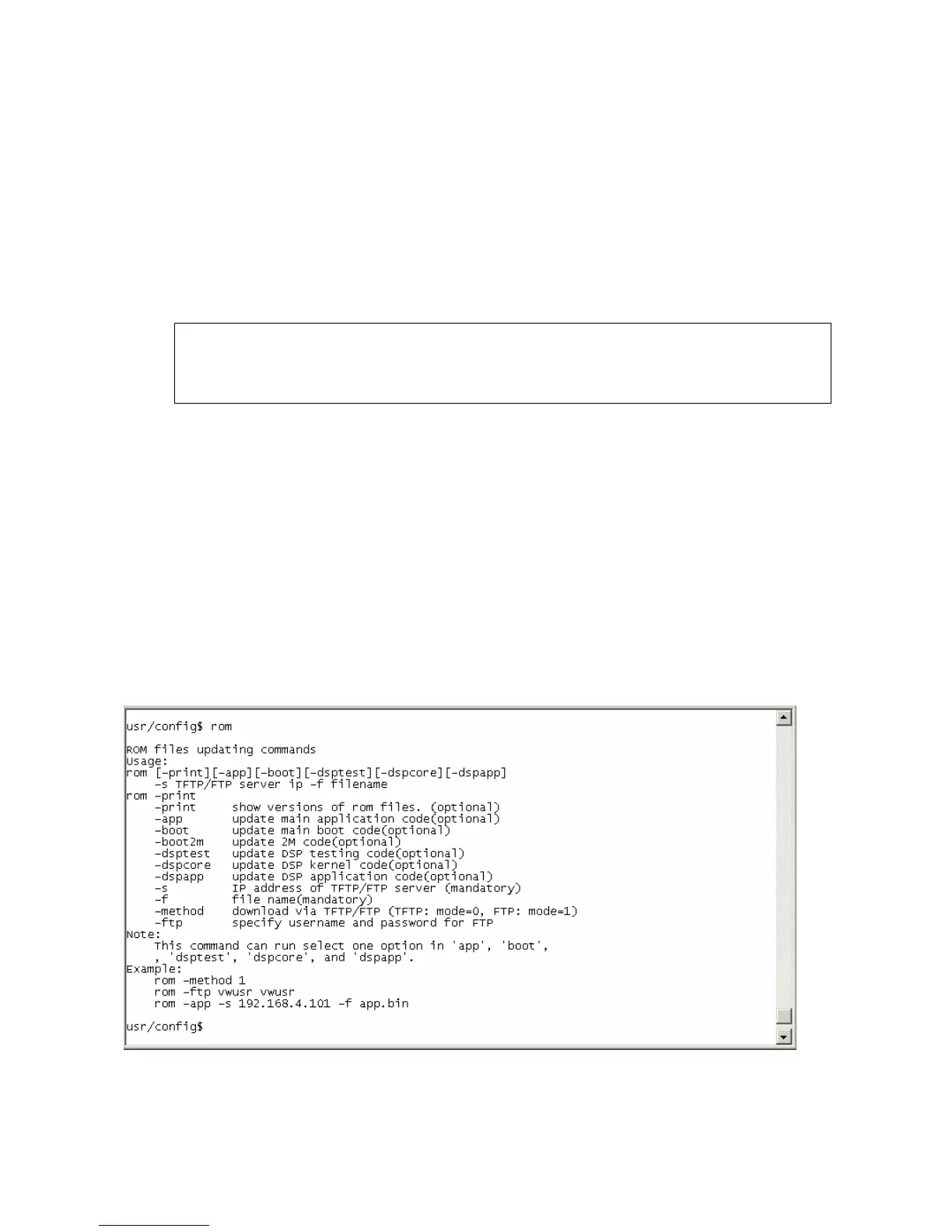
Please refer to chapter 4.18 [rom] command
1. -print: show all current configurations and version information.
2. -app,-boot, -dsptest, -dspcore, -dspapp: upgrade main boot code, main application
code, DSP testing code, DSP kernel code, DSP application code, Ring Back Tone
PCM file and Hold Tone .
Note:
After upgrade Application, please remember to execute flash –clean command,
which will clean all configurations become factory values except IP address.
3. -boot2m: to upgrade 2mb rom file, which includes all firmware file mentioned in item
2.
4. -s: it is necessary to prepare TFTP/FTP server IP address for upgrading firmware rom
file.
5. -f: the file name prepared for upgrading is necessary as well.
6. –method: specify download method to be TFTP or FTP(0 for TFTP.1 for FTP)
7. –ftp: specify user name and password for FTP download method.
For example: User prepares to upgrade the latest app rom file – siplp.100, the TFTP
server is 192.168.1.1.
rom –app –s 192.168.1.1 –f siplp.100
Command rom –print can show current version installed in IP-Phone .
54



 To Next Page