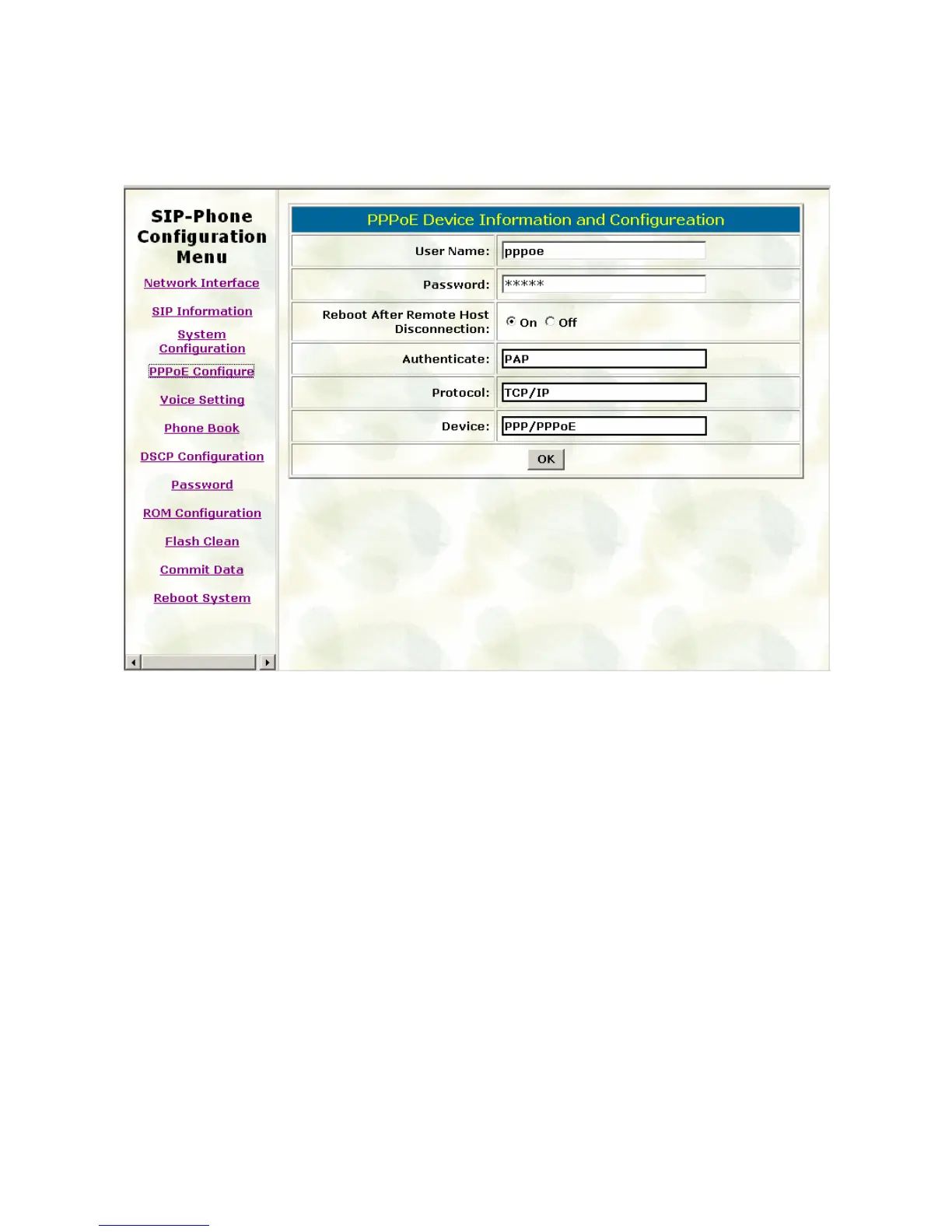
3.4. PPPoE Configure
Please refer to chapter 4.11[pppoe] command
User Name: Set PPPoE authentication User Name.
Password: Set PPPoE authentication password.
Reboot After Remote Host Disconnection: Enable/Disable auto reboot after PPPoE
disconnection
If user enables this function, after PPPoE being disconnected, IP-Phone will automatically
reboot to re-connect, and after reboot, if IP-Phone still can’t get contact with server,
IP-Phone will keep trying to connect. After re-connected, IP-Phone will also restart system.
On the other hand, if user disables this function, IP-Phone won’t reboot and keep trying to
connect.
Other items: for reference only, cannot allow to be configured.
29



 To Next Page