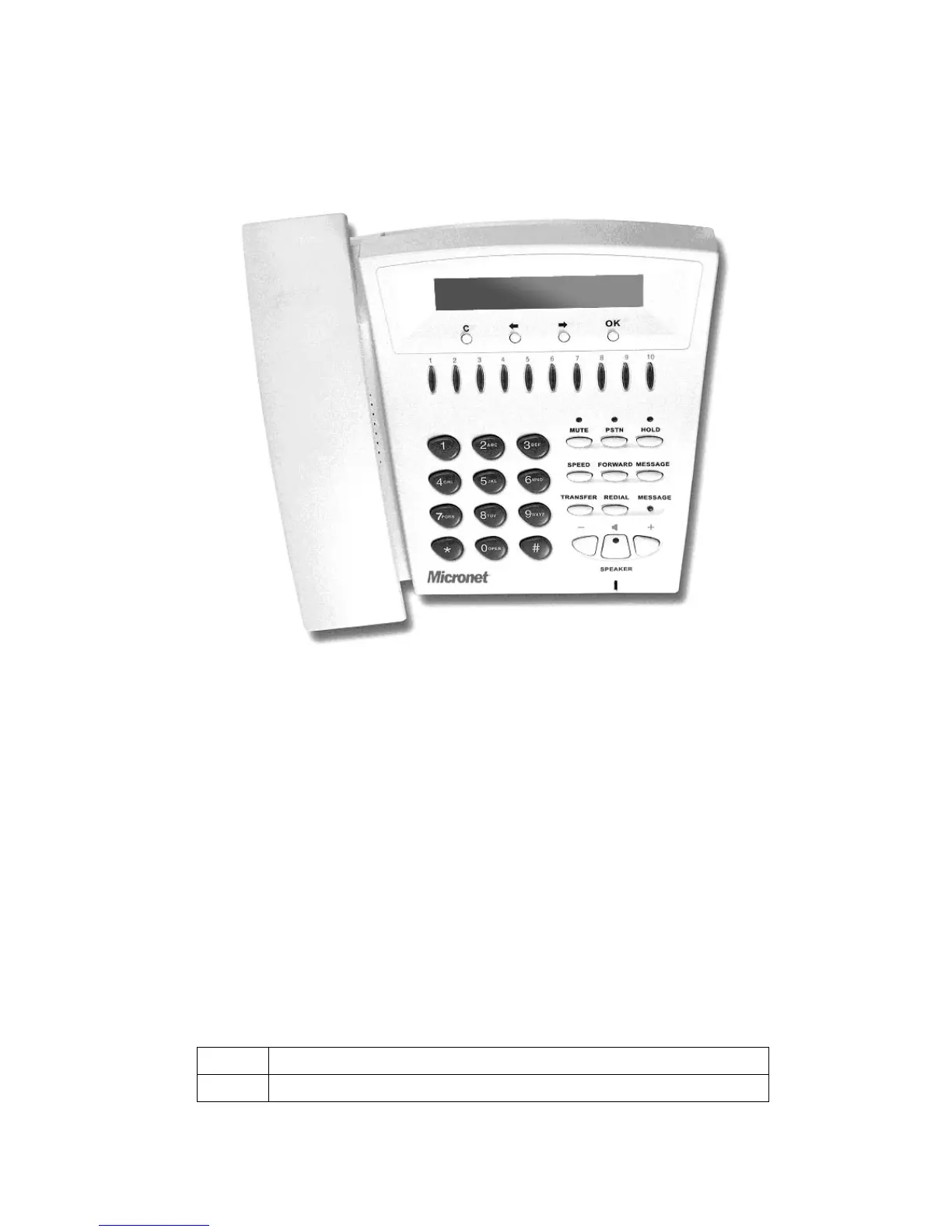
1.1. Hardware Overview
Front View and Keypad function
● LCD: 2 lines, 24 character Dot Matrix display.
● C: Jump out current LCD menu.
● Í: Move to previous selection or clear previous data.
● Î: Move to right or next selection.
● OK: Press OK to confirm the modification.
● Direct Line (DL) Button 1 – 10: User press DL button after off-hook to do speed dial
according to phone book data from 1-10 (please refer to LCD configuration-3.Phone
Book; Advanced Configurations via Telnet- 10.[pbook] command, or Web
Configuration-Phone Book chapter.
● Number 1 –10, * and #: The function is the same as the general phone set.
Corresponding list of keypad and symbol:
(1) Character mode:
1 “1”
2 “A” ; “ B” ; “C” ; “2”
4



 To Next Page