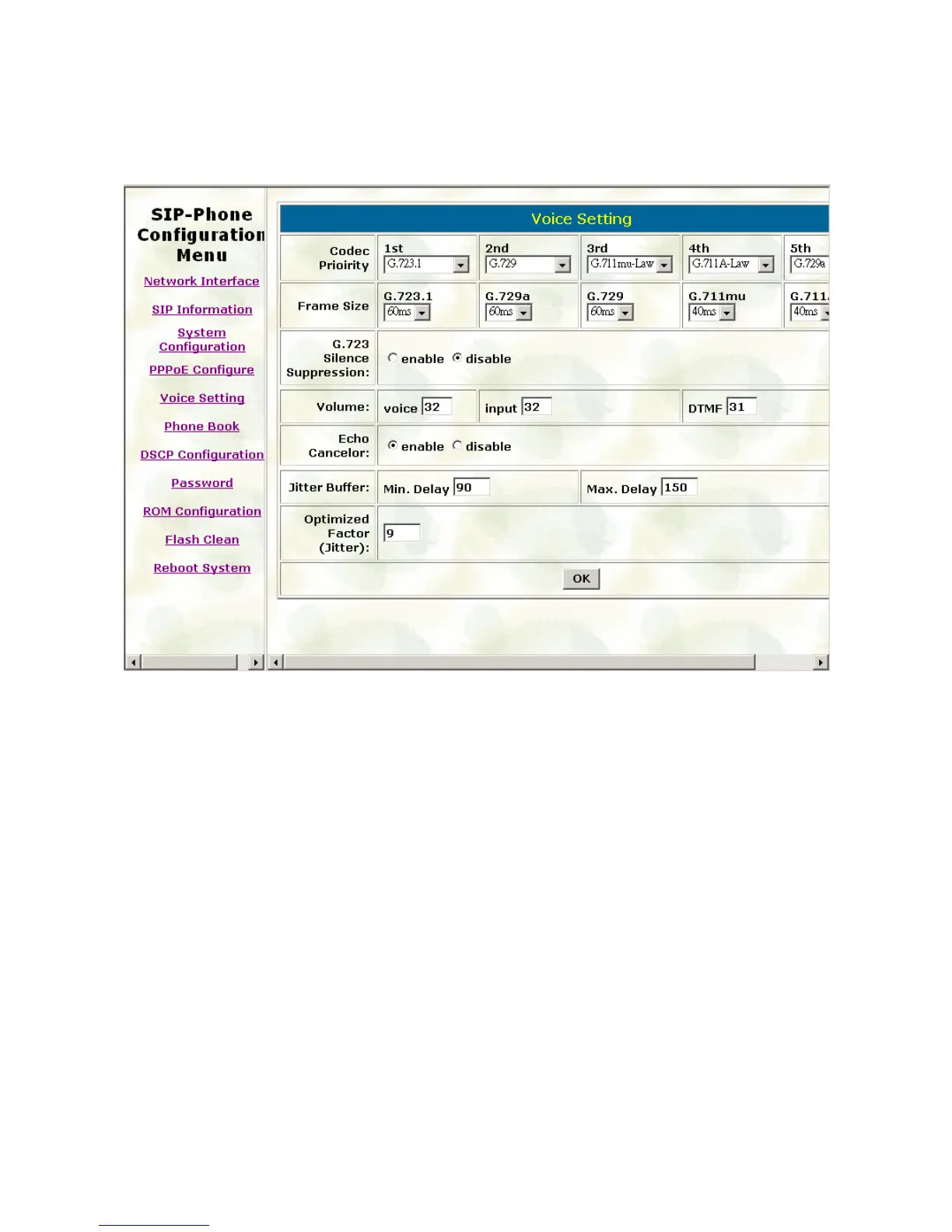
3.5. Voice Setting
Please refer to chapter 4.15 [voice] command
Codec Priority: set codecs priority in order. Please notice that user can set from 1 to 5
codecs as their need. For example, user can only set first priority as G.723.1, and set the
others as x, that means only G.723.1 is available.
Frame Size: User can set different packet size for each codec.
G.723 Silence Suppression: Enable / Disable sound compression and comfort noise
generation. It is only for codec G.723.1
Volume: Adjust the volume in “Voice” (sending out); “Input” (receiving); “ DTMF” (DTMF
sending out).
Echo Cancelor: Enable / Disable (suggested always Enable this function).
Jitter Buffer: Set Min. Delay and Max. Delay of Jitter Buffer for voice packets.
Optimized Factor (Jitter): Set Optimized Factor of voice, this is for advanced user only,
please contact with your distributor before making any change.
30



 To Next Page