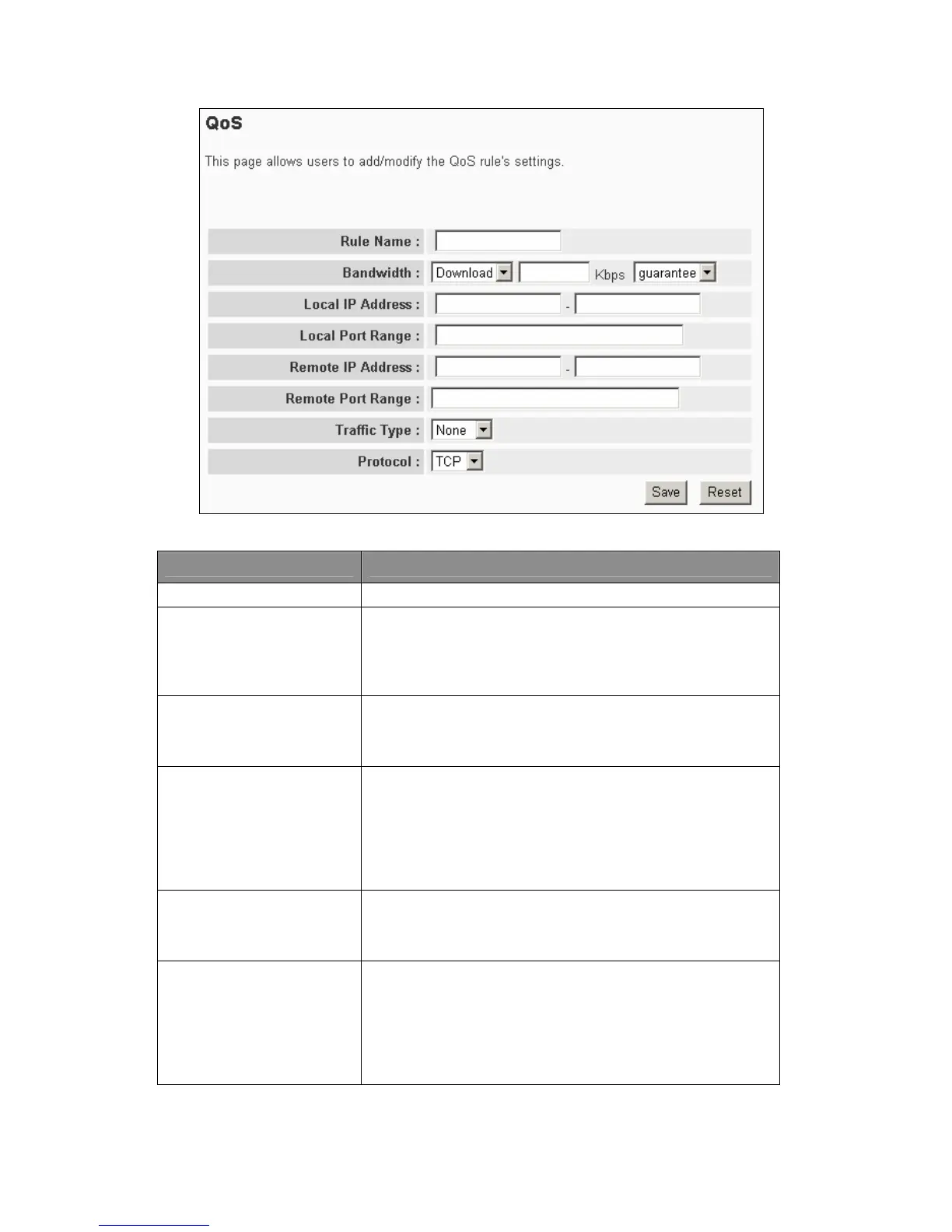
Parameter Description
Rule Name The name of this rule.
Bandwidth
Users can assign the download or upload bandwidth in the
unit of Kbps (1024 bit per second). It can limit the maximum
bandwidth consumed by this rule by selecting “Maximum”.
Reserve enough bandwidth for this rule by selecting
“Guarantee”.
Local IP Address
Enter the local IP address range of the packets that this rule
will apply. If users assign 192.168.2.3 – 192.168.2.5, it would
mean 3 IP addresses: 192.168.2.3, 192.168.2.4 and
192.168.2.5.
Local Port Range
Enter the local port range of the packets that this rule will
apply. Users can assign a single port number here or assign
a range of port numbers by assigning the first port number
and the last port number of the range. The two numbers are
separated by a dash “-“, for example “100-150” means from
port number 100 to port number 150 – the range of 50 port
numbers.
Remote IP Address
Enter the remote IP address range of the packets that this
rule will apply. If users assign 192.168.2.3 – 192.168.2.5, it
means 3 IP addresses: 192.168.2.3, 192.168.2.4 and
192.168.2.5.
Remote Port Range
Enter the remote port range of the packets that this rule will
apply. Users can assign a single port number here or assign
a range of port numbers by assigning the first port number
and the last port number of the range. The two numbers are
separated by a dash “-“, for example “101-150” means from
port number 100 to port number 150 – the range of 50 port
numbers.
49



 To Next Page