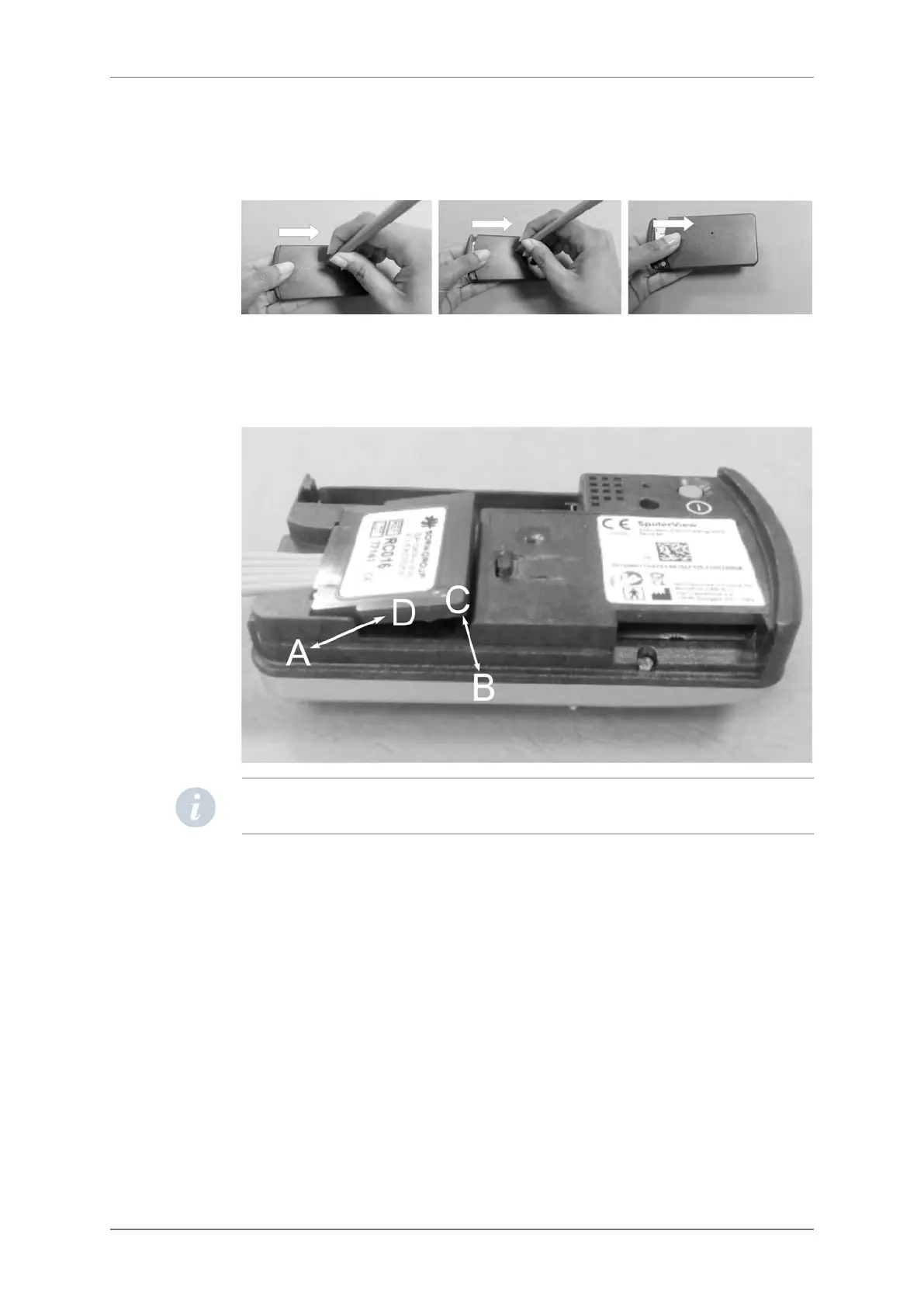
OPENING THE BATTERY COVER
In order to open the battery cover, users need a thin tool such as a pencil. This tool is to be
inserted into the hole while sliding the cover with the thumb as shown below:
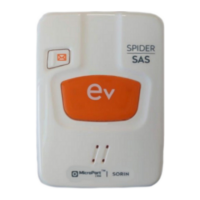
CABLE INSERTION AND EXTRACTION
The insertion (first A then B) and extraction (first C then D) of the patient cable should be
done as indicated in the picture below.
NOTE: When SpiderView is not in use, it can be stored without disconnecting the patient’s
cable from the plug.
6.3.
6.4.
6. GENERAL DESCRIPTION
SpiderView – UA10709B 13


 To Next Page