11. DEVICE PARAMETERS
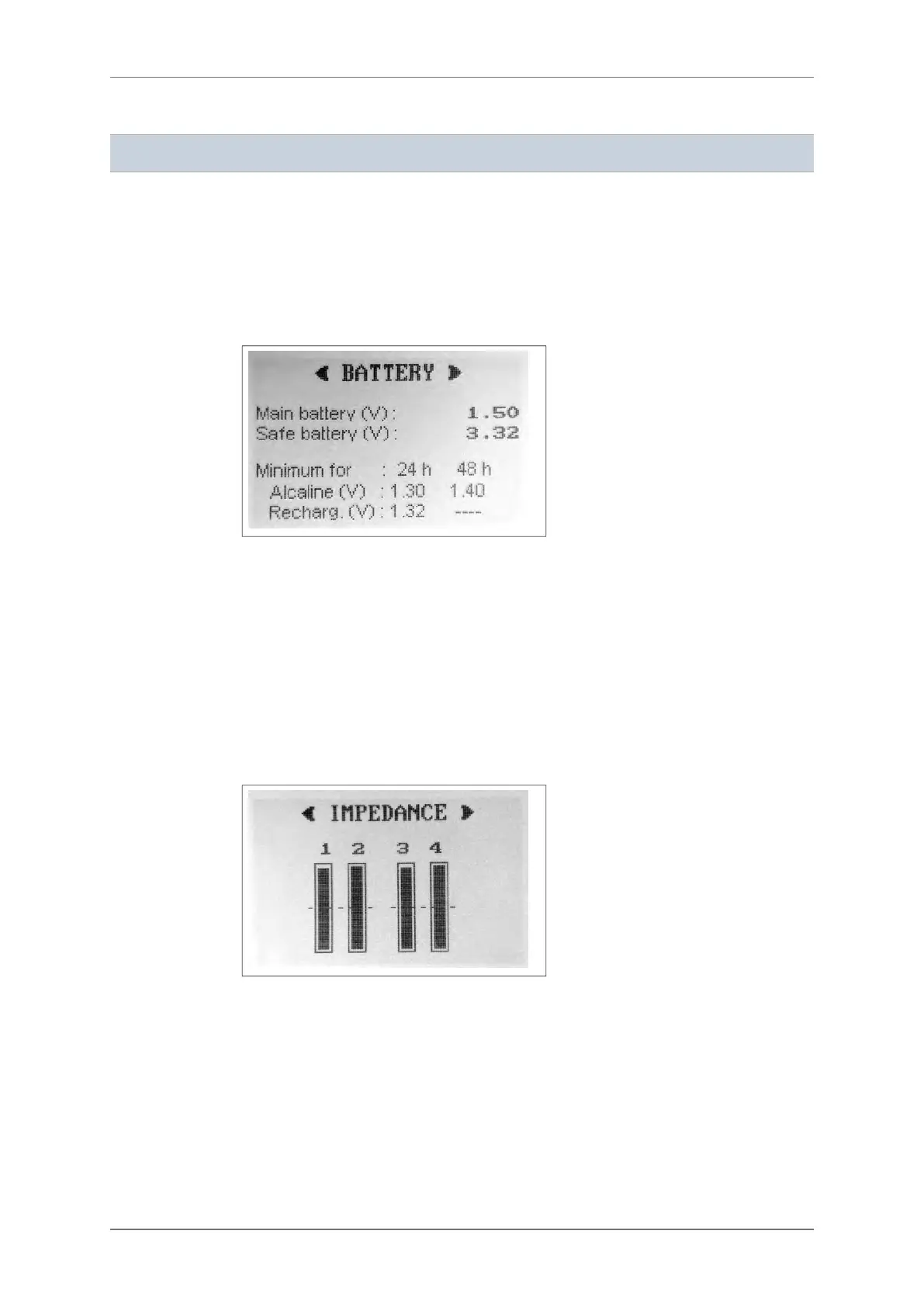
VOLTAGE SCREEN
This screen allows the user to check the voltage of the external battery (AA 1.5 V) in order to
evaluate if there is sufficient power to perform a 1 to 7-day recording.
The voltage of the internal battery (VL 3V) is also displayed so that the user can estimate the
autonomy of the configuration of the device (date, time, contrast, recording mode).
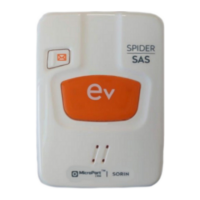
IMPEDANCE SCREEN
Here the user can check the quality of the connection between the electrodes and the
patient’s skin.
The screen shows four or six vertical bars, according to the cable in use. Each bar is an
indicator of the contact quality of an electrode.
If the height of one bar does not reach the dotted line placed at the middle of the scale, the
impedance is not enough to guarantee a good quality signal for the whole duration of the
recording. In this case it is suggested to check the quality of the electrode (potentially dried
out) and to better prepare the skin's surface.
Press the “E” button to know the correspondence between the impedance bar and the
positioning of the electrode on the patient. An image will show how to position the electrodes
on the patient’s thorax.
11.1.
11.2.
11. DEVICE PARAMETERS
28 SpiderView – UA10709B


 To Next Page