12. SPECIAL FUNCTIONING MODES AND ERROR
MESSAGES
If an error has been generated that can be easily corrected by the user or if it is an error of
use, the screen displays a message followed by a recommendation.
The following messages may appear:
Initialization impossible,
use another card
Displayed when an error appears during the flash card initialization
phase. Use another flash card, this one is defective.
Write protected card -
Check the WP switch
If this message appears while you are using an flash card, you have to
put the write protection switch on “write” position.
Unreadable card - Use
another card
Displayed when the flash card format is not one used by SpiderView.
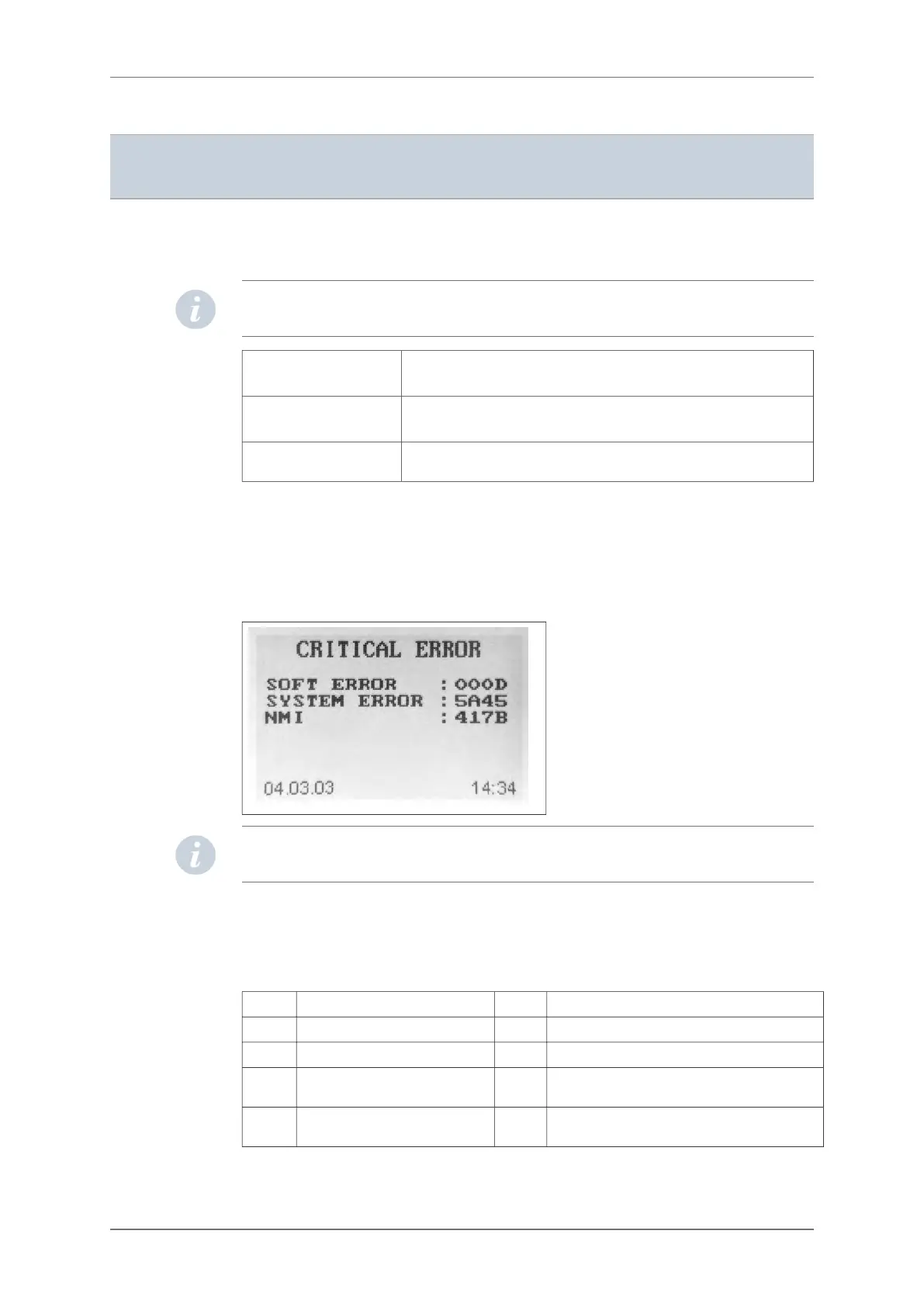
If an error of any type occurs during the functioning of the device, an error code is generated
by the device and stored on the internal memory. The user can visualize the “Critical error”
screen containing the last error that occurred and the time and date of the occurrence by
switching the device on (1) and keeping the left cursor button (3) pressed until the end of the
auto-test phase. The “Critical error” screen will then be shown until the left arrow button (3) is
released.
NOTE: Carefully note all information displayed on the screen in order to communicate it to
the MicroPort after-sales service or to your distributor if necessary.
To reset the error code memory to zero, switch the device on and keep the right cursor button
(3) pressed until the end of the auto-test phase. A message will confirm the reset.
LIST OF ERROR MESSAGES
0100 Generic media error 0200 Generic HDTK error
0101 Media insertion error 0201 Invalid file descriptor
0102 Media initialization error 0202 File not found or path to file not found
0103 Reading error during init. of
recording
0203 No file descriptors available (too many files
open)
0104 Writing error during init. of
recording
0204 Exclusive access requested but file already
exists
12.1.
12. SPECIAL FUNCTIONING MODES AND ERROR MESSAGES
30 SpiderView – UA10709B


 To Next Page