Need help?
Do you have a question about the MicroPort SpiderView and is the answer not in the manual?
Information on the device's usage restrictions within the United States.
Defines the primary purpose and application of the SpiderView Holter recorder.
Highlights key functionalities and capabilities of the SpiderView device.
Lists all items included in the SpiderView product packaging.
Outlines the necessary training for users operating the SpiderView device.
Recommendations for safely transporting the SpiderView device and accessories.
Instructions for handling the device upon reaching its service life.
Specifies the required temperature, humidity, and pressure for device operation and storage.
Information regarding the device's susceptibility to and emission of electromagnetic interference.
Instructions for cleaning and maintaining the SpiderView device and its flash memory cards.
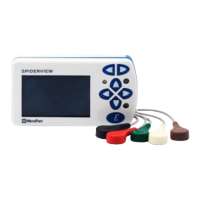
Identifies and describes the various physical components of the SpiderView device.
Explains the meaning of symbols found on the SpiderView device and its packaging.
Step-by-step guide on how to access the battery compartment of the device.
Instructions for correctly inserting and removing patient cables from the device.
Information on the types of batteries supported and their expected recording duration.
Guidance on using rechargeable batteries with the SpiderView recorder.
Explains the function and maintenance of the device's internal memory battery.
Details on connecting a 3-electrode setup for 2-channel ECG recording.
Details on connecting a 5-electrode setup for 2-channel ECG recording.
Details on connecting a 7-electrode setup for 3-channel ECG recording.
Details on connecting a 7-electrode setup for XYZ channel ECG recording.
Details on connecting a 10-electrode setup for a 12-lead ECG recording.
Specific placement instructions for the 12-lead recording configuration.
Overview of the device's screen navigation and button layout.
Steps to power on and prepare the SpiderView recorder for use.
Procedure for inserting and checking the flash memory card in the device.
Guide to configuring recording parameters using the device's buttons.
Instructions for entering the patient's name for data association.
How to select the appropriate ECG recording protocol and patient ID.
Options for choosing the recording mode and resolution for the Holter session.
Details on setting up and initiating a standard Holter recording session.
Guide to using the high-resolution ECG recording function.
Setting up sequential High Resolution and Holter recording modes.
Procedures for safely switching off the SpiderView recorder.
Tables showing recording duration based on card size, channels, and quality.
Displays the battery voltage levels for monitoring device power status.
Shows electrode connection quality via impedance bar indicators.
Instructions for setting the device's internal clock and date.
Displays device serial number, firmware version, and copyright information.
A comprehensive list of error codes and their potential causes and solutions.
Identifies the SpiderView as an AECG device type 1.
Details the various lead configurations the device can record.
Specifies electrical properties like frequency response, CMRR, and power supply.
Provides physical specifications such as weight and dimensions.
Technical details on data acquisition, including frequency and resolution.
Information on the radio frequency bands and power levels used by the device.
Manufacturer's declaration regarding the device's electromagnetic emission compliance.
Manufacturer's declaration concerning cable length compliance and standards.
Guidance on electromagnetic emissions and the recommended environment for use.
Guidance on the device's immunity to electromagnetic disturbances and recommended environments.
Advice on the use of portable RF devices in proximity to the SpiderView.
Information on compliance with Canadian radio frequency regulations.
Information on compliance with FCC rules in the United States.
 General
| Brand | MicroPort |
|---|---|
| Model | SpiderView |
| Category | Medical Equipment |
| Language | English |

 To Next Page