NOTE: If the type of pacemaker is unknown, it is suggested to select bipolar mode.
A high sensitivity mode is available. It can be used to detect very low amplitude PM spikes.
Because of the high sensibility, it is likely that noise and muscular or movement artifacts are
detected as stimulation spikes. A shielded cable is suggested in order to reduce false pacing
spike detections.
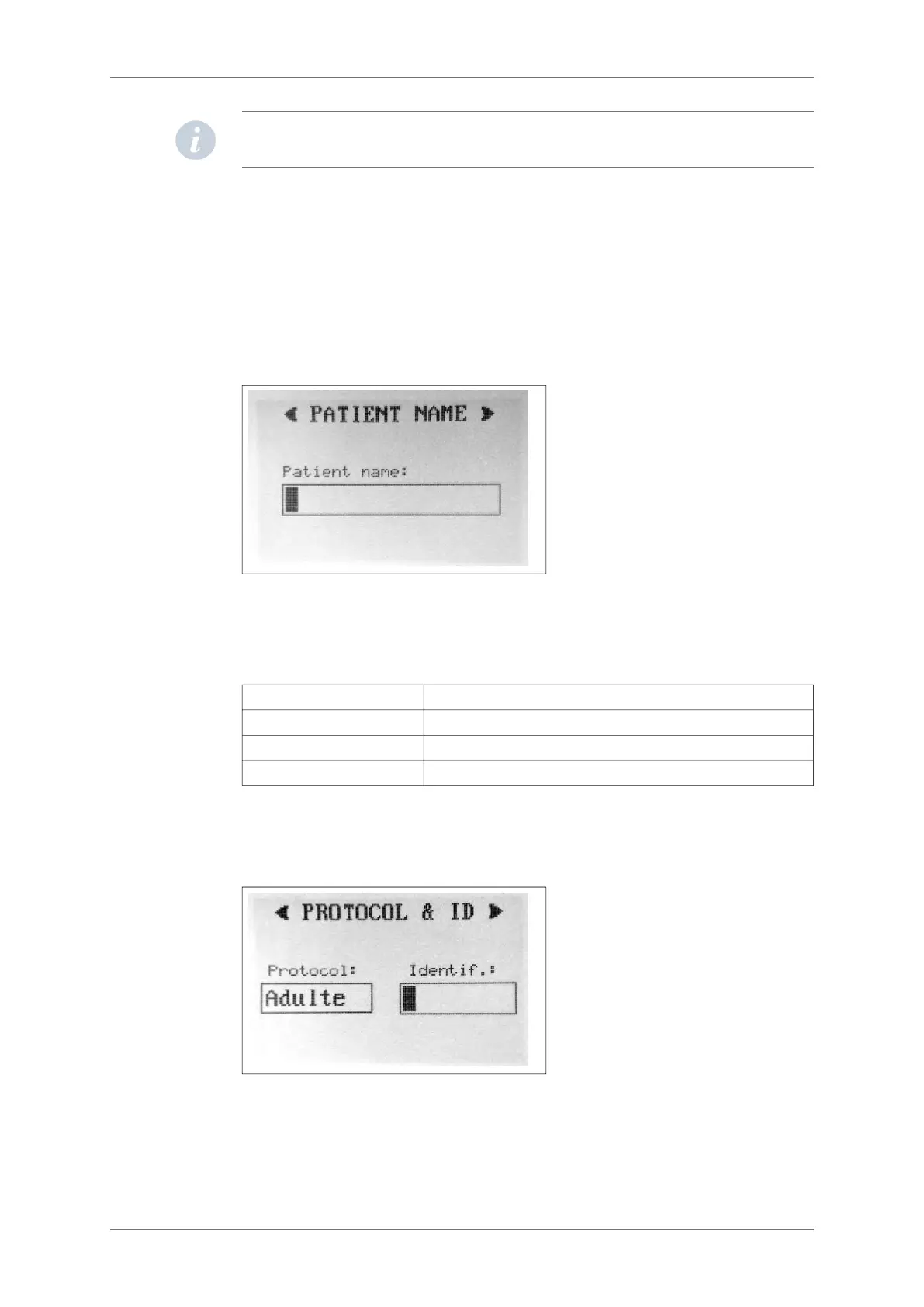
Insert patient name
The next screen allows you to enter the patient’s name onto the flash card. This is necessary
so that the Holter recording will be unequivocally associated with this patient’s name when
downloaded.
Select recording protocol, insert patient ID and activate the accelerometer sensor
In this screen the ECG analysis protocol can be selected with or without activating the
accelerometer sensor:
Adult Normal analysis protocol
Infant From 0 to1 year (or weight <10Kg)
Long QT Patients with long QT or wide T waves
Adult, Infant, Long QT Acc Adult, Infant or Long QT protocol with accelerometer activated
The protocol can be modified on the Holter software after the card has been downloaded,
but if the accelerometer sensor has not been activated at the start those data cannot be
displayed. You may also insert a patient ID number that will be downloaded together with
patient’s name.
Select the recording mode
SpiderView can work in different recording modes using different resolutions:
10.1.3.
10.1.4.
10.1.5.
10. STARTING THE HOLTER RECORDING
SpiderView – UA10709B 23


 To Next Page