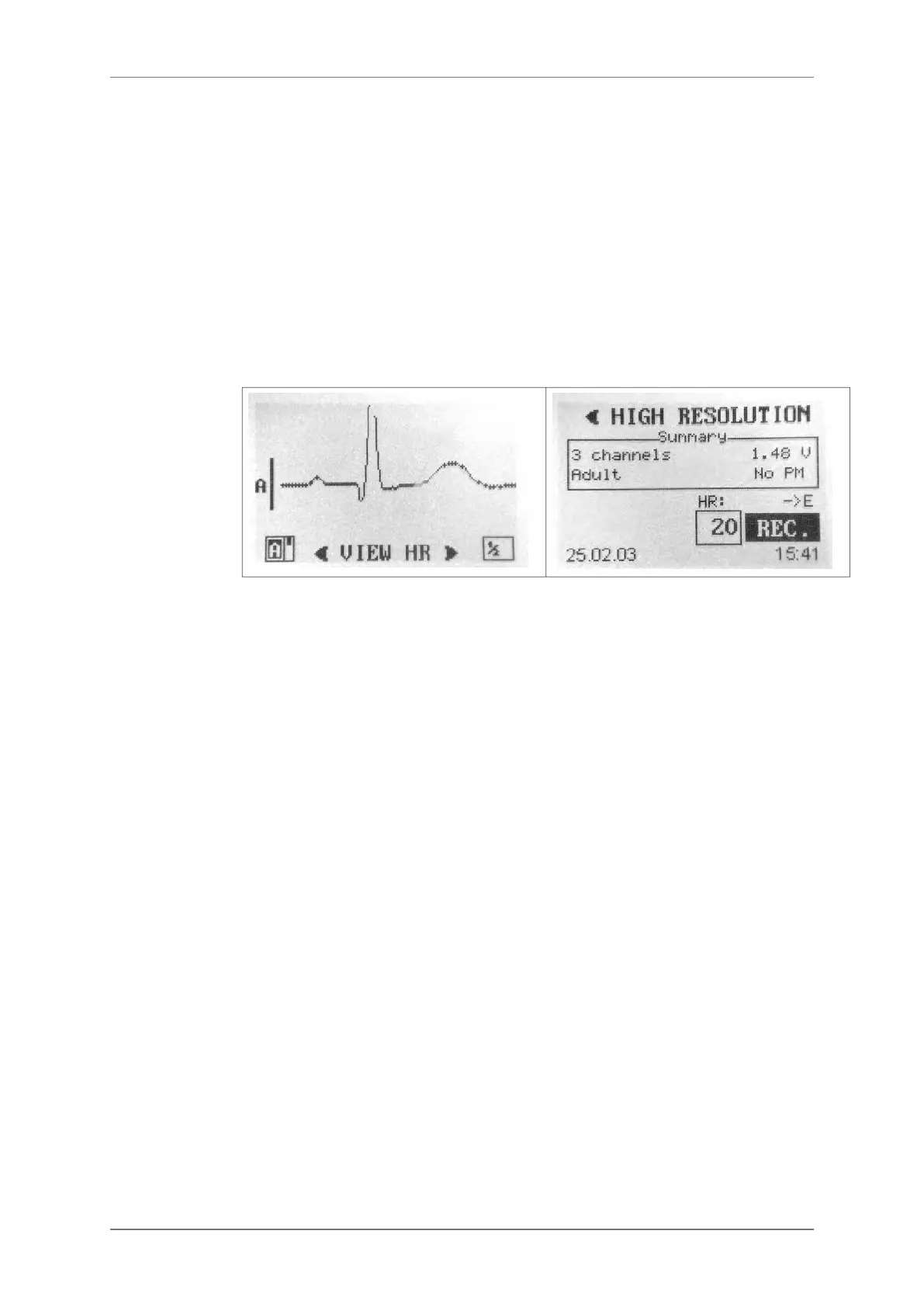
High resolution mode
If this mode has been selected in the mode choice screen, the device will now display the
high resolution ECG. The high scrolling speed (25mm/s) and amplitude (2 cm/mV) grant a
high quality visualization of the ECG and allow you to check if the recording is affected by
undesired muscle noise or electromagnetic interference (transformers, neon lights, mobile
phones and other devices can affect the ECG with baseline noise).
In this screen the 3 ECG channels can be displayed individually. Use the arrow keys to select
the channel.
Use the right arrow to move to the next screen.
Select the duration* of the high resolution recording on this screen. The maximum duration of
the recording depends on the capacity of the flash card inserted.
Move to “REC” and press the "E" button to start the high resolution recording.
* Duration longer than 24h available with SyneScope Holter software.
HR + Holter mode
If this mode has been selected in the mode choice screen, the recorder is going to perform a
short high resolution recording (20 minutes by default) followed by a 24h Holter recording (or
longer).
The device will now display the high resolution ECG. The high scrolling speed (25mm/s)
and amplitude (2 cm/mV) grant a high quality visualization of the ECG and allow you to
check if the recording is affected by undesired muscle noise or electromagnetic interference
(transformers, neon lights, mobile phones and other devices can affect the ECG with baseline
noise).
In this screen the 3 ECG channels can be displayed individually. Use the arrow keys to select
the channel.
Use the right arrow to move to the next screen.
A screen summarizing all recording parameters is displayed. Here you can select the duration
of the high resolution recording as well as the duration and the quality mode of the Holter
recording. Please refer to the table in this manual to check which combinations of modes and
duration you can select according to the size of your card.
10.1.7.
10.1.8.
10. STARTING THE HOLTER RECORDING
SpiderView – UA10709B 25


 To Next Page