Chapter 3 Camera Calibration
3-18 Visionscape FrontRunner™ User’s Manual v4.1.3, April 2012
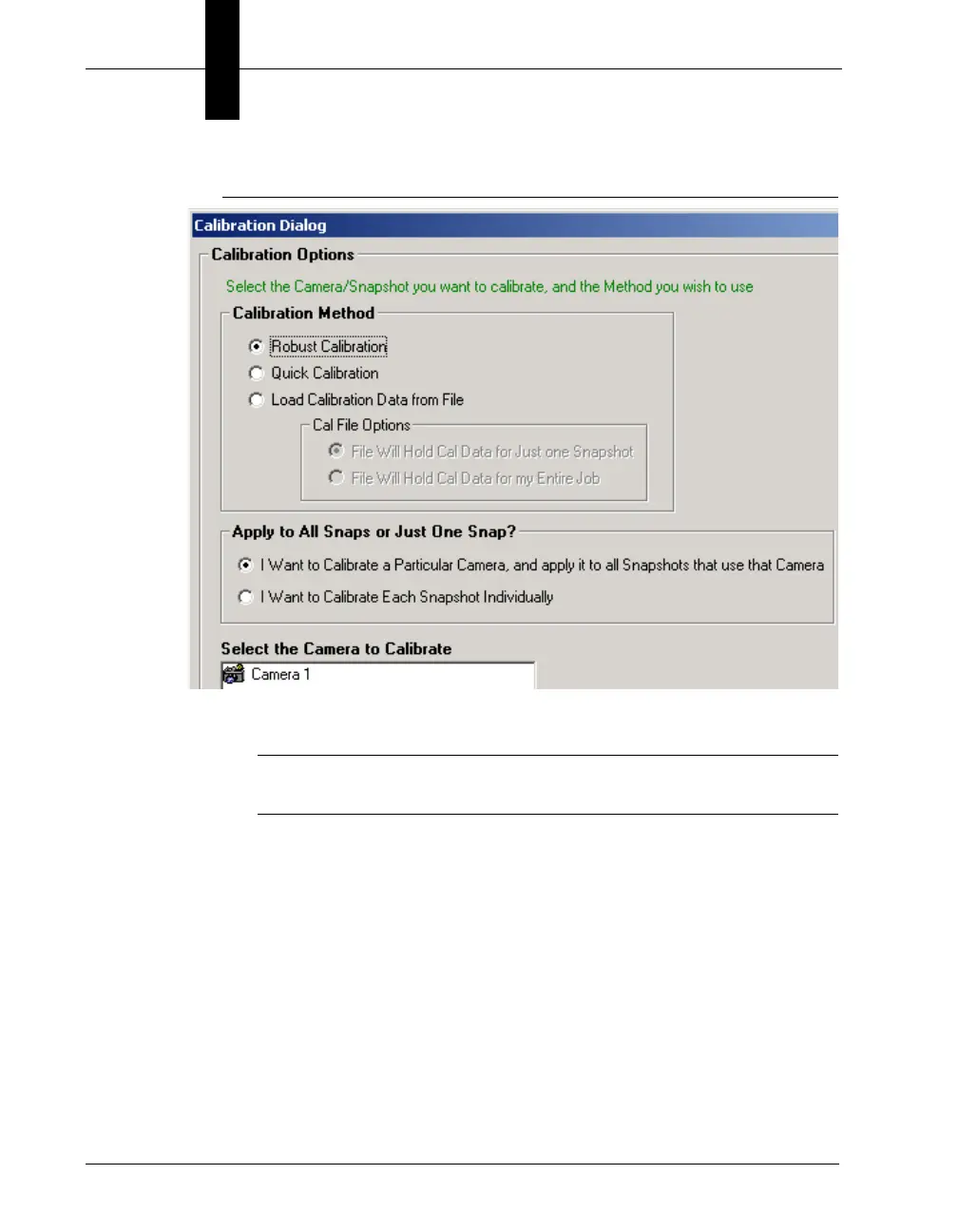
FIGURE 3–14. Calibration Dialog Box
3. Under “Calibration Method,” select Load Calibration Data from File.
Note: After you select Load Calibration Data from File, the Cal File
Options are no longer grayed out.
4. Select either of the Cal File options:
– File Will Hold Cal Data for Just one Snapshot
– File Will Hold Cal Data for my Entire Job
5. Under “Apply to All Snaps or Just One Snap,” select either of the
following:
– I Want to Calibrate a Particular Camera, and apply it to all
Snapshots that use that Camera
– I Want to Calibrate Each Snapshot Individually



 To Next Page