Menus You’ll See in FrontRunner™
FrontRunner™
2
v4.1.3, April 2012 Visionscape FrontRunner™ User’s Manual 2-55
• Part Queue — Displays the Part Queue application, which maintains
a Queue of the last n cycle images and results. You decide how large
the queue will be and whether it stores results and images for every
part, or just for passed parts, or just for failed parts. If you activate the
Queue, the Part Queue Viewer allows you to upload it, and view any
of the images and results that were stored on the device at runtime.
For complete information about the Part Queue, see Chapter 4, “The
Part Queue”.
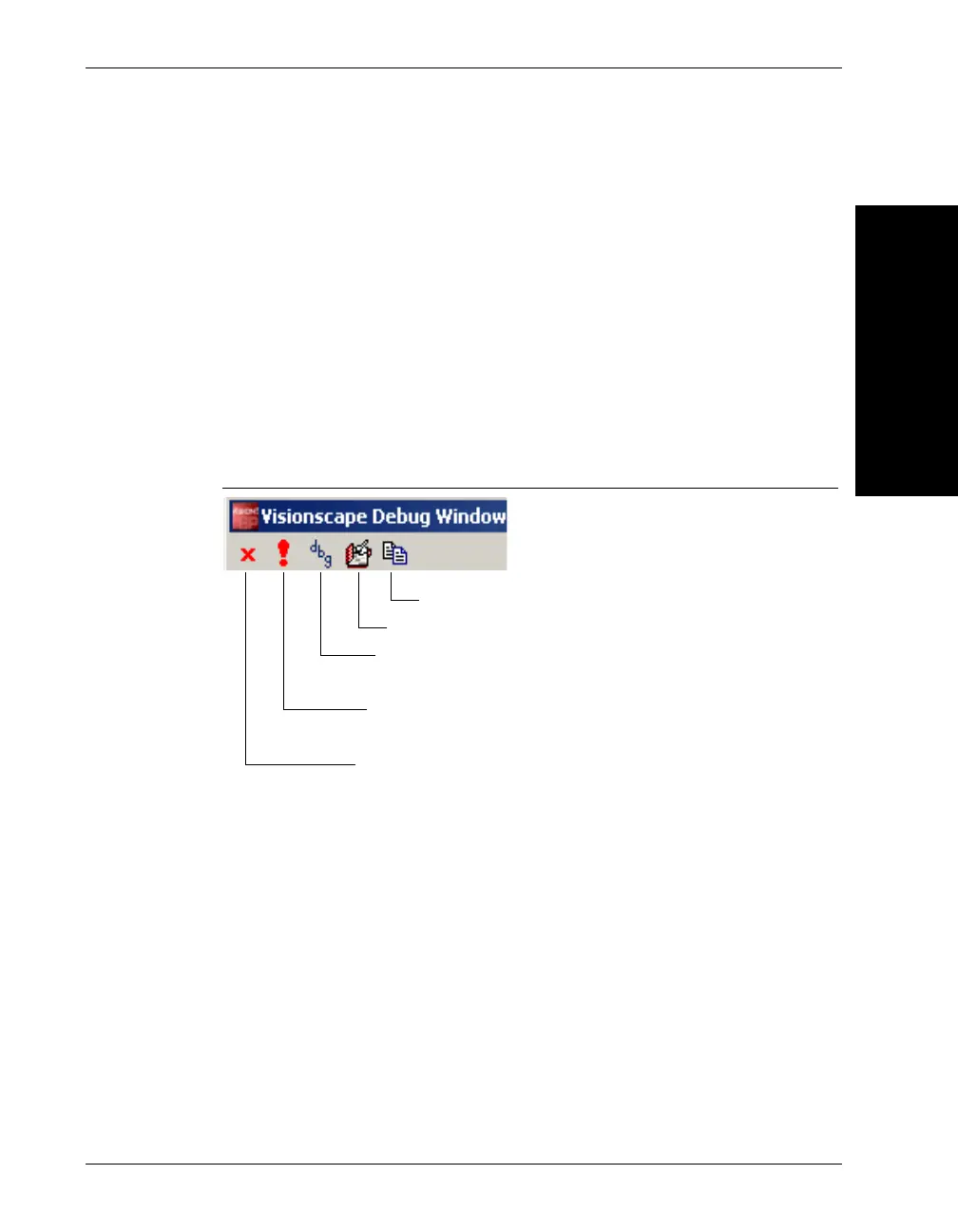
• Debug Output — Displays output messages from Perl scripts and
internal messages from the Visionscape
®
Framework and from
FrontRunner™.
FIGURE 2–23. Debug Window
– Clear the display — Clears the Debug Output window.
– When important messages are added to the display, show this
window — Automatically displays important messages when they
are added to the window.
– Set the debug level — Allows you to set the importance of a
message:
• None (default)
• Level x, where x is a value (1 - 6)
– Log all messages to — Starts/Stops active logging of debug
messages.
Clear the display
When important messages are added to the display
show this window
Set the debug level
Log all messages to
Copy contents of Debug Window to Clipboard



 To Next Page