MICROSENS 8 Port Gigabit Ethernet Switch User’s Manual
62
Function name:
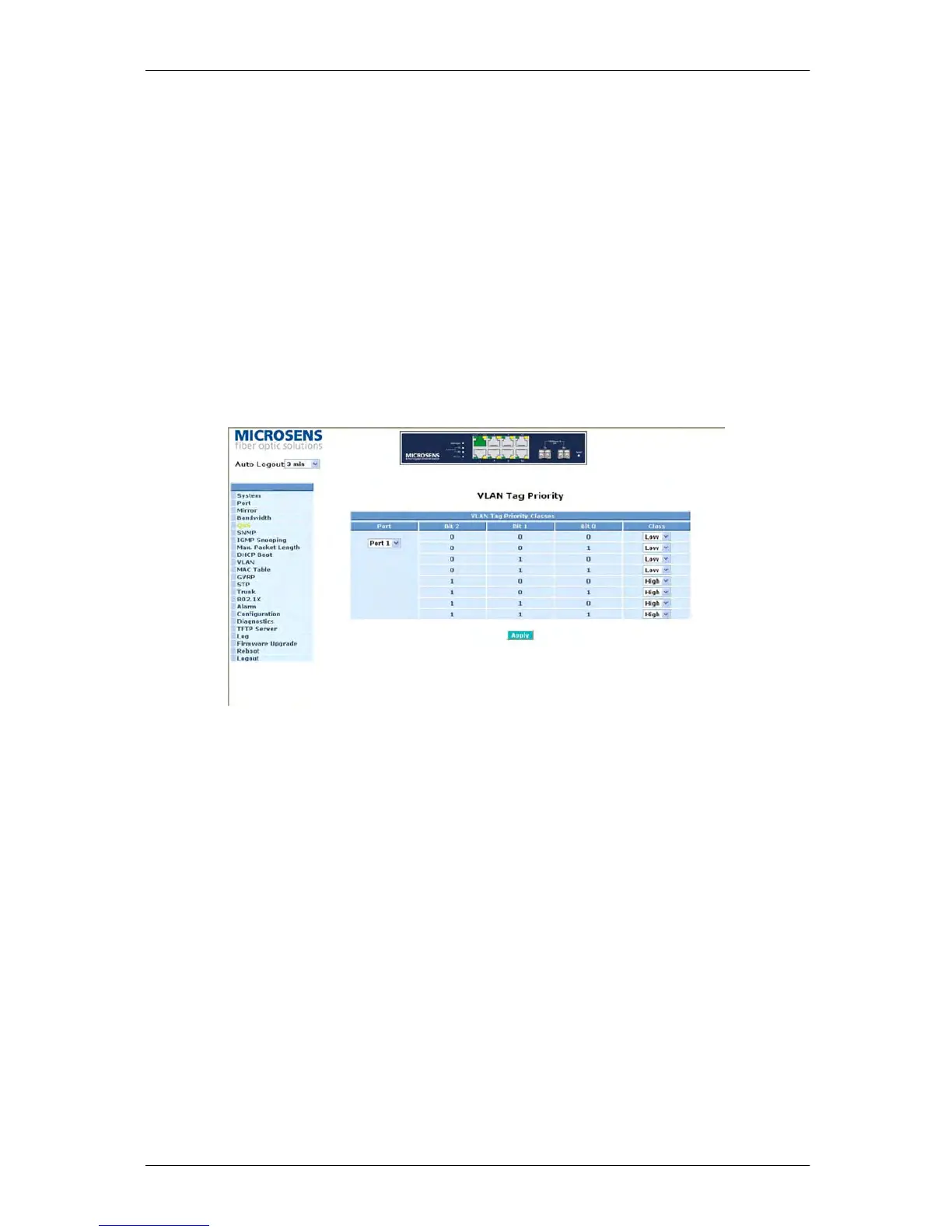
VLAN Tag Priority
Function description:
In vlan tag, there are 3 bits belonging to priority. According to these 3 bits, we could
arrange 8 traffics –0 0 0, 0 0 1, 0 1 0, 0 1 1, 1 0 0, 1 0 1, 1 1 0, 1 1 1. We can set High priority
or Low priority for each traffic class. For instance, if we let VLAN-tagged priority 0 0 0 be
high priority and VLAN-tagged priority 0 0 1 be Low Priority, and then make port 1, 2, 3 be
in the vlan 2. We sent the packets that have the value 0 0 0 in vlan-tagged field and VID
equals 2 from the port 2 and the packets that have the value 0 0 1 in vlan-tagged field and
VID equals 2 from the port 3 into the switch. We let the two kinds of packets be
transmitted for port 1 until the port results in congestion. The result is that the packets will
be dropped partially from the port 3 because the packets that belong to Low Priority. For
the use of VLAN Tag Priority function, please press <Configure> button at the right
section for setting in advance.
Fig. 3-19
Parameter description:
Quality of Service (QoS) Vlan Tag Configuration:
Used for setting up the QoS belongs to Vlan operation.
Port:
User can set up the port (1~8) respectively to let Vlan Tag QoS function work on them.
If you would like to set up all ports at a time, user is also allowed to choose “All” in
the selection list to simplify the procedure of configuration.



 To Next Page