16 ScanMaker i900 Installing and Getting Started
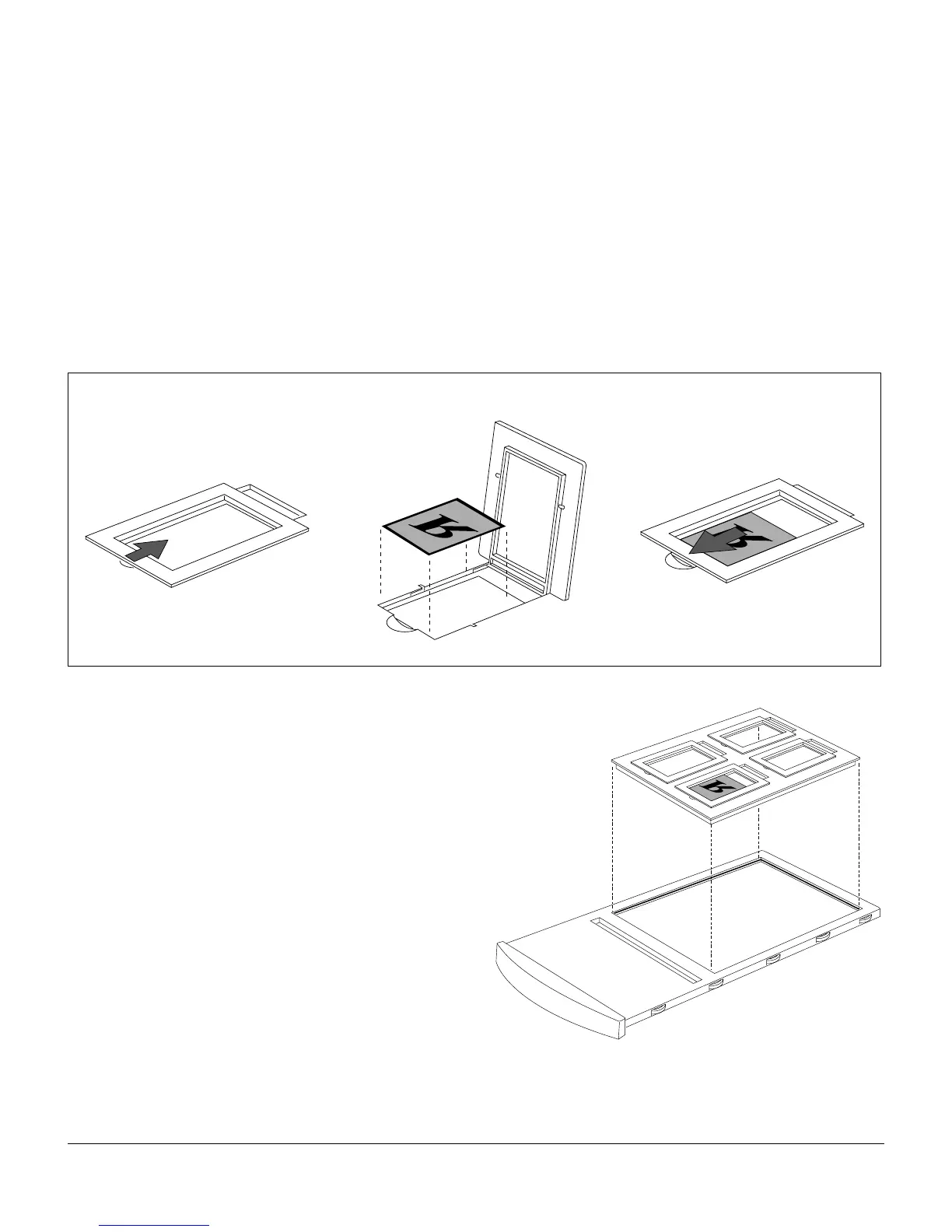
C. Using the 120 Film Holder
The 120 Film Holder can hold four transparencies at a time, and allows you to scan
several different film sizes of transparencies, including 6 x 4.5 cm, 6 x 6 cm, 6 x 7
cm, and 6 x 9 cm.
1. Place the film into the holder.
a) Push on the side to open the lid.
b) Place the film in the holder.
c) Pull down the side to close the lid.
2. Put the film holder into the
transparency tray.
3. Insert the whole assembly
into the transparency bay
(the drawer or lower
compartment) of the
scanner.
b)
a) c)












 To Next Page